
LockedIn AI Review: Real Pros/Cons, Who Should Pay, and Who Should Skip
Table of Contents
Ever feel like your job applications vanish into a black hole? You’re not alone. I’m Dora, and after weeks of testing LockedIn AI, I saw exactly why tech professionals send 80 resumes and get two screens. This job search AI tool promises faster tailoring, better keyword match, and interview prep—but only if you understand how to use it.
In this review, I’ll break down what actually works, what feels like fluff, and who should bother paying versus who should skip it entirely. If mass applications have been draining your time, you’ll want to read this.
Quick verdict (best for / not for)
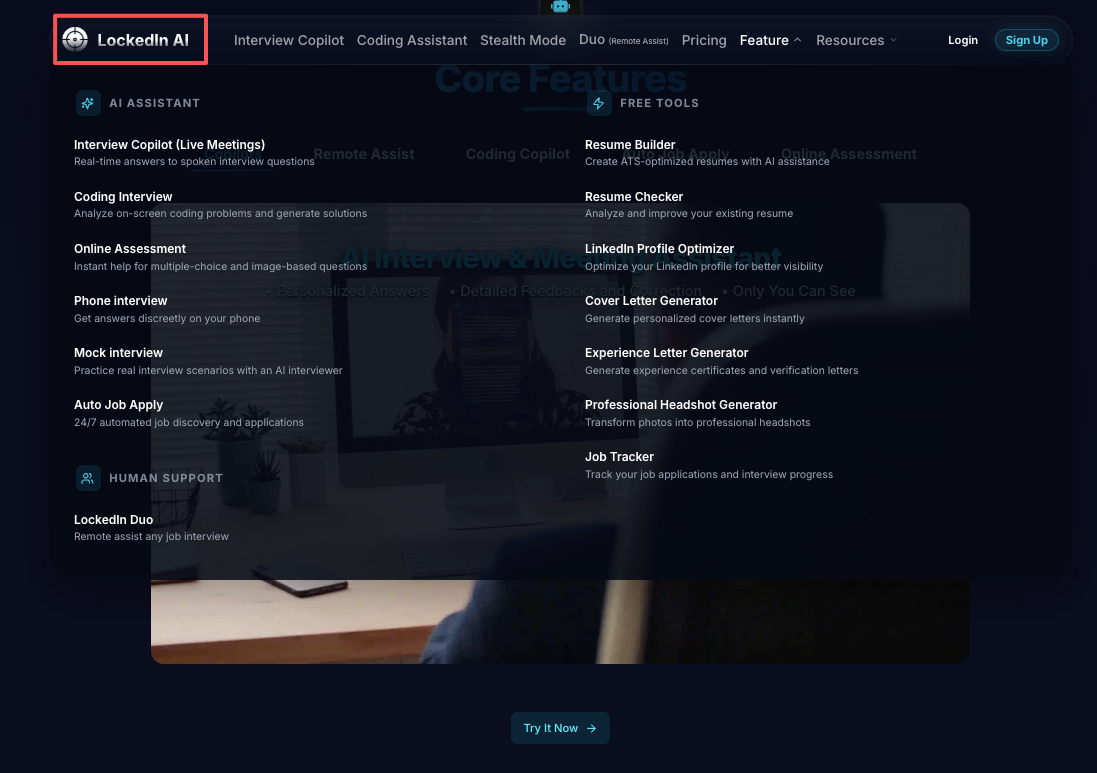
LockedIn AI is an AI job-search assistant focused on resume and interview help. The promise is simple: faster tailoring, better keyword match, and cleaner answers when you freeze up.
Here’s the harsh truth: it won’t “beat” the ATS algorithm by magic. ATS parsing is mostly about structure and keyword match. If your experience isn’t aligned with the role, no tool can Optimization your way into a yes.
Best for
- Busy tech professionals who need consistent tailoring without spending 2 hours per application.
- People who struggle to quantify impact (metrics, ROI, conversion rate, latency, costs). LockedIn AI nudges you toward numbers.
- Interview prep for behavioral + common technical prompts, especially when you need a repeatable structure.
- International candidates who need a more targeted strategy (less spray-and-pray), because visa sponsorship narrows the funnel.
Not for
- Anyone expecting “one-click offers.” If your baseline resume is weak, the tool will generate polished weakness.
- People who won’t sanity-check outputs. Hallucinations happen. If you copy/paste blindly, you’re playing with fire.
- Candidates with a strong insider connection already. If a recruiter or hiring manager is pulling you in, your leverage is the relationship, not more AI text.
Feature test notes (what works consistently)
I tested LockedIn AI the way most of my consulting clients use tools: under time pressure, with imperfect inputs, across multiple job posts.
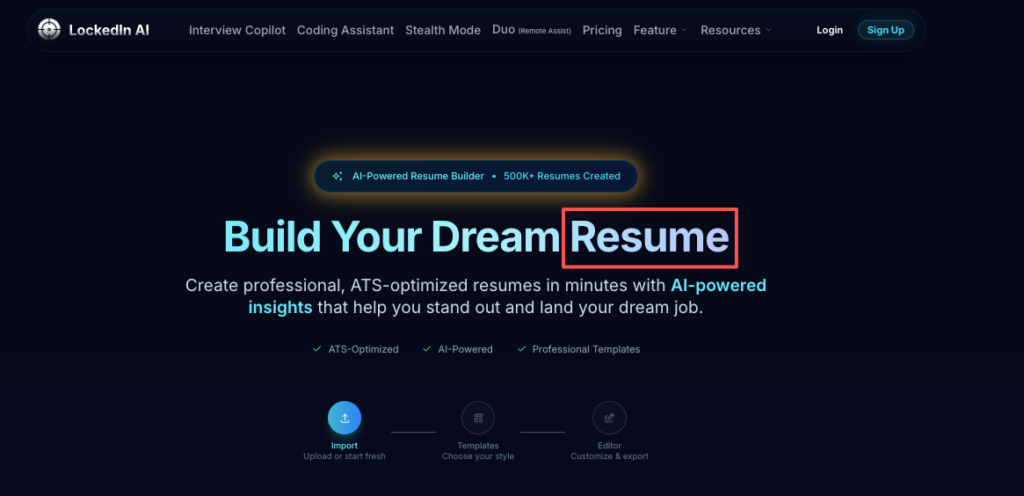
1) Resume tailoring that respects ATS parsing (mostly)
I dropped in a standard SWE resume (single-column, clear headings). Then I pasted 6 job descriptions: 2 backend, 2 data, 2 PM.
What worked consistently:
- It pulled role keywords into the resume in a way that usually reads natural.
- It encouraged cleaner alignment between “what you did” and “what they asked.”
- When I fed it a job post with clear requirements, the output improved.
The key is inputs. If the job description is vague, the output gets generic.
My field rule: treat it like an Optimization assistant, not a writer. You bring the facts. It improves the keyword match.
2) Bullet rewriting that pushes metrics (when you give it raw material)
This is where I saw the most value.
Example (how I’d coach it):
- I provided: “Improved dashboard performance.”
- Then I added: “Load time dropped from 7s to 2s: queries reduced: 1200 weekly users.”
LockedIn AI did a solid job turning that into a crisp bullet with metrics. That’s not cosmetic. Metrics are leverage. They turn your value prop into proof.
If you don’t know your numbers, it can suggest places to look:
- latency before/after
- cost savings
- conversion rate changes
- incident counts
- SLA improvements
3) Interview answer structure (STAR, but less robotic)
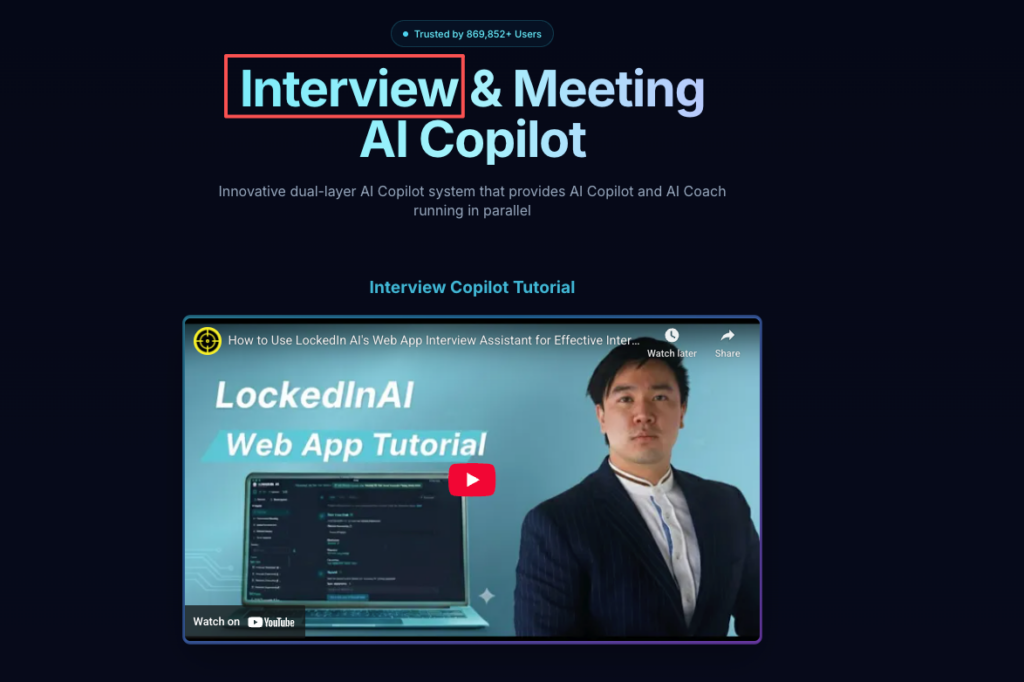
I clicked into interview help expecting stiff scripts. Surprisingly, with a little prompting, it gave answers that sounded closer to how a human speaks.
What helped:
- It consistently nudged me to include tradeoffs (why I chose option A over B). Recruiters won’t tell you this, but tradeoffs signal senior thinking.
- It surfaced missing pieces like scope (team size, users impacted) and constraints (timeline, data quality, dependencies).
4) Speed: the real ROI
If you’re doing targeted applications (not mass applications), speed matters.
In my test week, the biggest gain wasn’t “better writing.” It was shorter cycles:
- job post → aligned bullets → tighter summary → interview talking points
That’s measurable ROI: more high-quality submissions without living in Google Docs.
For ATS basics, I still anchor people to clear formatting and simple structure. The U.S. Department of Labor has a plain-language overview of ATS and hiring basics that’s worth skimming if you’re new to this.
Real friction (setup, hallucinations, tone mismatch)
LockedIn AI isn’t hard, but it’s not “set it and forget it” either.
Setup friction: your data has to be clean
If your resume is messy, the tool can misread sections.
Common issues I saw:
- inconsistent heading names (Experience vs Work History)
- bullets with no outcomes
- project sections that mix tech stacks and results
ATS parsing has similar problems. So fixing this helps twice: for the tool and for the ATS.
Hallucinations: small ones are common, big ones are dangerous
I saw it invent details when my input was thin.
Example patterns:
- adding team size when I didn’t provide it
- claiming “reduced cost by 30%” without any cost data
- naming tools I never mentioned
Here’s the harsh truth: one fake metric can kill trust in an interview. As The Atlantic reported on AI in job interviews, overreliance on AI-generated content can backfire when candidates can’t substantiate their claims.
My fix: I keep a “source of truth” doc:
- systems touched
- metrics with dates
- project scope
- links (PRs, dashboards, specs)
Then I only accept output that maps back to that doc.
Tone mismatch: it can sound like a LinkedIn post
Sometimes the phrasing drifted into corporate-polished language.
For tech roles, I prefer:
- direct verbs (built, shipped, reduced)
- specific nouns (Kafka consumer, db index, A/B test)
- fewer adjectives
If it outputs fluff, I rewrite the first sentence myself. Then I let it rework the rest to match my voice.
Quick hack: tell it “Keep it plain. 6th-grade reading level. No hype.” The tone improves fast.
Dependency risk (confidence vs over-reliance)
This is the part most reviews skip.
Tools like LockedIn AI can boost confidence. That’s fine. But there’s a line where confidence becomes over-reliance.
The risk: you stop building the real skill
If AI always writes your stories, you don’t practice:
- pulling the right example under pressure
- explaining tradeoffs
- defending decisions
- negotiating with clear leverage
And interviews are not an essay contest. They’re a live conversation.
Recruiters won’t tell you this, but they’re listening for ownership. If your answer sounds polished but you can’t go deeper, it shows.
My rule: AI drafts, you perform
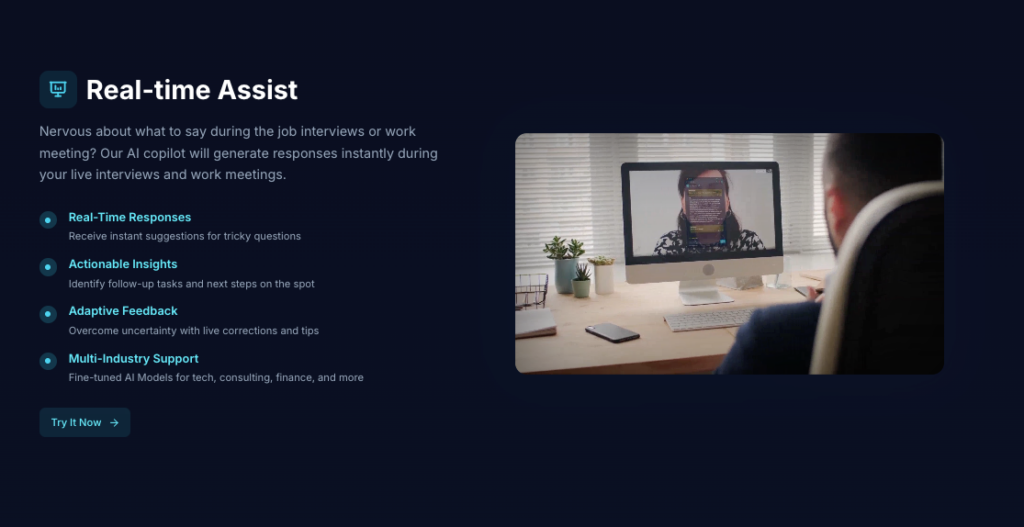
This is what I do (and what I ask clients to do):
- Use LockedIn AI’s copilot feature to draft 6–8 core stories.
- Turn each story into a 30-second version and a 2-minute version.
- Practice out loud.
- Write 3 follow-up questions the interviewer could ask.
If you can’t answer the follow-ups, the story isn’t yours yet.
Negotiation is where dependency hurts the most
AI can suggest scripts, but it can’t create leverage for you.
Leverage comes from:
- competing offers
- scarce skills
- clear ROI you can quantify
- timing (end of quarter, urgent hiring)
LockedIn AI can help you say it better. You still need the underlying value prop.
If you’re negotiating in the U.S., I also recommend checking wage data from the Bureau of Labor Statistics so you’re not anchoring on vibes.
What users complain about most (themes, not anecdotes)
I’m not going to pretend every complaint is “user error.” Some friction is real. Across tools in this category, the complaints cluster into a few themes, and LockedIn AI fits the pattern.
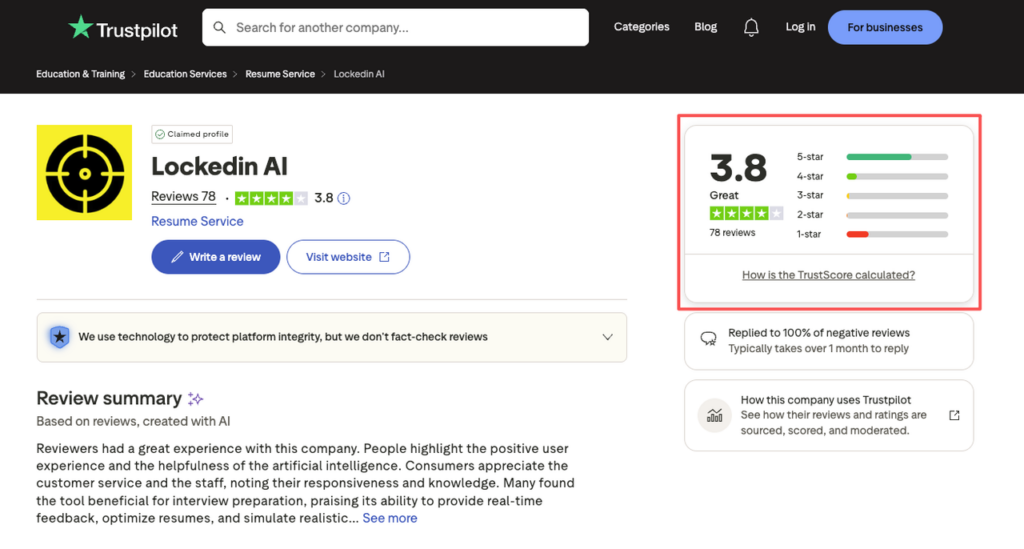
You can see mixed feedback on Trustpilot reviews for LockedIn AI, where users share both successes and frustrations.
1) “It didn’t get me interviews”
This is the classic expectation gap.
Stop guessing. Let’s look at the data.
If your conversion rate is:
- 0 recruiter screens out of 100 applications
that’s not a “resume wording” problem alone.
It’s usually one (or more) of these:
- you’re applying to misaligned roles
- you’re missing core requirements
- your location/visa needs shrink the pool
- no insider connection or referral strategy
AI can improve Optimization. It can’t fix targeting.
2) “The resume sounds generic”
This happens when inputs are thin.
If you paste only a job title and a few bullets, the algorithm fills the gaps with common phrases. That’s how language models behave.
Fix: add 3 details per role:
- a system you built
- a metric that moved
- a constraint you worked under
3) “It messes up my formatting”
ATS parsing likes simple formatting. Humans also like readability. Some tools accidentally push people toward layouts that look pretty but parse poorly.
My safe format:
- one column
- standard headings
- no icons or graphs
- consistent dates
If you must use a designed template, run a quick test: copy/paste into plain text. If it becomes unreadable, ATS parsing may break too.
Better matches, cleaner formatting, and less stress—no magic required. JobRight simplifies the tedious parts of the job search so you can focus on landing the offer. Create your profile and run your first resume check today.
4) “It doesn’t understand visa sponsorship”
This is big for international candidates.
A tool can’t magically know which roles will sponsor this quarter. You still need a strategy:
- shortlist companies with a history of sponsorship
- focus on roles that match your strongest keyword match
- use referrals to avoid the application black hole
For U.S. work authorization basics, keep a clean reference from official sources so you’re not relying on random posts.
Recommendation by persona (new grad / switcher / senior)
I’d recommend LockedIn AI differently based on where you are, and what problem you’re solving.
New grad
If you’re a new grad, your biggest risk is sending “coursework resumes” into an ATS built to filter.
LockedIn AI is worth trying if you use it to:
- translate projects into outcomes (latency, accuracy, user impact)
- mirror job keywords without lying
- build 5–6 solid interview stories from school, internships, and team projects
Tough love: if you don’t have enough experience, no amount of Optimization will replace building proof. Ship a project, contribute to open source, or do a scoped freelance build. Then use the tool to package it.
Career switcher (bootcamp, self-taught, non-traditional)
Switchers usually fail on alignment. Your resume reads like two different people.
LockedIn AI helps most when you:
- rewrite past experience into transferable skills (stakeholder work, analysis, process design)
- build a clear value prop: “I did X before, which maps to Y now”
- create a tight narrative for “Why this switch?”
But don’t let it invent a background you don’t have. Hiring teams can smell that.
Senior (5–10+ years)
Seniors don’t need prettier bullets. They need sharper positioning.
I like LockedIn AI here for:
- compressing long histories into impact-first bullets
- turning scattered wins into a coherent leadership story
- prepping for system design and scope questions with consistent structure
Watch the tone. Senior resumes should sound calm and exact, not inflated.
International candidate (visa-dependent)
You didn’t list this as a persona heading, but it matters.
If you need sponsorship, the tool is only one piece. Your strategy has to reduce wasted cycles:
- apply to companies that have sponsored before
- use the strongest keyword match roles first (higher conversion rate)
- prioritize insider connection paths (alumni, past coworkers, targeted recruiters)
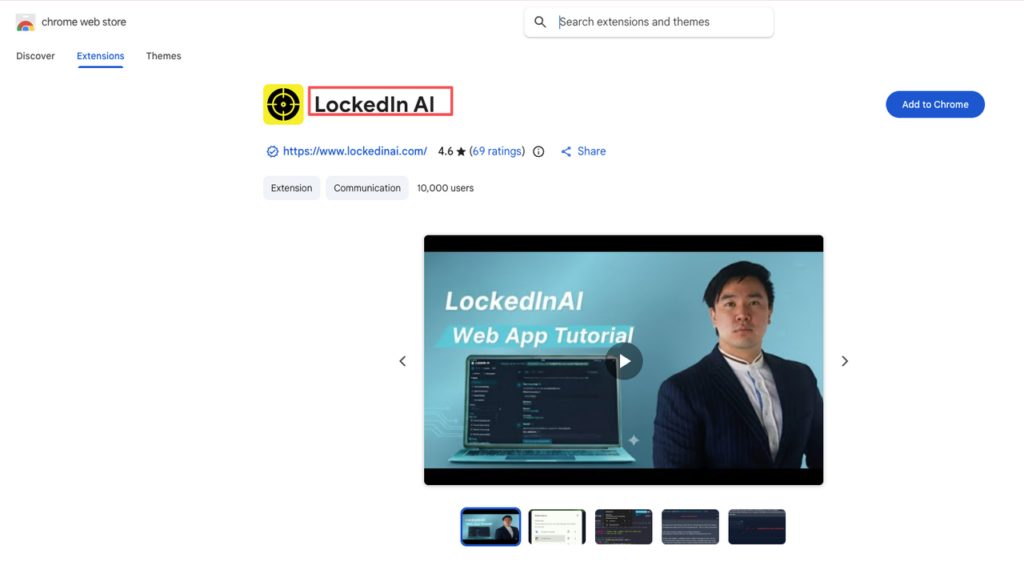
If you’re like me and you care about saving time and staying honest, LockedIn AI is worth a test run. You can also try the LockedIn AI Chrome extension for quick access while browsing job boards, or explore LockedIn Duo for paired interview practice, or use the desktop app for a more integrated workflow.
But skip it if you expect it to replace strategy, referrals, or real interview practice. It won’t, and that’s not a flaw. That’s reality.
LockedIn AI Review: Frequently Asked Questions
What is LockedIn AI, and is this LockedIn AI review positive overall?
LockedIn AI is an AI job-search assistant focused on resume tailoring and interview prep. This LockedIn AI review is positive for speed and structure: it helps align keywords, tighten bullets, and draft interview answers. It’s not a magic ATS “hack,” and results still depend on role fit and inputs.
How does LockedIn AI help with ATS keyword matching when tailoring a resume?
In this LockedIn AI review, the most consistent win was ATS-friendly tailoring when the resume is single-column with clear headings. It pulls relevant role keywords into bullets and summaries without always sounding forced. If the job description is vague or your inputs are thin, outputs trend generic.
Can LockedIn AI improve resume bullets by adding metrics and impact?
Yes—if you provide raw material. LockedIn AI shines when you give before/after numbers (latency, cost, conversion, incidents, SLA) and it rewrites them into crisp, impact-first bullets. If you don’t know your metrics, it can suggest what to measure, but you must verify everything.
Does LockedIn AI hallucinate details, and how do you prevent mistakes?
It can hallucinate, especially when your inputs lack specifics—e.g., inventing team size, cost savings, or tools you never used. To prevent errors, keep a “source of truth” doc with systems, scope, and verified metrics, and only accept text that maps back to real evidence.
Is LockedIn AI good for interview prep, or do answers sound robotic?
LockedIn AI can be strong for interview prep because it nudges STAR-style structure while adding tradeoffs, constraints, and scope—signals recruiters associate with senior thinking. It may still sound overly polished, so prompt for plain language and then practice out loud to ensure you can go deeper.
Recommended Reads