
The 2026 Guide to AI LinkedIn Profile Optimization (And Why Scores Don’t Matter)
Table of Contents
In the early 2020s, LinkedIn Search visibility was a game of “keyword stuffing.” Today, that strategy is a fast track to invisibility. As we move through 2026, LinkedIn has completed its transition from a standard search engine to an LLM-powered matching engine. The stakes have never been higher: A recent LinkedIn report reveals that while 80% of job seekers feel unprepared to navigate the current market, 93% of recruiters have already integrated AI into their daily workflows to source and evaluate talent. If you aren’t optimizing for the algorithm, you aren’t just behind—you’re effectively unsearchable.
The new LinkedIn architecture—often referred to in technical circles as the 360 Brew approach—analyzes your profile as a holistic “entity.” Gone are the days when repeating “Project Manager” five times improved your rank. LinkedIn’s current Knowledge Graph and Hiring Assistant now prioritize “Semantic Relevance.”
Data from the LinkedIn 2026 Hiring Release shows that recruiters using these AI-native matching tools are:
- Saving 4 hours per role on manual searching.
- Reviewing 62% fewer profiles because the AI matching is so precise.
- Seeing a 69% higher InMail acceptance rate through AI-assisted personalization.
To win in 2026, you don’t need a higher “keyword density.” You need to understand how to align your professional identity with the Semantic Skill Graph that recruiters are now using to build their shortlists.
Layer 1: Optimizing for the Semantic Skill Graph
The most profound shift in 2026 recruitment is the total transition from Keyword Matching to Semantic Entity Mapping. In the old days, LinkedIn’s search was a simple “Ctrl+F” for specific words. Today, LinkedIn utilizes its massive Knowledge Graph—a complex web of trillions of relationships between skills, job titles, and industries—to verify your expertise.
When a recruiter searches for a “Senior Product Marketer,” the LinkedIn AI doesn’t just look for those three words. It scans for “Topic DNA.” The algorithm understands that a Senior professional in this field shouldn’t just have “Marketing” on their profile; they should have semantic neighbors like “Go-To-Market (GTM) Strategy,” “Competitive Intelligence,” and “Product Lifecycle Management.”
The “Context Penalty”: If your profile lists a high-level skill like “Python” but lacks surrounding technical context like “Pandas,” “NumPy,” or “Data Visualization,” the 2026 algorithm may flag your skill as “unvalidated” or “shallow.” To the AI, you look like someone who added a keyword just to rank, rather than a practitioner who lives in that ecosystem.
The Actionable Fix: Filling “Semantic Gaps”
To rank in 2026, you must stop viewing skills as a list and start viewing them as Clusters. A cluster demonstrates depth, authority, and structural integrity to the AI.
Step 1. Audit Your “Topic DNA”
Use an AI tool to analyze the top 10 job descriptions for your target role. Don’t look for the common keywords; look for the co-occurrence patterns. What skills always appear together in high-paying roles?
Example: In 2026, “Content Marketing” is almost always paired with “AI Prompt Engineering” and “Content Operations.” If you have one without the others, your “Topic DNA” is incomplete.
Step 2. Implement Semantic Clustering
When updating your Skills and Experience sections, ensure you are building “Moats” around your core expertise by including these semantic neighbors:
| Core Skill | Old “Keyword” Strategy (Weak) | 2026 Semantic Cluster (Strong) |
| Search visibility | Listing “Search visibility” 5 times. | Search visibility + “Semantic Search” + “Entities” + “Intent Mapping” + “Schema Markup.” |
| Sales | “Sales,” “Cold Calling.” | Sales + “Revenue Operations (RevOps)” + “Social Selling” + “CRM Hygiene” + “Pipeline Velocity.” |
| Product | “Product Management.” | Product + “User Outcomes” + “Product-Led Growth (PLG)” + “A/B Testing” + “Technical Debt Management.” |
Step 3. Leverage “Skill Validations” through Narrative
The AI doesn’t just look at the Skills list; it looks for cross-validation in your About and Experience sections. If you claim “Semantic Search” in your skills, your Experience section should describe a Challenge where you utilized “Entity-based Search visibility” to drive results. This creates a “Logical Loop” that the LinkedIn algorithm uses to assign you a high Authority Score.
Layer 2: The Section-by-Section AI Workflow
To survive the “360 Brew” audit, every section must serve a dual purpose: appealing to the LinkedIn Agent (the AI) and the Human Recruiter.
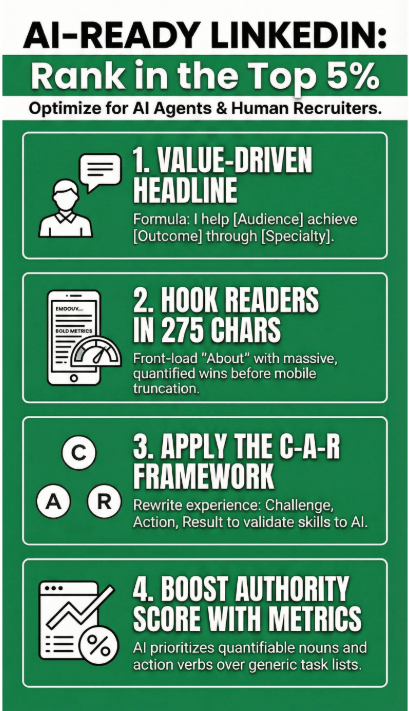
1. The Headline: Implementing the ICP Formula
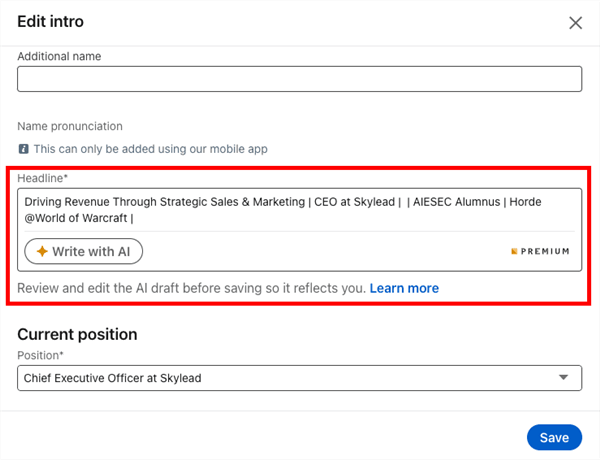
The headline is the most heavily weighted field in LinkedIn’s search indexing. Traditional headlines (e.g., “Marketing Manager at Company X”) are too narrow. To the 2026 AI, this lacks “Intent Data.”
Instead, use the Ideal Candidate Profile (ICP) Formula:
“I help [Target Audience] achieve [Specific Outcome] through [Your Core Specialty].”
It uses “Entity Tagging.” By defining your audience and outcome, you are telling the AI which Search Clusters you belong in (e.g., “SaaS Growth” or “Enterprise Efficiency”). It answers the “What’s in it for me?” question in under three seconds.
2026 Pro-Tip: Include one “Authority Tag” at the end—a recognized certification or a major brand you’ve worked with—to boost your Trust Score.
2. The About Section: Mastering the “First 275” Rule
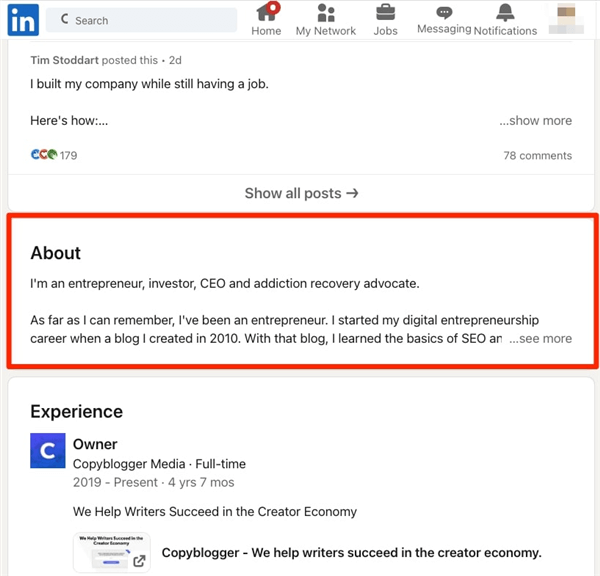
In 2026, LinkedIn’s mobile interface is more dominant than ever. On a smartphone, the “About” section truncates after approximately 275 characters. If your “Hook” doesn’t appear before the “See More” button, your dwell-time metrics will plummet, signaling to the algorithm that your profile isn’t engaging.
The Two Types of 2026 Hooks:
1. The Achievement Hook: Lead with a massive, quantified win.
“By the time I left [Company], I had scaled their organic revenue from $0 to $2M using a proprietary AI-content framework. Here’s how I did it…”
2. The Contrarian Hook: Challenge an industry norm to show thought leadership.
“Most Search visibilitys are still obsessed with backlinks. In 2026, if you aren’t optimizing for Entity-based search, you’re invisible. I specialize in the latter.”
The AI Workflow: Use a “Human-in-the-Loop” prompt to ensure this section doesn’t sound like a bot. Ask the AI to: “Write a 275-character opening that uses a ‘Challenger’ brand voice and leads with a specific metric.”
3. Experience: The C-A-R Framework
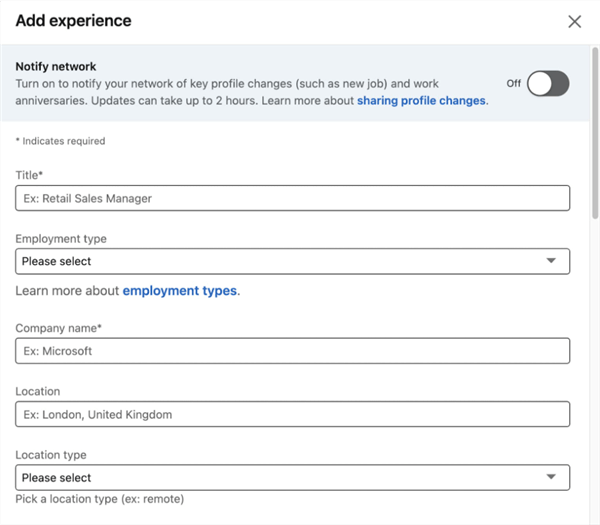
The “Experience” section is where the 2026 algorithm validates the skills you claimed in Layer 1. If you claim “Strategic Leadership” but your experience only lists “Attended meetings,” the AI assigns a “Low-Confidence” flag to your profile.
To fix this, prompt your AI tool to rewrite every bullet point using the C-A-R (Challenge-Action-Result) Framework:
- Challenge: What was the specific pain point? (e.g., “Customer churn was at an all-time high of 15%.”)
- Action: What unique skill did you apply? (e.g., “I built an automated re-engagement sequence using Jobright’s matching logic.”)
- Result: What was the quantified outcome? (e.g., “Reduced churn to 4% within one quarter, saving $400k in ARR.”)
Why this works for Search visibility: The 2026 algorithm specifically scans for quantifiable nouns and action verbs to build your “Authority Score.” A profile full of C-A-R-based bullets will outrank a “responsibilities-based” profile every time.
5 Best AI Tools for LinkedIn Profile Optimization in 2026
While the market is flooded with generic “AI writers,” these five tools are the only ones that address the specific 2026 algorithmic shifts we’ve discussed.
1. Jobright.ai: The “Recruiter-Mirror” Specialist
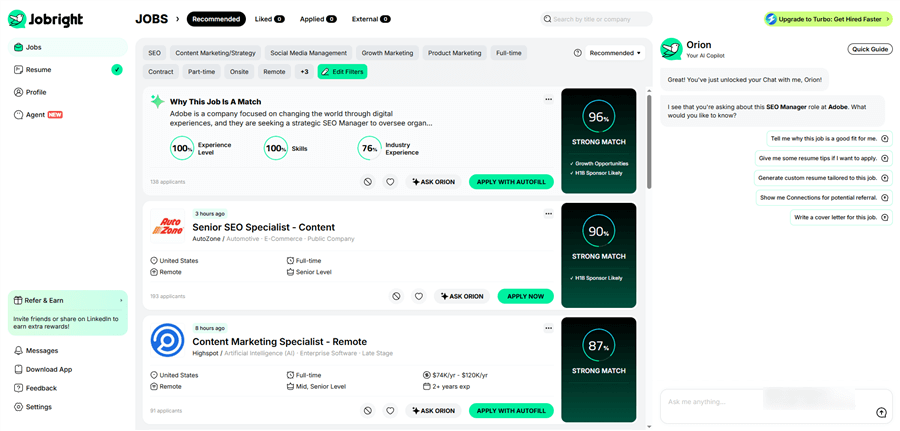
While most tools aim for a high “optimization score,” Jobright.ai focuses on the only metric that matters: Placement. It acts as a bridge between your digital presence and the specific preferences of Fortune 500 hiring managers.
Key Features:
- The Recruiter Mirror: A proprietary engine that scans target job descriptions and identifies the exact “Semantic Entities” missing from your profile.
- Matching Logic Simulator: Predicts how you will rank in the “Hiring Assistant” shortlists before you even apply.
Pros: Optimizes for human placement, not just bot readability; high success rate in competitive tech/marketing sectors.
Cons: Highly focused on active job seekers; less suited for general “social selling” or casual networking.
2. Jobscan: The Keyword Indexing Giant
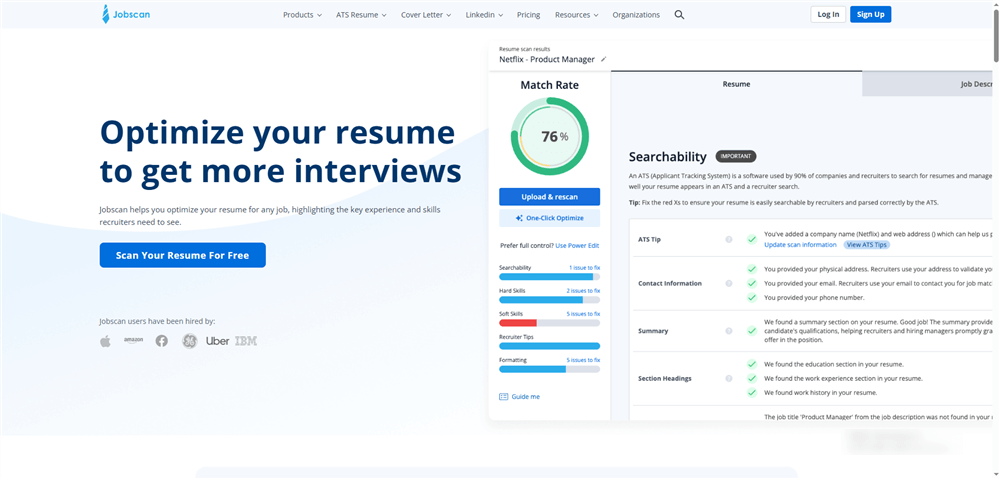
Jobscan remains the gold standard for navigating the “Traditional” layer of LinkedIn Search visibility. Even in 2026, legacy Applicant Tracking Systems (ATS) still feed data into LinkedIn’s larger ecosystem, making keyword precision a vital baseline.
Key Features:
- Search Visibility Module: Predicts your profile’s appearance frequency in recruiter searches based on 2026 historical trends.
- ATS Sync: Directly compares your profile against the specific parameters of over 50 different ATS platforms.
Pros: Deep historical data; excellent for ensuring technical “Hard Skills” are perfectly indexed.
Cons: The user interface can feel overwhelmed with data; focuses more on “Keyword Match” than “Semantic Storytelling.”
3. Aragon.ai: The Visual Trust Architect
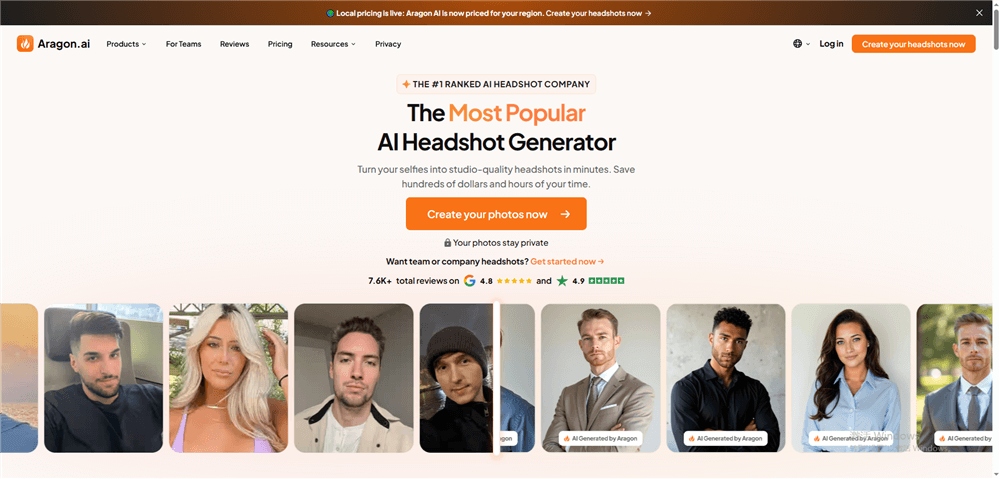
In 2026, “Visual Search visibility” is the new frontier. LinkedIn’s vision AI now evaluates headshots for professional signals. Aragon.ai uses high-fidelity Generative Adversarial Networks (GANs) to turn simple selfies into studio-quality assets.
Key Features:
- Authentic Texture Engine: Avoids the “uncanny valley” by maintaining natural skin tones and micro-expressions that pass human trust checks.
- 8K Professional Renders: High-resolution outputs specifically designed for LinkedIn’s 2026 high-DPI display standards.
Pros: Eliminates the cost of professional photography; remarkably fast turnaround (under 30 minutes).
Cons: Can occasionally produce results that look too polished; requires a high-quality initial selfie for best results.
4. Careerflow.ai: The Interactive Profile Sidekick
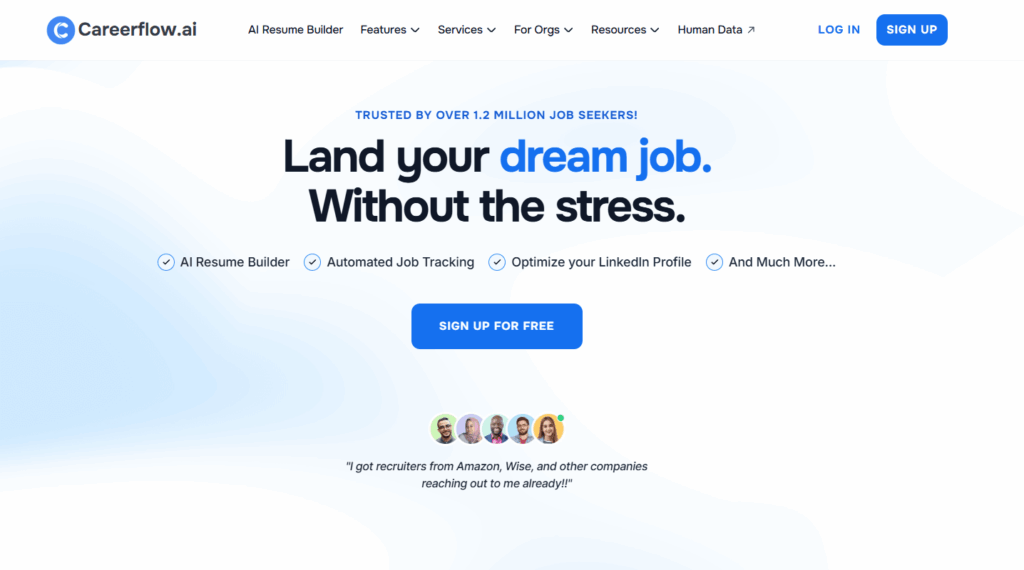
If you prefer a hands-on approach, Careerflow.ai offers a live, “over-the-shoulder” auditing experience. This Chrome extension guides you through the technical nuances of your profile in real-time.
Key Features:
- Live Optimization Score: An interactive meter that updates as you edit your headline, bio, and experience sections.
- “Open To” Work Optimization: Specific AI prompts designed to help you trigger the recruiter “Spotlight” filter without alerting your current employer.
Pros: Extremely user-friendly; integrates directly into the LinkedIn UI; great for quick fixes.
Cons: Limited strategic depth; primarily focuses on UI elements rather than deep semantic clustering.
5. MeetSona.ai: The Narrative Storyteller
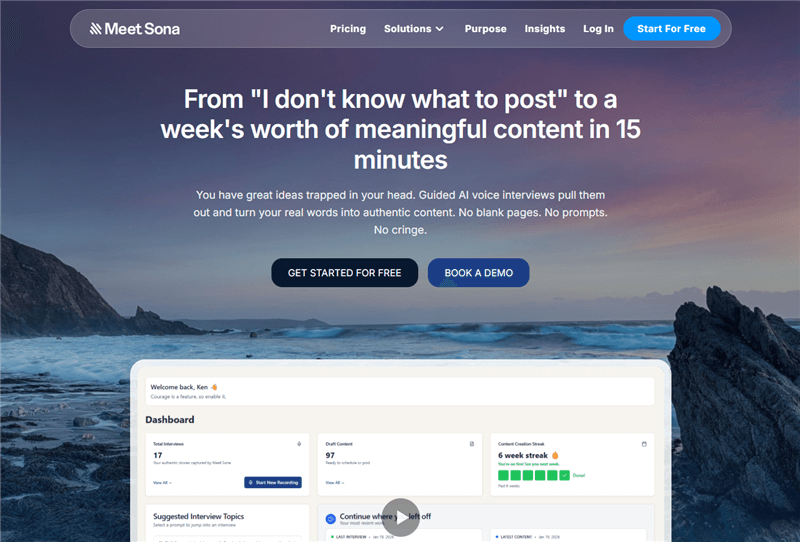
MeetSona.ai is designed for the “Human-in-the-Loop” philosophy. It addresses the “Generic Bio” problem by using a conversational interface to extract your unique career “hooks.”
Key Features:
- Conversational Interviewing: The AI “interviews” you to find the anecdotes and results that make you stand out.
- Anti-Bot Scripting: Specifically programmed to avoid “ChatGPT-isms” like “tapestry,” “delve,” or “passionate.”
Pros: Exceptional at maintaining an authentic human voice; best for founders, consultants, and thought leaders.
Cons: Requires more manual effort and time than “one-click” generators; focuses on storytelling over technical Search visibility.
Tool Comparison at a Glance
| Tool | Primary Purpose | Best For… | 2026 Standout Feature |
| Jobright.ai | Matching & Search | Getting Hired | Matching Logic Simulator |
| Jobscan | ATS Search visibility | Ranking High | Search Visibility Predictor |
| Aragon.ai | Visual Branding | First Impressions | High-Fidelity 8K Headshots |
| Careerflow | Live Auditing | Quick Fixes | Interactive Chrome Extension |
| MeetSona | Brand Voice | Authentic Bio | Personality-Driven Ghostwriting |
Layer 3: Beating the Recruiter-Side AI Filters
When a recruiter logs into “LinkedIn Recruiter,” they see a different world. They see Spotlights.
LinkedIn’s AI highlights candidates who are “Likely to Respond” or have “Company Connections.” To win here, you need Algorithmic Mirroring. This isn’t just copying a job description; it’s mimicking the intent of the hiring manager.
The Jobright.ai Advantage
This is where Jobright becomes your unfair advantage. While other tools tell you what’s wrong with your profile, Jobright shows you how a recruiter actually sees you. By simulating the recruiter’s search filters, Jobright allows you to tweak your profile until you are the “Perfect Match” the AI is looking for.
The “Anti-Bot” Strategy: Preserving Your Human Edge
In 2026, recruiters have developed an “AI Radar.” If your profile sounds like a generic ChatGPT output, you will suffer a Trust Penalty.
Use “Style Guard” Prompts
When using AI to draft your content, always use a Style Guard prompt to break the robotic cadence:
“Rewrite this bio using first-person, conversational language. Avoid ‘corporate speak’ like ‘synergy’ or ‘highly motivated.’ Focus on specific anecdotes and keep the sentence length varied.”
Conclusion
At the end of the day, a LinkedIn profile is just a static digital asset. Optimization is the fuel, but The Match is the destination.
Don’t spend your time chasing an arbitrary “optimization score” from a generic tool. Focus on the semantic relevance and recruiter logic that actually moves the needle.
Ready to see how you rank against the 2026 algorithm?
Try the Jobright.ai Matching Engine to find the roles where your profile is already a 95% match—and optimize for the jobs that actually matter.