
10 Best LinkedIn AI Message Generators
Table of Contents
In 2026, the LinkedIn landscape has shifted from a volume game to an intent game. With the full integration of the 360Brew algorithm, the platform no longer just tracks how many messages you send; it analyzes the “semantic fingerprint” and behavioral patterns behind every interaction. Generic “AI Slop”—perfectly grammatical but context-blind messages—is now the fastest way to get your account restricted.
To understand what actually works in this new era, we analyzed the sentiment across professional communities like r/b2bmarketing and r/AIToolTesting. The consensus among experts is clear: Warm-up visibility matters more than the message itself. One user on r/b2bmarketing noted:
“LinkedIn’s 2026 crackdown is real. I’ve found that the only way to stay safe is to combine light automation with ‘Awareness-First’ engagement. I use an AI to draft a comment on their post 24 hours before I ever send a connection request. My acceptance rate jumped from 12% to 45%.”
This “Awareness-First” strategy is why tools like Jobright.ai and Taplio, which encourage multi-step engagement and deep personalization, are seeing a significantly higher ROI than traditional “direct-to-inbox” automation.
At a Glance: Top LinkedIn AI Message Generators
| Tool | Best For | Key Innovation (2026) | Why It Stands Out | Pricing |
| Octopus CRM | Pipeline Management | Auto Sequences & CRM Dashboard | Automates connection requests, messages, and follow-ups in visual pipelines | Standard $9.99/mo, Pro $24.99/mo |
| Leaps | Thought Leaders | Anti-AI Slop (Expert Tone) | Preserves authentic voice; contextual slang & fingerprint randomization | Standard $25/mo, Premium $60/mo |
| Expandi | Enterprise Sales Teams | Dedicated Cloud IP Safety | Safest multi-account scaling with omnichannel flow & behavioral randomization | Growth $99/mo, Agency Custom |
| SBL.so | AI-Powered Sales (SDR) | Voice Cloning & Full Chat Handling | Handles full conversation, including audio DMs & objections | Starter $45/mo, Agent Pro $120/mo |
| Taplio | Creator-Seller Growth | Engagement-Triggered DMs | Bridges content and outreach; messages users who interact with posts | Starter $39/mo, Growth $89/mo |
| Konnector | High-Value Networking | Social Signal Monitoring | Sends messages at optimal times using prospect activity signals | Solo $35/mo, Pro $75/mo |
| Dripify | Complex Sequence Mapping | Visual Campaign Builder | Customizable multi-step sequences with team analytics | Starts at $39/mo |
| Waalaxy | Casual Users / Freemium | One-Click Sequences & Email Finder | Easiest UI; pre-built templates; free tier available | Free (Basic) to $60/mo |
| HeyReach | Agencies & Multi-Account Scaling | Unified Inbox & Auto-Rotating IPs | Best for managing dozens of accounts safely | Starts at $150/mo for 10 accounts |
| Jasper AI | Long-Form Messaging & Templates | Brand Voice Memory & AIDA Framework | High-quality templates for LinkedIn messaging; framework-driven | Starts at $49/mo |
The Top 10 LinkedIn AI Message Generators
In 2026, the delta between “automated spam” and “AI-assisted networking” is defined by context. The following ten tools have been vetted for their ability to bypass the 360Brew algorithm while maintaining the user’s unique professional voice.
1. Octopus CRM — Best for Pipeline Management
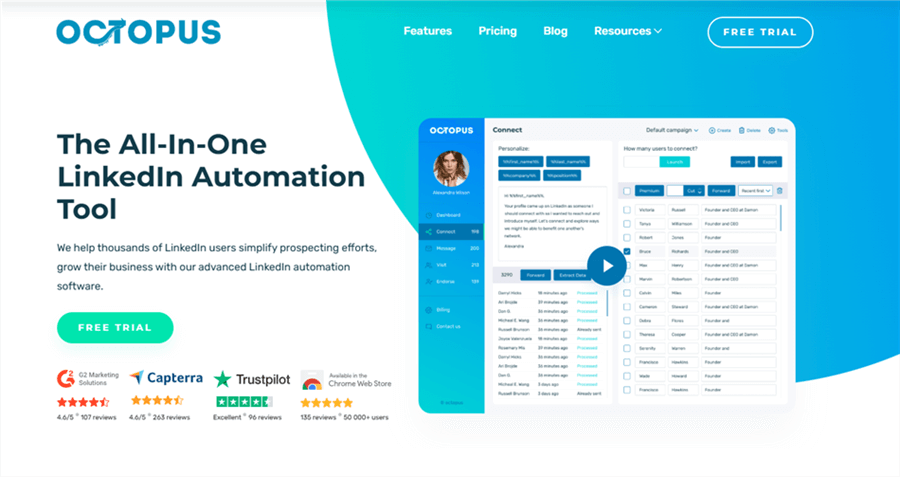
Octopus CRM automates connection requests, messages, and follow-ups with workflow pipelines.
Key Features:
- Auto Sequences: Pre-built messaging flows.
- LinkedIn Analytics: Track opens, clicks, and replies.
- CRM Dashboard: Manage prospects and campaigns visually.
Pros: Simple workflow visualization; automation-friendly.
Cons: Less AI-powered personalization than Leaps/Expandi.
Pricing: Standard $9.99/mo, Pro $24.99/mo.
2. Leaps — The “Anti-AI Slop” Expert
Leaps is the weapon of choice for executives and thought leaders who fear sounding “robotic.” It focuses on a philosophy called “Minimalist Automation,” where the AI does the heavy research but the user provides the “soul.”
Key Features:
- The “AI Journalist” Interview: Instead of typing prompts, you speak to the app for 60 seconds about your networking goal. The AI extracts your unique “voice” and uses it to craft DMs that sound exactly like you.
- Contextual Slang Integration: The tool scans your industry’s current discourse (on Reddit and LinkedIn) and integrates relevant terminology so you sound like an insider.
- Fingerprint Randomization: No two messages ever share the same syntax, effectively shielding you from LinkedIn’s “similarity” detectors.
Pros:
- The most “human” sounding output on the market.
- Prevents “AI Slop” through high-variance drafting.
Cons:
- Higher learning curve to set up your “Voice Profile.”
- Slower than “one-click” generators because it requires user input.
Pricing Plans:
- Standard:$25/mo (Up to 500 messages).
- Premium:$60/mo (Multi-voice profiles + advanced industry scanning).
3. Expandi — The Gold Standard for Safety
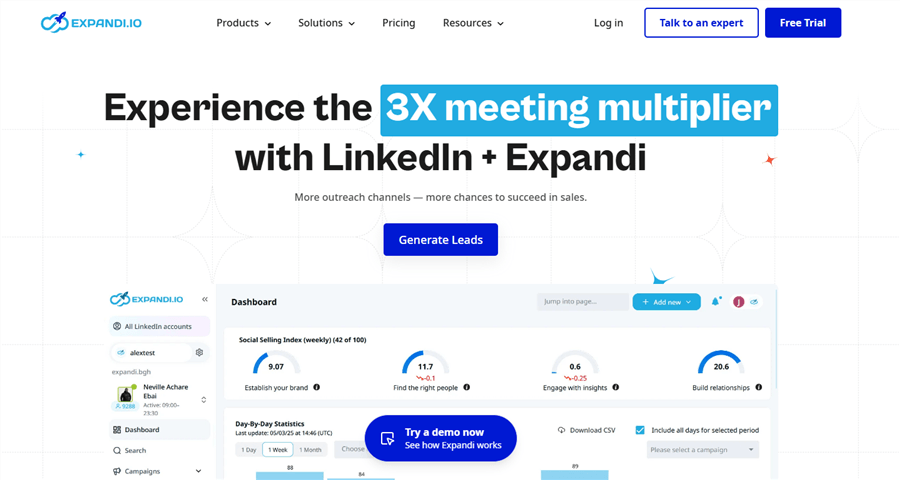
Expandi remains the powerhouse for agencies and large sales teams. In 2026, it is the safest tool for those who need to scale without risking their account’s “Trust Score.”
Key Features:
- Ban Insurance (2026 Edition): A proprietary cloud-based architecture that uses localized, dedicated IPs, making your activity look like it’s coming from your own home or office.
- Omnichannel Flow: It doesn’t stop at LinkedIn; it can find a prospect’s professional email and continue the conversation there if they don’t respond on-platform.
- Behavioral Randomization: It mimics a human’s erratic “scrolling” and “clicking” habits to stay invisible to bot detectors.
Pros:
- Safest tool for scaling.
- Excellent for multi-account management.
Cons:
- Interface can be overwhelming for beginners.
- More expensive than browser-based extensions.
Pricing Plans:
- Growth: $99/mo per account (All core features).
- Agency: Custom pricing for 10+ seats.
4. SBL.so — The Full-Cycle AI Sales Rep
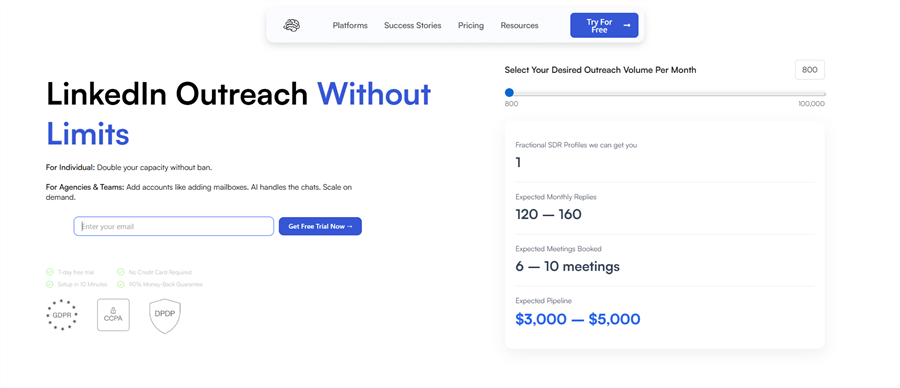
SBL.so is more than a generator; it’s an AI Agent. It doesn’t just send the first message; it handles the entire conversation until a meeting is booked.
Key Features:
- Voice Note Personalization: It clones your voice (with 99.9% accuracy) to send audio DMs. In 2026, an audio DM is a “cheat code” for getting past filters.
- Objection Handling: If a prospect says “Not interested right now,” the AI analyzes their reasoning and drafts a polite, value-driven rebuttal.
- Calendar Integration: Automatically drops your booking link when the AI senses “buying intent.”
Pros:
- Saves hours of manual back-and-forth.
- The voice cloning feature is a game-changer for engagement.
Cons:
- Requires constant monitoring to ensure the AI doesn’t over-promise.
- Voice cloning may have ethical implications in some jurisdictions.
Pricing Plans:
- Starter: $45/mo (Text only).
- Agent Pro: $120/mo (Includes Voice Cloning + Objection Handling).
5. Taplio — The All-in-One Growth Engine
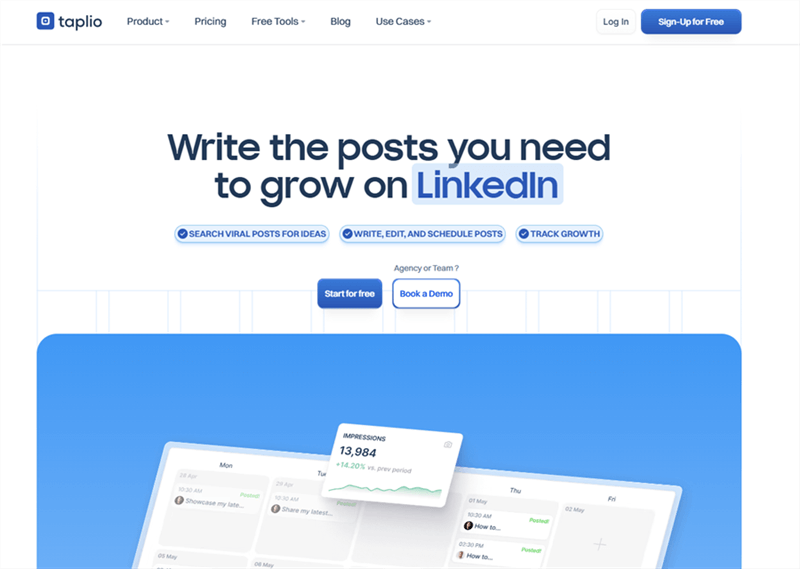
Taplio is designed for the “Creator-Seller.” It bridges the gap between public content and private DMs, ensuring your outreach is never “cold.”
Key Features:
- Engagement-Triggered DMs: It tracks who commented on your last viral post and generates a message referencing their specific comment.
- Lead Database 2.0: Access to 3M+ profiles with “Buying Intent” filters (e.g., people who recently asked a question about your niche).
- Post-to-DM Bridge: Automatically messages anyone who likes your post with a “thank you” and a relevant resource.
Pros:
- Perfect for those who are active on LinkedIn.
- Combines content creation and outreach in one dashboard.
Cons:
- Expensive if you only need the message generator.
- The lead database is sometimes less accurate than LinkedIn Sales Navigator.
Pricing Plans:
- Starter: $39/mo (Content tools only).
- Growth: $89/mo (Full automation + CRM features).
6. Konnector — Best for Social Signal Monitoring
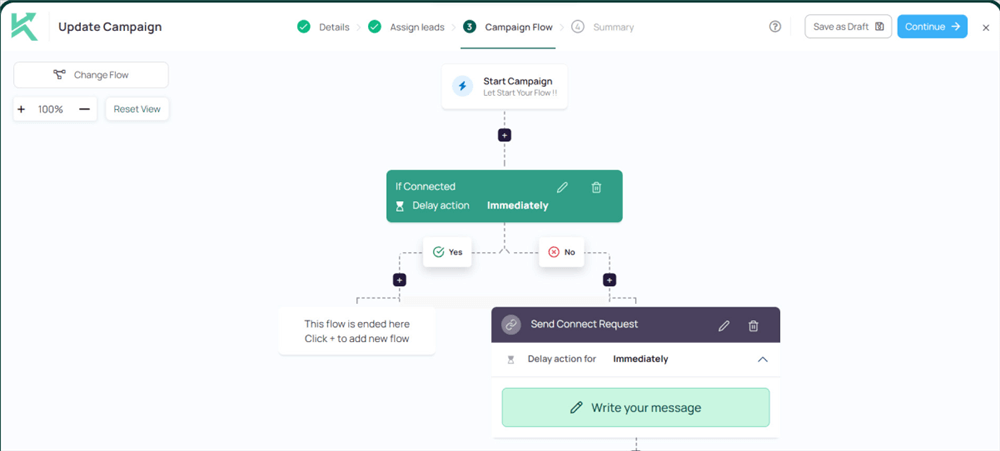
Konnector is the “intelligence” layer of LinkedIn outreach. It specializes in timing—sending the right message at the exact moment a prospect is most likely to say yes.
Key Features:
- Social Signal Trigger: It sends you a notification when a high-value lead makes a move (e.g., gets a promotion, is mentioned in the news, or posts a specific keyword).
- The “Warm-Up” Loop: Before sending a DM, Konnector uses AI to like and comment on the prospect’s last two posts to build “familiarity.”
- LinkedIn/Twitter (X) Sync: Tracks your prospects across platforms for a true “multi-channel” approach.
Pros:
- Incredible timing; messages never feel out of the blue.
- High “Trust Score” preservation due to low-volume, high-relevance focus.
Cons:
- Not built for high-volume “blast” campaigns.
- Depends heavily on the prospect being active on social media.
Pricing Plans:
- Solo: $35/mo (30 social signals/day).
- Pro: $75/mo (Unlimited signals + multi-platform tracking).
7. Dripify — Best for Complex Sequence Mapping
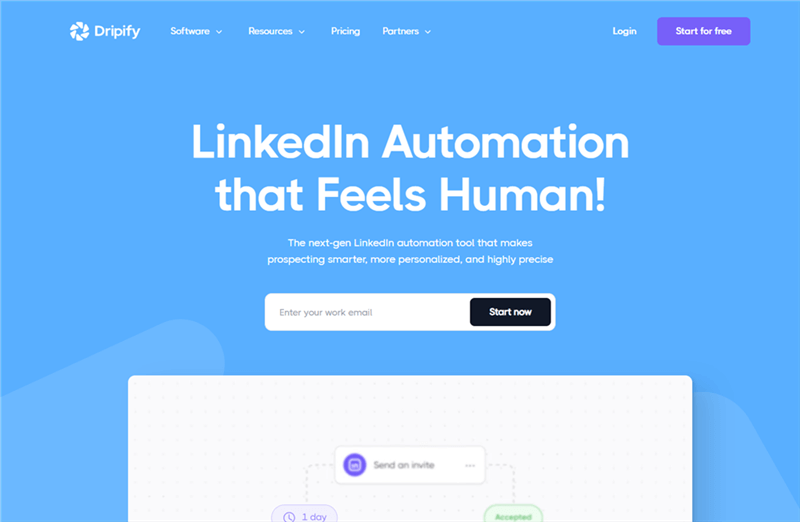
Dripify is the “architect’s” tool. If you have a complex 30-day outreach strategy involving connection requests, follows, endorsements, and messages, this is the tool.
Key Features:
- Visual Campaign Builder: A “drag-and-drop” interface to map out your entire networking funnel.
- Endorsement Automation: Automatically endorses skills for prospects to get on their radar before messaging.
- Team Analytics: Detailed breakdown of which messages are getting the most clicks and replies.
Pros:
- Best visual interface in the industry.
- Deeply customizable sequences.
Cons: Can be “buggy” with the 2026 LinkedIn updates if not configured correctly.
Pricing: Starts at $39/mo.
8. Waalaxy — Best User Experience & “Freemium” Model
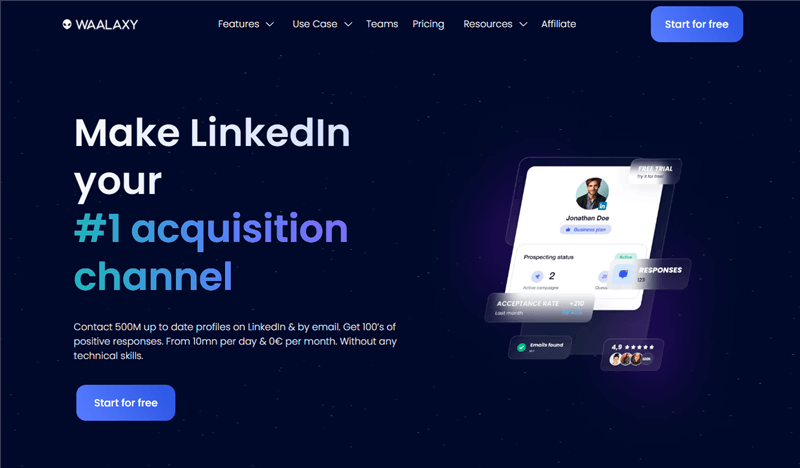
Waalaxy makes LinkedIn automation accessible to everyone. It is known for having the most intuitive UI and a generous free tier.
Key Features:
- One-Click Sequences: Pre-built templates for common goals (e.g., “Find a Job” or “Promote a Webinar”).
- Email Finder: Automatically pulls professional emails to bypass LinkedIn’s weekly connection limits.
Pros:
- Zero technical skill required.
- Great free version for casual users.
Cons: Personalization is more “template-based” than AI-driven.
Pricing: Free (Basic) to $60/mo (Business).
9. HeyReach — Best for Multi-Account Scaling
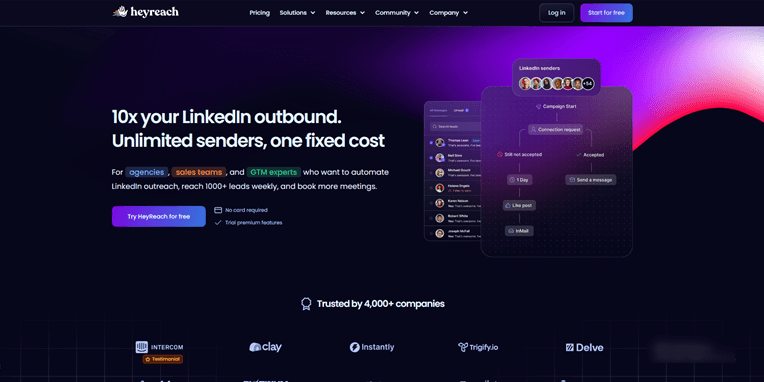
HeyReach is the 2026 leader for agencies managing 50+ LinkedIn accounts. It focuses on “Unified Inboxes” to prevent your team from going crazy.
Key Features:
- Unified Inbox: Manage every message from every account in one single window.
- Auto-Rotating IPs: Rotates your account through “safe zones” to avoid detection.
Pros: The only way to manage mass scale safely.
Cons: Not for individuals; strictly for B2B agencies.
Pricing: Starts at $150/mo for 10 accounts.
10. Jasper AI — Best for High-Quality Long-Form Templates
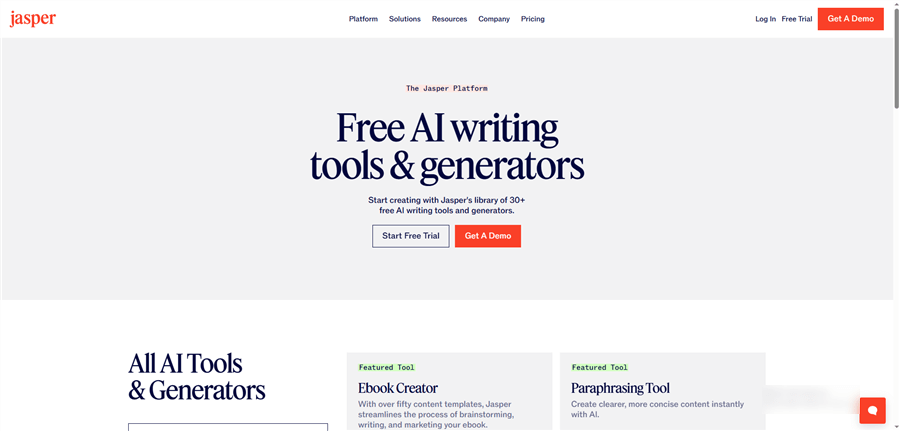
Jasper isn’t a dedicated LinkedIn tool, but its “LinkedIn Outreach” templates remain some of the most linguistically advanced in the world.
Key Features:
- Brand Voice Memory: It “learns” your company’s style guide so messages always match your brand.
- AIDA Framework: Automatically structures messages using the “Attention-Interest-Desire-Action” marketing model.
Pros: Highest writing quality of any general AI.
Cons: Does not automate the sending; you must copy-paste or use a third-party bridge.
Pricing: Starts at $49/mo.
Why Jobright Is the Missing Step Before Any LinkedIn AI Message Generator
Expert Tip: Use Jobright.ai before you ever open a LinkedIn AI message generator.
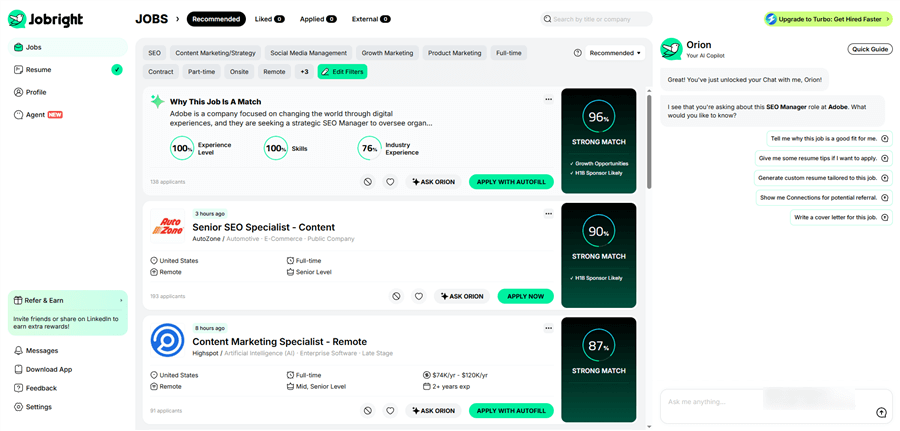
Most LinkedIn AI tools focus on how to write a message. Tools like Leaps or Expandi help you optimize tone, phrasing, and delivery.
Jobright solves a different — and earlier — problem: whether you should be messaging at all.
Jobright is not a LinkedIn AI message generator, and it does not automate DMs or outreach. Instead, it acts as an intent and relevance filter for job seekers. Analyzing resume‑to‑role alignment, alumni connections, and real hiring patterns helps candidates identify which recruiters, roles, and companies are actually worth contacting.
In the 2026 intent‑first LinkedIn environment, this distinction matters more than clever copy. A short, human message sent to the right recruiter will consistently outperform the most polished AI‑written DM sent to the wrong one.
The Best Workflow in 2026
- Validate fit and timing with Jobright: Use Jobright to confirm role relevance, recruiter alignment, and realistic response potential before outreach.
- Then use a LinkedIn AI message generator: Once intent is validated, use a tool like Leaps to craft a concise, natural message that sounds like you — not a bot.
Jobright doesn’t replace LinkedIn AI message generators. It makes them work.
The “Human-First” Checklist for AI Messaging
If you’re using an AI generator, follow these three rules to stay under the 360Brew radar:
- The 300-Character Rule: In 2026, mobile-first browsing is dominant. Messages under 300 characters get 19% more responses. Avoid “walls of text.”
- Strategic Imperfection: “Perfect” AI messages are a red flag. Use your generator to create the draft, then manually add a specific detail—like a reference to their alma mater or a shared hobby mentioned in their “About” section.
- Conservative Limits: Stay within 20–30 connection requests per day. Even with the best AI, exceeding these limits triggers a “Velocity Mismatch” flag in the 2026 system.
Conclusion: Choose the Right LinkedIn AI Tool for Your Goal
The most effective LinkedIn AI message strategy isn’t about sending more messages—it’s about messaging with purpose.
- Job hunting? Start with Jobright.ai. It helps you identify which recruiters, roles, and companies are worth contacting, bridging the gap between your resume and the recruiter’s needs. Think of it as the pre-message filter that ensures every outreach has real intent.
- Building your personal brand? Use Leaps to maintain an authentic voice while leveraging AI for message drafting and personalization.
- Scaling a sales team? Expandi or SBL.so deliver the automation, safety, and analytics you need for high-volume outreach without risking your account.
Stop sending messages that sound like a machine. Let AI handle research and first drafts—but always keep the human in the driver’s seat.
Want to see how your LinkedIn profile stacks up against the 360Brew algorithm? Sync your resume and start targeting recruiters who matter most—making every message count.
FAQs on LinkedIn AI Message Generators
Q1: Will using an AI message generator get my LinkedIn account banned in 2026?
A: It depends on the tool and your volume. In 2026, LinkedIn’s 360Brew algorithm is highly effective at detecting “repetitive behavioral patterns.” If you use a cloud-based tool like Expandi or a personalized engine like Jobright.ai that mimics human research and keeps daily requests under 30, you are generally safe. Avoid browser extensions that “scrape” data in high volumes, as these are now easily detected.
Q2: How is Jobright.ai different from a standard AI writer like ChatGPT or Jasper?
A: Standard AI writers only know what you tell them in a prompt. Jobright.ai is “context-aware.” It integrates your live resume data and the recruiter’s live job posting to find specific technical overlaps. While ChatGPT might write a “good” message, Jobright writes a “relevant” one by highlighting exactly why your specific skills match the role’s requirements.
Q3: Can recruiters tell if I am using an AI to write my messages?
A: They can if you use “AI Slop”—generic, overly formal messages with zero personal context. However, 2026 tools like Leaps and Jobright.ai use “Human-Like Variance” to include industry-specific nuances and personal hooks. If the AI references a specific project from your resume and matches it to a specific need in their job post, it becomes indistinguishable from a highly prepared human candidate.
Q4: Is there a “safe limit” for how many AI messages I can send per day?
A: Yes. For most users, the “sweet spot” in 2026 is 20 to 30 connection requests per day and roughly 50 private messages to existing connections. Exceeding these limits, even with the best AI, can trigger a “Velocity Mismatch” flag, signaling to LinkedIn that you are using automation.
Q5: Should I ever send a “cold” AI message without engaging first?
A: Ideally, no. The most successful strategy in 2026 is the “Warm-Up Loop.” Use your AI tool to generate a meaningful comment on the prospect’s recent post 24–48 hours before sending a DM. This increases your connection acceptance rate by over 40% because your name already looks familiar in their notifications.
Q6: Are free AI message generators worth using?
A: Free tools like the basic tier of Waalaxy or Jobright.ai are excellent for casual job seekers. However, for serious B2B sales or high-stakes executive networking, the paid tiers are necessary for advanced features like dedicated IPs, voice cloning, and deep resume syncing that ensure your account stays safe and your response rates stay high.