
10 Best LinkedIn Headline Generator AI Tools (Tested + Examples)
Table of Contents
If you’re struggling to write a LinkedIn headline that attracts recruiter attention, you’re not alone. Many professionals use generic headlines like “Marketing Professional Seeking Opportunities” or “Experienced Software Engineer.”
The problem is simple: recruiters don’t browse profiles randomly. They search LinkedIn using job titles, skills, and industry keywords. If your headline doesn’t contain those keywords, your profile may never appear in search results.
That’s why many job seekers now use AI LinkedIn headline generators. These tools analyze job descriptions, extract recruiter keywords, and generate optimized headline options in seconds.
However, not all AI tools are effective. Some create generic buzzword-heavy headlines that look impressive but fail to match real recruiter searches.
In this guide, we tested the 10 best LinkedIn headline generator AI tools in 2026, focusing on tools that help create headlines that:
- Rank in recruiter searches
- Clearly communicate your value
- Fit LinkedIn’s 220-character limit
You’ll also find headline examples, proven formulas, and common mistakes to avoid so you can turn your LinkedIn headline into a powerful job discovery tool. 🚀
What Makes a Great LinkedIn Headline?
Before we dive into the tools, we must define the “Gold Standard.” A headline that lands interviews in 2026 isn’t just clever; it’s structured. Recruiters spend approximately 6 seconds looking at a profile before deciding to click “Message.” Your headline must pass three specific tests.
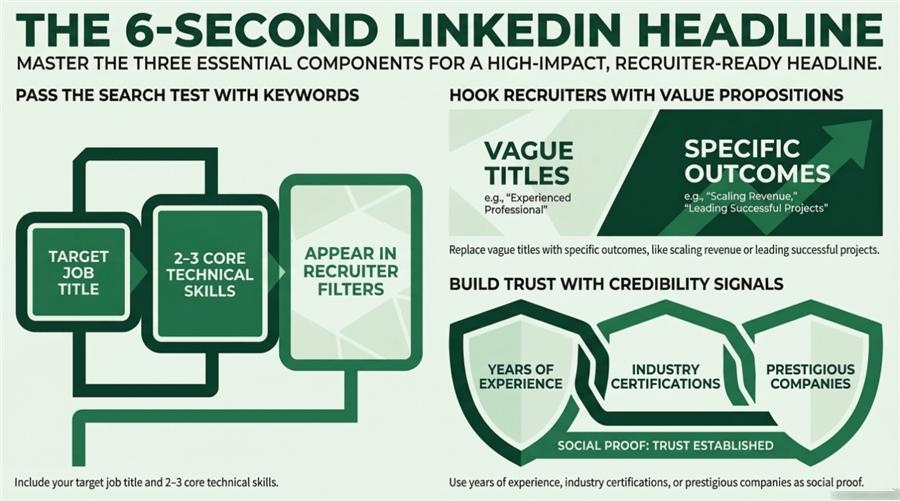
1. Keyword Relevance (The Search Test)
LinkedIn functions like a search engine. Recruiters filter by Job Titles and Hard Skills. If you are a “Product Manager” but your headline says “Digital Visionary & Agile Evangelist,” you will not appear in a search for “Product Manager.”
- Essential: Include your current or target job title.
- Essential: List 2–3 core technical skills (e.g., Python, Salesforce, SEO).
2. Value Proposition (The Hook Test)
Once you appear in the search, why should they click on you instead of the other 50 candidates? Your value proposition explains the outcome of your work.
- Weak: “Experienced Sales Manager.”
- Strong: “Sales Manager | B2B SaaS | Helped 20+ Startups Scale from $0 to $1M ARR.”
3. Credibility Signals (The Trust Test)
Signals include years of experience, prestigious past companies, or specific industry certifications. These act as “social proof” that you aren’t just an AI-generated bot, but a high-value professional.
The Winning Structure: > [Target Role] | [Core Skill A] + [Core Skill B] | [Industry/Specialization] | [Quantifiable Impact]
Quick Comparison Table on the Best LinkedIn Headline Generator AI
| Tool | Best For | AI Customization | Free Plan |
| Jobright.ai | Active Job Seekers | High (JD-Based) | Yes |
| Copy.ai | Quick Ideas | Medium | Yes |
| Jasper AI | Marketing Pros | High | Paid |
| Taplio | Personal Branding | Medium | Paid |
| Resume Worded | Profile Analysis | Medium | Limited |
| Easy-Peasy AI | Free Generator | Low | Yes |
| Rytr | General Writing | Medium | Yes |
| Writesonic | AI Templates | High | Yes |
| Hypotenuse AI | Professional Copy | High | Paid |
| Simplified AI | Social Media | Medium | Yes |
10 Best LinkedIn Headline Generator AI Tools (2026)
To identify the best AI LinkedIn headline generators, we evaluated tools based on three criteria that matter most to job seekers and professionals:
- Headline Quality: Does the tool generate clear, recruiter-friendly headlines?
- Recruiter SEO Logic: Does it include relevant job titles and skills that improve discoverability in search?
- Customization & Workflow: Can the tool adapt headlines to different roles, industries, or career stages?
Below are the 10 best LinkedIn headline generator AI tools in 2026, ranked based on usability, headline quality, and job-search effectiveness.
1. Jobright.ai — Best Overall for Job Seekers
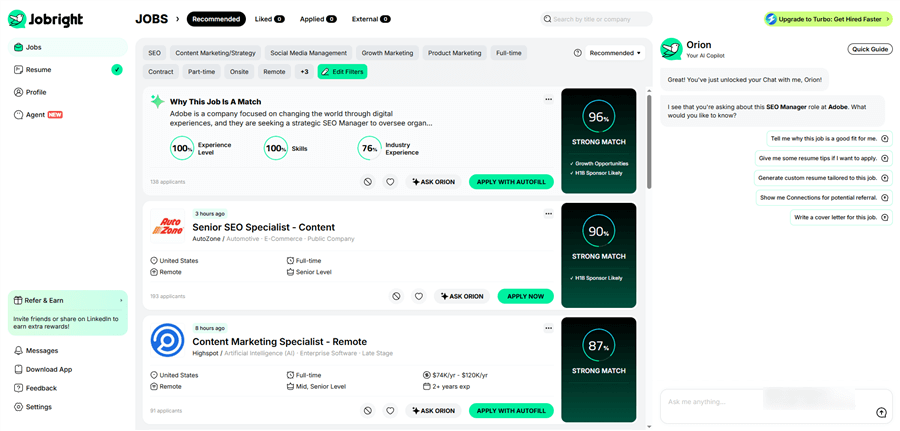
Jobright.ai ranks as the best LinkedIn headline generator for job seekers because it focuses on what most tools ignore: matching recruiter search behavior.
Instead of generating generic personal branding phrases, Jobright.ai analyzes real job descriptions and extracts the specific keywords recruiters filter for in LinkedIn Recruiter searches. The AI then reverse-engineers a headline that includes those keywords while keeping the headline concise and readable.
This makes the tool particularly powerful for professionals who want their profile to appear in recruiter searches rather than just sound impressive.
Key Features
- Job Description–Driven Headline Generation: Paste a target job description and the AI extracts recruiter keywords automatically.
- Resume + LinkedIn Alignment: Ensures your headline matches your resume and profile summary.
- Keyword Optimization Engine: Prioritizes job titles, skills, and industry signals recruiters search for.
- Multiple Headline Variations: Generates several options optimized for different roles.
Pros
- Highly relevant and recruiter-focused
- Great for active job searching
- Optimized for LinkedIn Recruiter visibility
Cons
- Less focused on personal branding or creator-style headlines
Best For
- Professionals actively applying for jobs
- Career switchers targeting specific roles
- Candidates optimizing for recruiter search results
2. Copy.ai — Best for Quick Creative Ideas
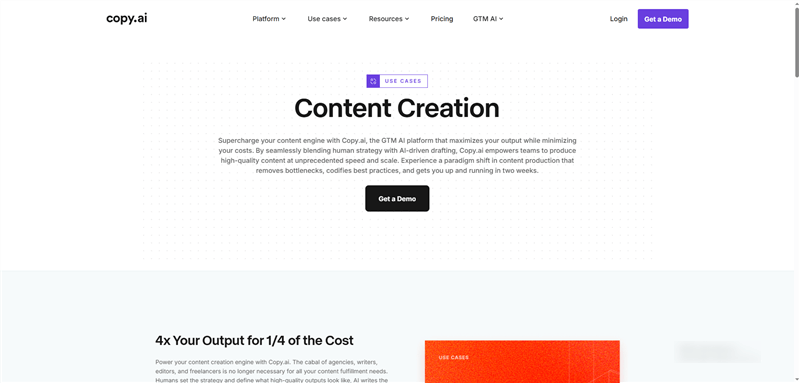
Copy.ai is one of the most widely used AI copywriting tools and offers a LinkedIn headline generator template designed for short-form professional bios.
Instead of focusing purely on job search optimization, Copy.ai relies on copywriting frameworks to generate engaging and persuasive headlines. The tool can produce multiple headline variations instantly, helping users overcome the common “blank page” problem.
Key Features
- Prebuilt LinkedIn headline templates
- Tone customization (professional, bold, witty)
- Multiple headline variations
- Simple prompt-based interface
Pros
- Extremely fast headline generation
- Easy for beginners
- Large template library
Cons
- Outputs can feel generic without editing
- Not specifically designed for recruiter search optimization
Community discussions often mention this limitation. One Reddit user noted:
“Copy.ai is decent for headlines, but sometimes the tone feels templated.”
Best For
- Users who need quick headline inspiration
- Freelancers and creators experimenting with branding
- Professionals refining ideas before manual editing
3. Jasper AI — Best for Marketing Professionals
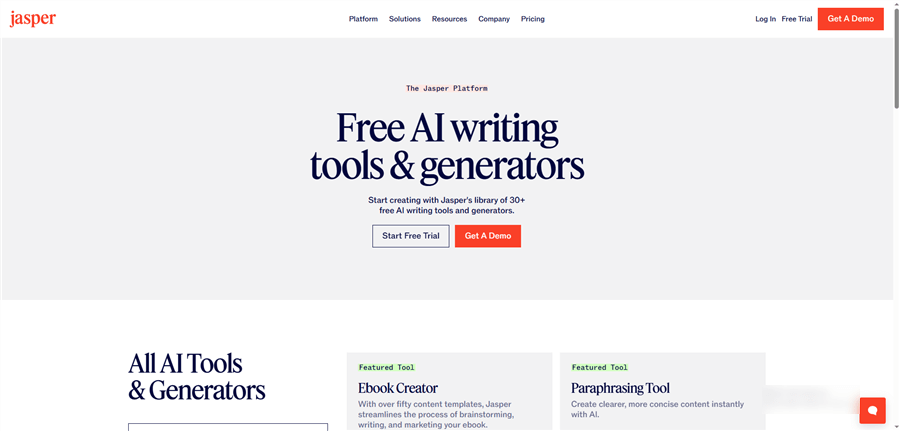
Jasper AI is a premium AI writing platform used widely by marketing teams, agencies, and content creators. It includes templates designed for generating engaging headlines and professional bios.
The platform focuses heavily on brand voice customization, allowing users to train the AI to replicate their writing style. This can help create headlines that sound more personalized rather than generic AI outputs.
Key Features
- AI headline generation templates
- Brand voice training
- Content repurposing tools
- Support for 30+ languages
Pros
- Highly polished outputs
- Strong personalization capabilities
- Works well for personal branding
Cons
- Expensive compared to other tools
- More complex interface
Best For
- Marketing leaders
- founders and executives
- professionals building a strong personal brand
4. Taplio — Best for Personal Branding & LinkedIn Creators
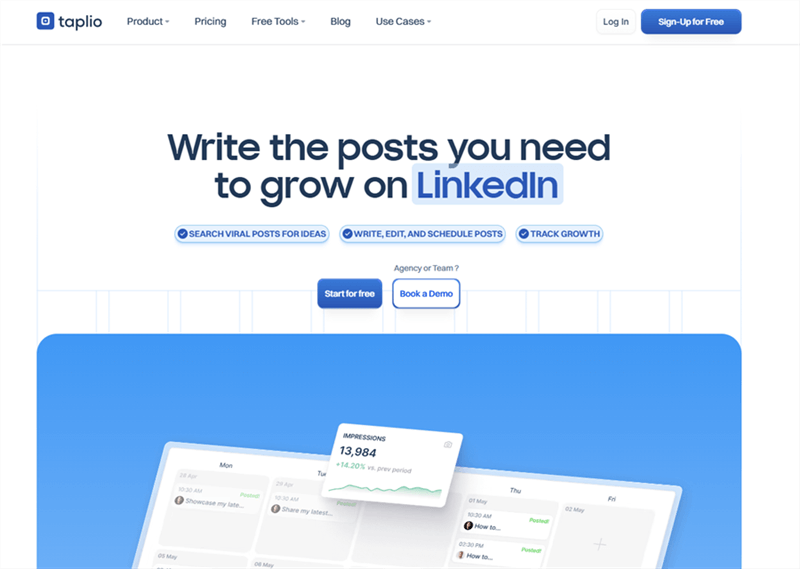
Taplio is a LinkedIn growth platform designed primarily for content creators and personal brand builders.
Its headline generator focuses on positioning your expertise in a way that attracts followers, engagement, and networking opportunities, rather than purely optimizing for recruiter searches. The tool allows users to customize the headline generation process based on:
- career stage
- industry
- tone
- professional goals
Taplio can generate multiple headline options in seconds, helping users quickly experiment with different positioning strategies.
Key Features
- Tone and industry customization
- Career-stage-based headline suggestions
- 10 headline variations per generation
- Built-in LinkedIn growth tools
Pros
- Excellent for creator-style headlines
- Easy-to-use interface
- Strong personal branding focus
Cons
- Requires subscription for full features
- Less focused on job search optimization
Best For
- LinkedIn influencers
- founders and entrepreneurs
- consultants building thought leadership
Interestingly, users on Reddit r/linkedin frequently recommend Taplio for headline generation:
“I played around with Taplio’s headline generator last week, and it came up with something sharper than what I had.”
5. Resume Worded — Best for Analytical LinkedIn Optimization
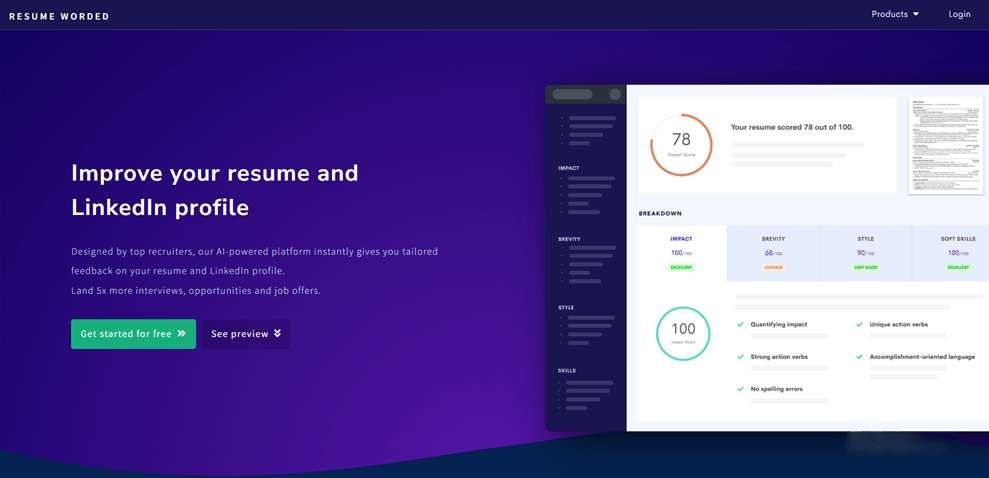
Resume Worded approaches headline optimization from a rigorous data-driven perspective. Instead of simply generating creative prose, the platform evaluates your existing headline against a proprietary database of recruiter search patterns. This is essentially an SEO audit for your personal brand.
The standout feature is its ability to simulate the “Recruiter View.” It shows you exactly how your profile appears in LinkedIn Recruiter search results, highlighting which keywords are being indexed and which are being ignored. This helps users understand the “why” behind the algorithm, moving beyond guesswork to measurable improvement.
Key Features:
- LinkedIn Profile Scoring System: Detailed feedback on keyword density and impact.
- Recruiter Search Simulation: A preview of your profile from the hiring manager’s dashboard.
- Targeted Keyword Recommendations: Suggestions based on the most searched terms in your industry.
- Resume-to-Profile Alignment: Ensures your external documents match your digital presence.
Pros:
- Provides deep, actionable analytical insights.
- Offers clear, step-by-step optimization suggestions.
- Excellent for fine-tuning an existing, established profile.
Cons:
- The “generation” aspect is less creative; it’s more about editing.
- The user interface feels slightly utilitarian and outdated compared to newer AI tools.
Best For:
- Data-driven professionals who prioritize logic over flair.
- Candidates looking to optimize an existing profile for a specific promotion.
- Users who want a quantitative “score” to track their progress.
6. Easy-Peasy AI — Best Free LinkedIn Headline Generator
Easy-Peasy AI offers one of the most accessible and straightforward free LinkedIn headline generators on the market. It is designed for the user who doesn’t want to spend hours learning “prompt engineering.” You simply describe your role, industry, and core skills, and the tool produces several clean variations instantly.
While it lacks the deep algorithmic analysis of specialized job-search tools, it is a fantastic “fast-start” solution. It removes the friction of the “blank page” problem, making it ideal for those who need a professional headline in under sixty seconds.
Key Features:
- Simple Prompt-to-Headline Generation: Minimal input required for high-speed results.
- Beginner-Friendly Interface: Clean, intuitive, and distraction-free.
- Fast Content Iteration: Generate dozens of options with a single click.
- Generous Free Usage Tier: Accessible for those without a marketing budget.
Pros:
- Completely beginner-friendly with zero learning curve.
- Requires no complex setup or profile syncing.
- Perfect for rapid-fire brainstorming.
Cons:
- Lacks advanced recruiter-specific SEO optimization.
- Limited customization options for niche or highly technical roles.
Best For:
- Students and recent graduates entering the workforce.
- Entry-level job seekers building their first profile.
- Anyone looking for a quick, “good enough” professional update.
7. Rytr — Best Lightweight AI Writing Tool
Rytr is a lightweight, highly efficient AI writing assistant known for its simplicity and affordability. Unlike platforms with rigid templates, Rytr relies on a flexible “Magic Command” system. You can describe your career goals and tone, and Rytr will weave them into a headline that feels organic rather than automated.
One of Rytr’s unique strengths is its Tone Customization. Whether you want to sound “Appreciative,” “Assertive,” or “Funny,” Rytr adjusts the vocabulary to match your personal brand’s voice. This is particularly helpful for freelancers and solopreneurs who want their headline to reflect their personality as much as their skills.
Key Features:
- Prompt-Based Generation: Flexible input allows for more creative freedom.
- Advanced Tone Customization: 20+ distinct “voices” to choose from.
- Multilingual Support: Generate headlines in over 30 languages.
- Browser Extension Integration: Edit your LinkedIn profile directly within the browser.
Pros:
- Highly affordable pricing for unlimited use.
- Simple, clutter-free user experience.
- Great flexibility for unique or non-traditional career paths.
Cons:
- Occasionally produces headlines that exceed the LinkedIn character limit.
- Less specialized for the technical nuances of the LinkedIn algorithm.
Best For:
- Freelancers and creative professionals.
- Solopreneurs building a personal brand.
- Users who already use AI writing tools and want a “jack-of-all-trades” assistant.
8. Writesonic — Best for AI Content Templates
Writesonic is a powerhouse in the AI writing space, offering a dedicated suite of templates for professional branding. Its LinkedIn headline generator is built on “proven” copy structures that have been analyzed for high engagement. This tool bridges the gap between creative AI and structured marketing.
Writesonic is particularly effective for those who need to generate multiple variations for different audiences. If you are a consultant who works across two different industries, Writesonic can help you find a “middle ground” headline that appeals to both without losing keyword relevance.
Key Features:
- Structured AI Templates: Built using marketing frameworks like AIDA and PAS.
- Latest AI Models: Powered by high-level LLMs for nuanced language.
- SEO Integration Features: Focuses on keyword placement for visibility.
- High-Volume Output: Generates several distinct “angles” for your bio.
Pros:
- Excellent balance between rigid structure and creative flair.
- A massive library of templates for other LinkedIn content (posts, bios, etc.).
- More affordable than premium “enterprise” AI solutions.
Cons:
- Output can sometimes feel repetitive if you don’t vary your inputs.
- Requires a bit of “human touch” to ensure the personality isn’t lost.
Best For:
- Mid-career professionals seeking a “polished” upgrade.
- Marketers and consultants who need high-impact copy.
- Users who want their headline to serve as a marketing hook.
9. Hypotenuse AI — Best for Professional Copywriting
Hypotenuse AI excels at one thing: transforming complex information into sleek, high-end professional copy. While many tools are great for short, punchy titles, Hypotenuse is the master of summarization. If you have a 20-year career that is difficult to explain in one sentence, this platform is your best ally.
The AI is trained on high-converting e-commerce and marketing copy, which translates well into the competitive world of LinkedIn. It focuses on the “Benefit-First” approach—helping you articulate not just what you are, but the tangible value you provide to an organization.
Key Features:
- Advanced Copywriting Engine: Focuses on clarity and professional elegance.
- Bulk Content Generation: Perfect for agencies or teams.
- Sophisticated Tone Control: Fine-tune the “level of professionalism.”
- Content Rewriting Tools: Helps refresh an old headline without losing the core message.
Pros:
- Very high-quality, “premium” writing style.
- Excellent at distilling long-winded career histories.
- Focuses on “Benefit-Driven” language that attracts recruiters.
Cons:
- Less specialized in “LinkedIn SEO” specifically (e.g., character counts).
- The community and template ecosystem is smaller than that of competitors.
Best For:
- Executive consultants and high-level leaders.
- Professionals with multi-disciplinary or complex career histories.
- Freelance copywriters who want a tool that matches their own writing standards.
10. Simplified AI — Best for Social Media Optimization
Simplified AI is more than just a writer; it is a full-scale social media command center. For professionals who view LinkedIn as a visual platform, Simplified is the best choice. It combines a headline generator with design tools, allowing you to create a headline that perfectly complements your LinkedIn banner and profile picture.
Simplified is built for the “Modern Professional”—someone who isn’t just looking for a job, but is actively building a content strategy. It helps you maintain a consistent “Brand Voice” across your headline, your bio, and your weekly posts.
Key Features:
- All-in-One AI Writing & Design: Sync your copy with your visual branding.
- Brand Voice Training: Teach the AI to sound exactly like you.
- LinkedIn Content Scheduling: Manage your entire profile from one dashboard.
- Integrated Graphic Design Tools: Create matching LinkedIn banners in seconds.
Pros:
- Best choice for holistic personal branding.
- Includes robust social media management features.
- Modern, fast-moving interface.
Cons:
- Headline generation is only a small part of the platform’s focus.
- May require more manual editing for highly technical or scientific roles.
Best For:
- Social media managers and digital creators.
- Founders and entrepreneurs building a public persona.
- Professionals who want a consistent “look and feel” across their entire profile.
25 AI-Generated LinkedIn Headline Examples (2026)
To give you a head start, here are 25 examples categorized by career stage.
Entry-Level (Focus on Skills & Potential)
- Computer Science Grad | Java, Python, AWS | Aspiring Software Engineer
- Marketing Assistant | Social Media Strategy & Content Creation | 20k+ Followers Managed
- Junior Data Analyst | SQL & Tableau Certified | Transforming Data into Insights
- Business Development Representative | Cold Calling & Lead Gen | Fintech Specialist
- Recent MBA Graduate | Strategy & Operations | Passionate about Sustainable Tech
Mid-Career (Focus on Expertise & Results)
- Senior Product Manager | SaaS & Mobile Apps | 15% Increase in User Retention
- Project Manager (PMP) | Construction & Infrastructure | Managed $5M+ Portfolios
- Digital Marketing Manager | Paid Media & SEO | Scaling Brands from $1M to $10M
- Human Resources Business Partner | Talent Acquisition & Culture | Tech Industry
- UX Designer | Figma & Adobe XD | Specializing in Accessibility-First Design
- Financial Analyst | FP&A & Modeling | Optimized $2M Annual Budget
- Supply Chain Specialist | Logistics & Procurement | Global E-commerce Expert
- Content Strategist | B2B SaaS | Driving Organic Traffic Growth by 40%
- DevOps Engineer | Kubernetes, Docker, CI/CD | Scaling Cloud Infrastructure
- Customer Success Manager | 95% Renewal Rate | Enterprise Software Specialist
Senior Professionals (Focus on Leadership & Vision)
- VP of Engineering | Building High-Performance Teams | Scaled Engineering from 10 to 100
- Chief Marketing Officer (CMO) | Brand Transformation & Growth Strategy
- Director of Operations | Lean Manufacturing & Process Optimization
- Principal Architect | Cloud-Native Systems | Java & Microservices Expert
- Executive Leadership Coach | Helping Founders Scale Without Burnout
Career Switchers (Focus on Transferable Skills)
- Ex-Educator Transitioning to Instructional Design | Curriculum Development & EdTech
- Former Nurse | Transitioning to HealthTech Sales | Clinical Background + Sales Drive
- Attorney Transitioning to Compliance Officer | Risk Management & Legal Strategy
- Retail Manager Pivot to Project Management | Team Leadership & Logistics
- Military Veteran | Transitioning to Cybersecurity | Security Clearance & CompTIA+
How to Generate the Perfect LinkedIn Headline with AI
Using AI is a process, not a one-click solution. Follow this 5-step workflow to ensure your headline isn’t just “AI-made,” but “Recruiter-ready.”
Step 1. Identify Your Target Role
Don’t write for the job you have; write for the job you want. If you are a “Marketing Specialist” but want to be a “Growth Lead,” your headline should reflect the latter.
Step 2. Extract Keywords
Go to a job board (or use Jobright.ai). Paste the job description of your target role into a keyword extractor. Look for nouns like “Salesforce,” “Python,” “B2B,” or “Stakeholder Management.” These are the filters recruiters use.
Step 3. Generate Variations
Use one of the tools above (like Jobright.ai or Copy.ai) to generate at least 5 variations. Compare the “Tone” and the “Keywords.”
Step 4. Optimize for “The Mobile Fold”
On the LinkedIn mobile app, only the first 40 to 60 characters are visible in the search results.
- Wrong: “A highly dedicated and results-oriented professional specializing in…” (Recruiters see nothing).
- Right: “Software Engineer | Java & AWS | Ex-Google…” (Recruiters see the essentials immediately).
Step 5. Test and Iterate
Change your headline and monitor your “Profile Views” for 7 days. If the views go up, you’ve found your winning keywords.
FAQ
What is the best AI LinkedIn headline generator? For job seekers, Jobright.ai is the best because of its focus on job description matching. For personal branding, Taplio is the winner.
Are AI-generated LinkedIn headlines effective? Yes, provided you audit them. AI is excellent at keyword placement, but humans are better at adding “personality” and “authenticity.”
How long should a LinkedIn headline be? The character limit is 220 characters. However, the most important information should be in the first 60 characters to accommodate mobile users.
Can AI help me get more recruiter messages? Indirectly, yes. By optimizing for the keywords recruiters use in their search filters, AI increases the likelihood of your profile appearing in their results.
What is the biggest mistake when writing a LinkedIn headline?
The most common mistake is keyword stuffing. Some users list repetitive keywords like:
Project Manager | Project Management | Managing Projects | PMP
This looks spammy and unnatural. A better approach is to combine role, skills, and specialization:
Project Manager (PMP) | Agile & Scrum | Scaling Global Teams
Conclusion
In 2026, the distance between you and your dream job is often just a few keywords. AI headline generators have democratized the “Search Engine Optimization” of your personal brand, allowing you to compete with top-tier candidates by simply using the right data.
While many tools can give you a “cool” sounding bio, Jobright.ai stands out by focusing on the only metric that matters: The Match. Stop being invisible. Use AI to translate your hard work into a headline that recruiters can actually find.
Try Jobright.ai for free today and generate a headline that gets you noticed.