
How to Automate Your Job Search with Claude Cowork
Table of Contents
Privacy Note: Before uploading your resume to any AI tool, consider anonymizing sensitive data like your exact address or phone number. While Claude Enterprise has strict privacy controls, personal users should review Anthropic’s data usage policy.
When I first saw the buzz, my immediate reaction was, ‘Is this actually helpful, or is it just another browser tab I’ll never open?’ I’ve tested dozens of tools that promise to automate your job search, and most just add noise. But after playing with Claude Cowork as a dedicated job search assistant this week, I found something different. It didn’t just write text; it behaved like a workflow runner that managed my files, tracked my status, and tailored my resume in parallel.
I’m Dora, and in this post, I’m breaking down exactly how I cut the time per application from 35 minutes to 15—and how combining this execution engine with a discovery tool like Jobright creates the ultimate high-leverage job search stack.
Why Job Search Is a Repetitive Task Problem
Job search feels emotional. But the pain is also mechanical.
You’re doing the same steps again and again: read a role, map your experience, tweak bullets, upload files, track status, follow up. That’s not “hard thinking” work. It’s repetitive operations. And repetitive operations are exactly where automation can create ROI.
Here’s the harsh truth: most people don’t need to apply to more jobs. They need to stop doing the same work manually.
The volume trap, applying to 50+ roles manually
When you’re anxious, volume feels like control. So you apply to 50, 80, 120 roles.
But if each application takes 25–40 minutes (and that’s realistic if you’re tailoring), you’re burning entire weekends on low-leverage work. Then you get silence, and your confidence drops.
Recruiters won’t tell you this, but… mass applying with weak keyword match often trains you into worse habits. You start copying generic bullets. Your resume gets less specific. Your alignment gets worse.
If your callback rate is 1–3%, that’s not a “you’re doomed” signal. It’s a metrics signal. According to Indeed’s job application research, most job seekers need to optimize application quality over volume to improve callback rates. You need an optimization problem solved: higher-quality tailoring, cleaner ATS parsing, and better targeting.
Where most time gets wasted
In my consulting work, I see the same time sinks across SWE, PM, and data roles:
- Rewriting bullets from scratch instead of reusing a strong base resume.
- ATS guesswork: people don’t know what the parsing algorithm is extracting.
- Formatting churn: exporting PDFs, renaming files, re-uploading.
- Tracking collapse: a sheet exists… until it doesn’t.
- Follow-up friction: you mean to send messages, but it feels awkward and slow.
Stop guessing. Let’s look at the data.
If you can cut each application from 35 minutes to 12–15 minutes without lowering quality, you don’t just apply faster. You get energy back for the parts that actually move outcomes: referrals, insider connection outreach, interview prep, and negotiation leverage.
| Task (Per Job Application) | Manual Time | With Claude + Jobright | Time Saved |
| Analyzing Job Description | 5 mins | 1 min (AI Scan) | 4 mins |
| Tailoring Resume Bullets | 20 mins | 5 mins (AI Draft + Review) | 15 mins |
| Formatting & Exporting | 5 mins | 1 min (Auto-format) | 4 mins |
| Writing Cover Letter | 10 mins | 2 mins (Draft + Polish) | 8 mins |
| Total Time | 40 mins | ~9 mins | ~31 mins |
What Claude Cowork Can Actually Do for Job Seekers
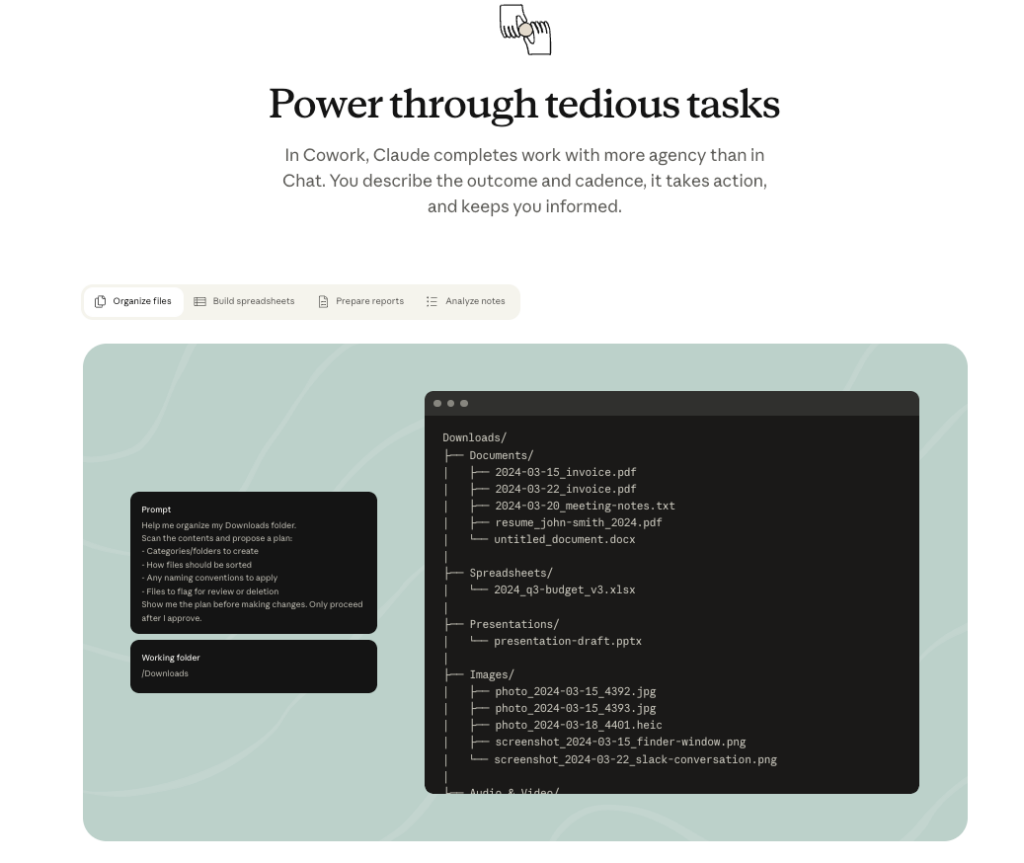
Claude Cowork (from Anthropic) is basically Claude + the ability to carry out multi-step tasks on your computer, like reading files, writing files, and running a workflow while you supervise.
Important note: Cowork isn’t a job board. It won’t magically find roles and apply for you end-to-end. What it can do well is take the repetitive parts you already do and make them faster and more consistent.
If you want the official overview, you can get started with Cowork via Anthropic’s support documentation.
Multi-step task execution on your desktop
This is the part that surprised me.
I clicked into Cowork expecting “chat, but with fancy buttons.” Instead, it behaves more like a workflow runner. You can ask it to:
- Take a job description
- Compare it to a base resume
- Suggest edits (based on keyword match)
- Create a new resume version
- Update a tracking sheet
- Draft a follow-up message
In plain terms: it helps you move from “thinking about applying” to “package ready to submit,” with fewer context switches.
File read/write, resume versions, tracking sheets
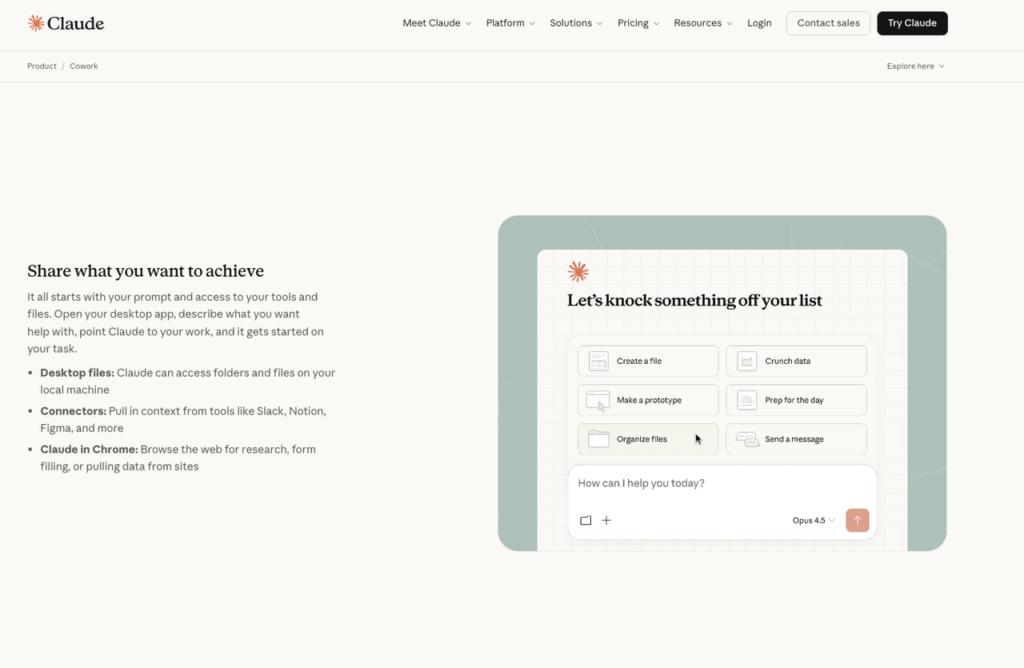
Cowork can read and write local files (depending on your setup and permissions). That matters because job searching creates a mess:
- Resume_Final.pdf
- Resume_Final_REAL.pdf
- Resume_Final_SWE_Google.pdf
Cowork makes it easier to keep clean versions, like:
- Resume_Base_SWE_2026.docx
- Resume_Tailored_AcmeBackend_2026-03-02.docx
- CoverLetter_AcmeBackend_2026-03-02.md
And yes, naming conventions sound boring. But they reduce mistakes when you’re tired.
Sub-agents, parallel tasks explained simply
Sub-agents are the “do tasks in parallel” feature.
Think of it like this: you’re the manager. You can assign three interns at once:
- Intern A: scan the job description and list required skills
- Intern B: scan your resume and list matching proof points
- Intern C: draft bullet edits and quantify impact
Then Cowork merges the work.
This matters because job search is a lot of small tasks that don’t need to happen in a strict order. Parallel work increases output without forcing you into frantic multitasking.
Workflow 1 — Auto-Tailor Your Resume for Each Role
This is the highest-ROI use case I tested: AI resume tailoring with a repeatable, ATS-aware structure.
If you’re getting rejected by ATS, the issue is often not your experience. It’s how your experience is being parsed.
Your goal is simple: improve parsing and keyword match while keeping your value prop honest.
What to prompt Cowork to do
Here’s a prompt style that worked well for me (simple, direct, and repeatable). You can paste this and swap in your details.
My Cowork prompt template (edit the brackets):
- “Read this job description: [paste JD].”
- “Read my base resume file: [filename].”
- “Create a tailored version for this role with ATS-friendly formatting.”
- “Rules:
- Don’t invent experience.
- Keep it one page (unless my base is two pages already).
- Optimize keyword match using only skills in the JD.
- For each changed bullet, explain the reason in a short note.
- Quantify impact where possible (latency, revenue, cost, conversion rate, time saved).
- Keep my voice direct and technical.”
- “Output:
- A tailored resume draft
- A keyword gap list (what the JD asks for that I don’t show)
- A short ‘ATS risk’ list (formatting or parsing issues)”
A small field note: when I asked for “ATS-friendly formatting,” Cowork did best when I also said “avoid tables, text boxes, and multi-column layouts.” ATS algorithms often struggle with those.
What to review before sending
This part is non-negotiable.
Here’s the harsh truth: AI can raise your speed, but it can also quietly lower your credibility if you don’t review.
My quick checklist:
- Truth check (60 seconds): Did it add anything I can’t defend in an interview?
- Alignment check: Do the top 5 JD keywords appear naturally in my top half page?
- Metrics check: Are numbers real? If not, replace with ranges or “reduced by ~X%” only if you can back it.
- Role fit check: Did it over-optimize? Sometimes it shoves in keywords and makes you sound like a checklist.
- Parsing check: Export to PDF and re-open it. If spacing breaks or bullets shift, fix it.
If you’re an international candidate, add one more check: do you have a clean line ready for work authorization. Keep it factual. No drama. Example: “Authorized to work in the U.S. through OPT until [month/year]. Will require H-1B sponsorship thereafter.”
That line won’t “solve” sponsorship. But it reduces confusion early and saves time later.
Workflow 2 — Build a Job Tracking System Automatically
Most people start a tracker. Almost nobody maintains it.
That’s not a motivation problem. It’s a system problem.
Cowork can help you set up a tracking system that’s simple enough to survive a stressful month.
Folder structure + sheet generation
I asked Cowork to create a job search folder structure that matches how my brain works when I’m tired.
A practical structure:
- JobSearch_2026/
- 00_Admin/ (work auth notes, salary targets, portfolio links)
- 01_Resumes_Base/
- 02_Resumes_Tailored/
- 03_CoverLetters/
- 04_Applications/
- 05_FollowUps/
Then I had it generate a tracking sheet with columns that actually matter for metrics:
- Company
- Role
- Location / Remote
- Visa sponsorship (Yes/No/Unknown)
- Source (referral, LinkedIn, Jobright, etc.)
- Date applied
- Status
- Recruiter name + email
- Insider connection (name + how you know them)
- Next action date
- Notes (keywords, interview loop, comp range)
Stop guessing. Let’s look at the data.
Once you track consistently, you can calculate your conversion rate:
- Applications → Recruiter screens
- Screens → Onsites
- Onsites → Offers
That’s how you decide what to fix. Not vibes.
Follow-up draft automation
Follow-ups feel small, but they create leverage.
Cowork can draft follow-ups based on tracker rows. For example:
- A 3–4 sentence message after 7 days
- A short nudge after an onsite (“Thanks + one highlight + availability”)
- A referral ask template that doesn’t feel awkward
My rule: keep follow-ups plain and specific. No long stories. Include one sentence that anchors your value prop to the role.
Example framing:
“I’m excited about [team/problem]. I’ve done [proof point], and I’d love to help you drive [outcome].”
Simple. Direct. Easy to send.
Where Cowork Has a Real Gap
Cowork helps you execute. It does not solve discovery.
And discovery is half of job search, especially if you need visa sponsorship.
No job database, it can’t find roles for you
Claude Cowork doesn’t come with a job database. It won’t:
- scan fresh postings across sites
- filter by sponsorship
- rank roles by match score
- alert you when a company opens a new req
So if your current workflow is “scroll LinkedIn until I feel numb,” Cowork won’t fix that part.
This is where you need a dedicated job search tool
You need something purpose-built to find roles and narrow the list before you tailor.
Why? Because targeting is an optimization problem too.
If you spend 60% of your time tailoring for roles you’re not a fit for, automation just helps you waste time faster.
According to LinkedIn’s 2026 Talent Research, job seekers who apply to well-matched roles see significantly higher response rates compared to those using a mass-apply approach. A dedicated tool like Jobright can help with:
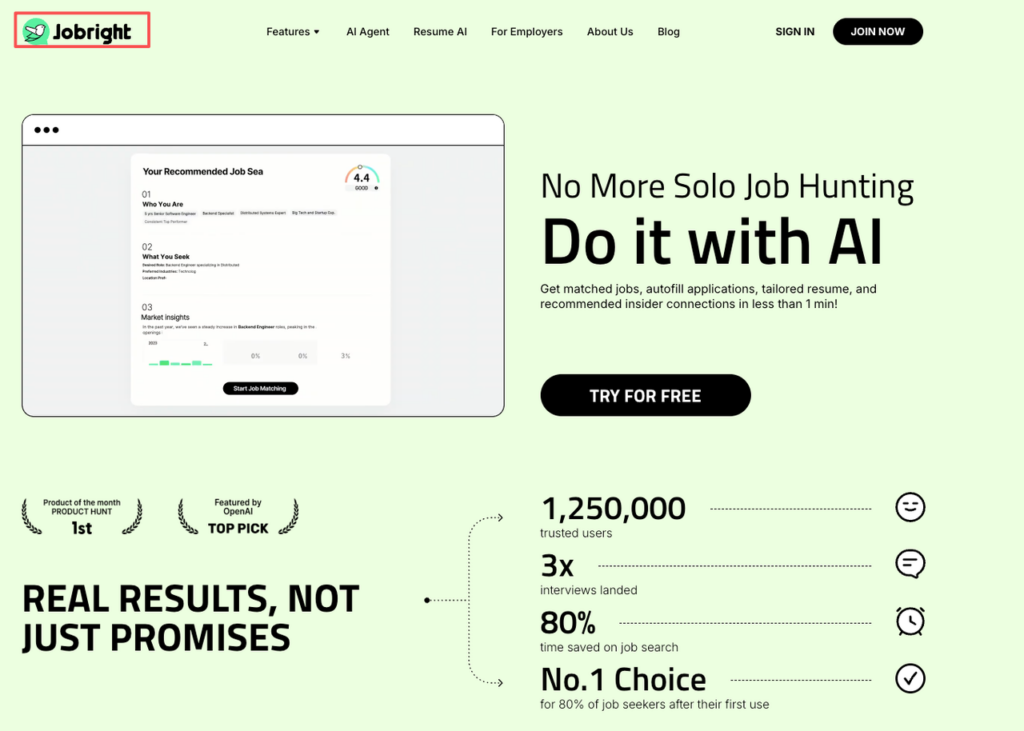
- match scoring (role ↔ your profile)
- sponsorship flags or company history
- better search filters
- saving roles cleanly
Then Cowork becomes the execution engine: tailor, package, track, follow up.
Automating applications for the wrong jobs is just wasting time faster. Jobright ensures you focus on high-match roles before you ever start tailoring. Try our search engine to fix the top of your funnel.
The Full AI Job Search Stack (Cowork + Jobright)
This is the combo I like for AI job search automation in 2026: use a dedicated search/match tool for discovery, then use Cowork for production.
I’ll use Jobright as the example because it fits the missing piece: role discovery + matching.
Step 1 — Use Jobright to find and match roles
Start with a clear target: title + level + location rules.
Then use Jobright’s AI job matching to:
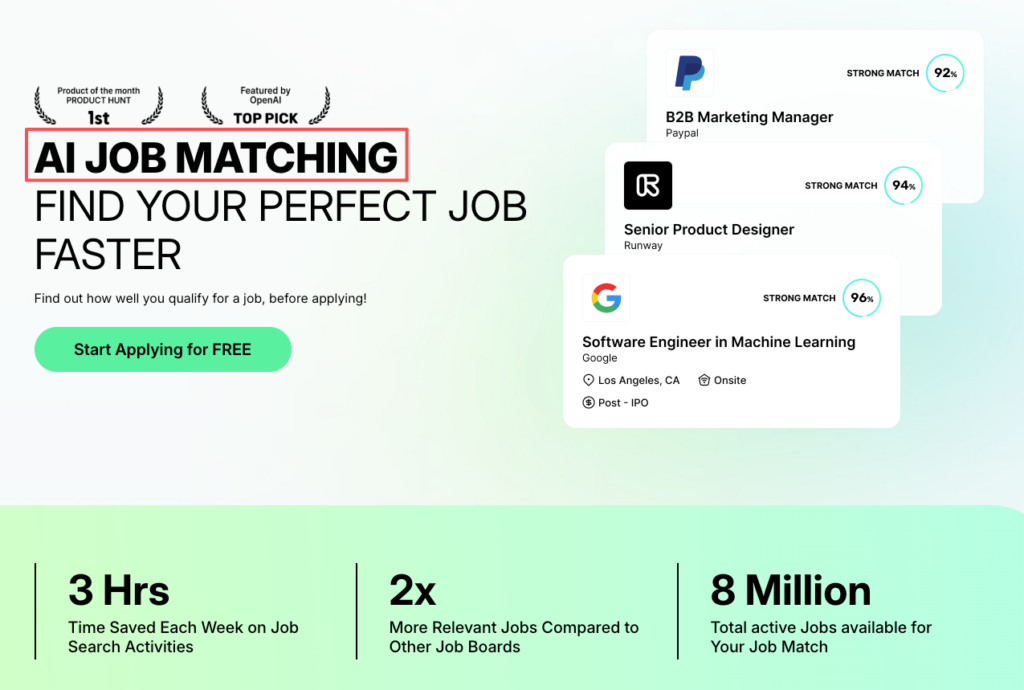
- find roles that match your background
- reduce noise (fewer irrelevant postings)
- prioritize roles where your experience aligns
If you’re visa-dependent, this is where you should be extra strict. Don’t apply blindly and hope.
Recruiters won’t tell you this, but… sponsorship conversations are easier when you’re already a strong match. So your targeting has to be sharp.
Step 2 — Feed role description into Cowork to tailor resume
Once you pick a role worth applying to:
- copy the job description
- paste it into Cowork
- point Cowork to your base resume file
- generate a tailored version + keyword gap list
This is where the Claude desktop workflow shines. It’s not just drafting text. It’s managing files and producing the final artifacts.
One more tough-love note: don’t tailor 10 versions at once if you can’t review 10 versions. Speed without review creates silent errors.
Step 3 — Track everything with Cowork-generated sheet
After you submit, update your tracker immediately.
Even better: ask Cowork to do it as part of the workflow:
- create the tailored resume file
- save with a consistent name
- add a new row to the sheet
- generate a follow-up draft scheduled for day 7
That’s the difference between “I’m trying to be organized” and an actual system.
When you run this stack, you’re building leverage:
Over a month, that feedback loop is what moves your metrics.
Limitations & Honest Expectations
If you want a perfect tool, you’ll end up using none.
But you also shouldn’t trust automation blindly, especially with job applications where small mistakes cost interviews.
Cowork is still research preview, bugs exist
When I tested Claude Cowork, it felt powerful, but not polished like a consumer app.
Expect:
- occasional workflow hiccups
- permission prompts
- moments where it misunderstands a step and you need to restate it
That’s normal for a research preview. Plan for a little friction.
Accuracy: always review AI output before sending
This is the rule I want you to tattoo on your process:
AI drafts. You approve.
Cowork can help with ATS optimization, but it can also:
- overfit keywords
- soften technical language
- guess metrics
- make your resume read like a template
Your fix is simple: keep a tight review checklist (truth, alignment, parsing, tone). If something feels off, it is.
Not suitable for low-tech users (desktop install required)
Cowork is not a “tap one button on your phone” tool.
If you hate desktop setup, file systems, and managing versions, this may feel like extra work.
But if you’re a tech professional who already lives on a laptop, and you want job application automation in 2026 that’s more than generic resume rewriting, Cowork is worth a serious look.
If you’re like me and you care about getting your time back while staying honest, this is worth trying. But skip it if you expect it to find jobs, apply everywhere, and fix the application black hole by itself. You still need strategy. Cowork just makes the strategy easier to execute.
Frequently Asked Questions (FAQs)
How can I automate job search with Claude Cowork without mass applying?
To automate job search with Claude Cowork, use it to standardize repetitive steps: compare a job description to your base resume, generate an ATS-friendly tailored version, save clean file names, update a tracking sheet, and draft follow-ups. It boosts quality applications per hour—without relying on low-signal volume.
What can Claude Cowork actually do for job search automation in 2026?
Claude Cowork can run multi-step desktop workflows you supervise: read a job description, edit and version your resume, create keyword-gap and ATS-risk lists, write cover letters, update a tracker, and draft follow-up messages. It’s an execution engine for job application tasks, not a job board.
How do I use Claude Cowork for ATS-friendly resume tailoring?
Paste the job description, point Cowork to your base resume, and request a tailored version with rules like “don’t invent experience,” “keep formatting simple,” and “avoid tables/text boxes.” Ask for a keyword gap list and ATS risk notes. Then review for truth, keyword alignment, metrics accuracy, and PDF parsing.
Can Claude Cowork find jobs and apply for me end-to-end?
No. Claude Cowork doesn’t include a job database, so it won’t scan new postings, filter by visa sponsorship, rank roles, or auto-apply across sites. It helps after you’ve chosen a role by speeding up tailoring, packaging, tracking, and follow-ups—while you still control targeting and submissions.
What’s the best workflow to automate job search using Claude Cowork + a discovery tool like Jobright?
Use Jobright to find and prioritize roles that match your profile (and sponsorship needs if relevant). Then feed the job description into Cowork to generate a tailored resume, save versioned files, update your tracker, and draft a day-7 follow-up. This separates targeting from execution for faster learning loops.
Recommended Reads