
ChatGPT for Job Interview Prep: Prompts That Actually Work (2026)
Table of Contents
Last Updated: Feb 14, 2026 Applicable to 2026 hiring season
You finally got the interview invite. The excitement lasts about five minutes—then the panic sets in. You know you have the skills, but when you look in the mirror to practice “Tell me about yourself,” you end up rambling for three minutes without making a point.
Hi, I’m Dora, who have seen too many brilliant candidates lose offers not because they weren’t qualified, but because their stories were unstructured and forgettable.
Here is the truth: Winging it doesn’t work in 2026. You need a sparring partner who can give you brutal, instant feedback.
That’s where ChatGPT becomes your secret weapon. Used the right way, it can:
- Predict 70–80% of questions specific to your JD.
- Cut the fluff from your answers to create sharp STAR narratives.
- Run mock interviews that feel uncomfortably close to the real thing.
In this guide, I’ll show you exactly how I use ChatGPT for job interview prep, with prompts, structures, and a clear before/after view, especially if you’re visa-dependent and can’t afford to waste a single interview.
How to Use ChatGPT for Interview Prep
What ChatGPT Can Help With
Stop guessing. Let’s look at the data.
According to MIT Career Advising & Professional Development, strong candidates prepare with: job description analysis, company research, and structured behavioral answers. All of these are areas where ChatGPT shines when you give it the right inputs.

Here’s what I let ChatGPT handle:
- Question prediction: It can scan a job description and generate targeted technical and behavioral questions.
- Language tuning: It helps rewrite answers in clear, concise English (huge win for international candidates).
- Repetition: You can run 5–10 mock interview rounds without burning out a friend.
Recruiters won’t tell you this, but most interviewers use the same 20–30 behavioral patterns. Your edge is repetition and structure, not charm.
What You Must Do Yourself
Here’s the harsh truth: ChatGPT can’t invent your results. It can’t fake real impact.
You must own:
- Raw material: Your projects, metrics, and failures.
- Honesty: No inflated titles, no fake tech stacks. That backfires at the onsite.
- Decision-making: Which stories to highlight based on the role.
Think of it as signal vs. noise. ChatGPT helps clean up noise (messy wording, weak structure). You’re responsible for signal (actual value, impact, and alignment with the role).
If you feed it vague inputs like “I worked on many APIs,” you’ll get vague answers. If you feed it clear metrics, “reduced p95 latency from 850ms to 240ms for 2M users”, it can help you turn that into a sharp, memorable story.
Question Prediction Prompts
Role-Specific Question Generator
Random LeetCode grinding is noise. Role-specific practice is signal.
According to the Google hiring information, strong candidates tie examples to real systems and trade-offs, not just algorithms. So I use ChatGPT to mirror that.
Try this prompt (tweak words, but keep the structure):
“Act as a senior hiring manager for a [Job Title] role at a [Company Type, e.g., B2B SaaS / FAANG / fintech] company. Here is the job description: [paste JD].
- List 15 technical questions you would ask, split into: a) core skills, b) systems/architecture, c) cross-functional collaboration.
- For each, label difficulty (easy/medium/hard) and what signal you’re trying to measure.”
Now you’re not just collecting questions: you’re seeing the signal behind each one.
Here is a Simple comparison diagram:
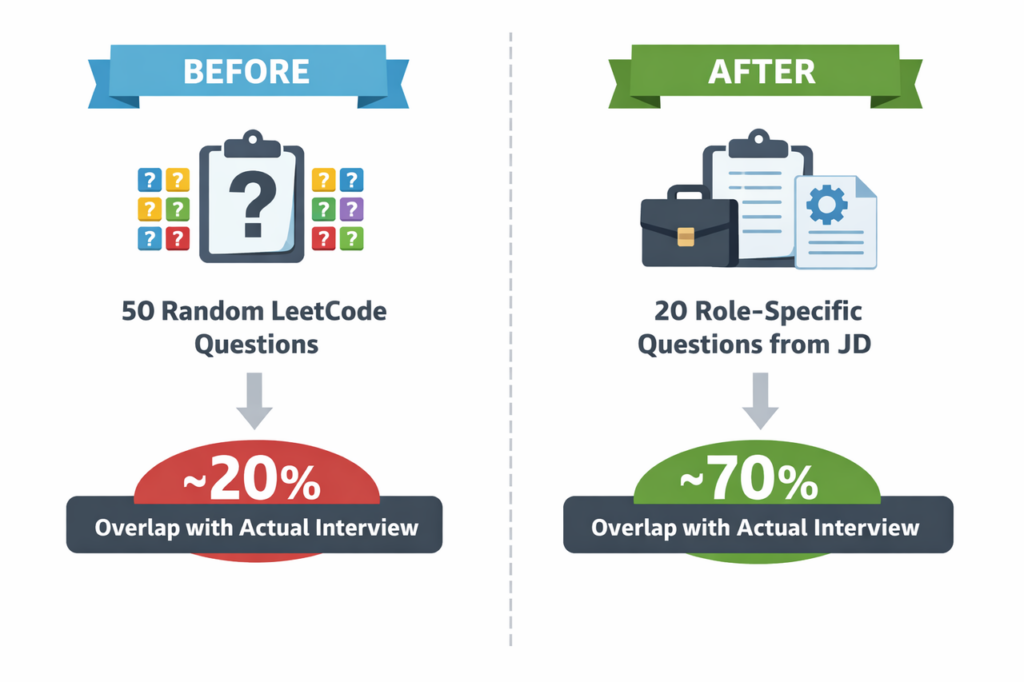
That’s real conversion rate improvement.
Behavioral Question Predictor
Most tech interviews include behavioral rounds. MIT CAPD notes that employers screen for communication, ownership, and learning ability, not only hard skills.
Use this prompt:
“Act as a recruiter for a [Job Title] role at [Company]. Based on this job description: [paste JD], generate:
- 10 behavioral questions focused on ownership, conflict, mistakes, and learning.
- For each, explain in one sentence what ‘great’ looks like for this role.”
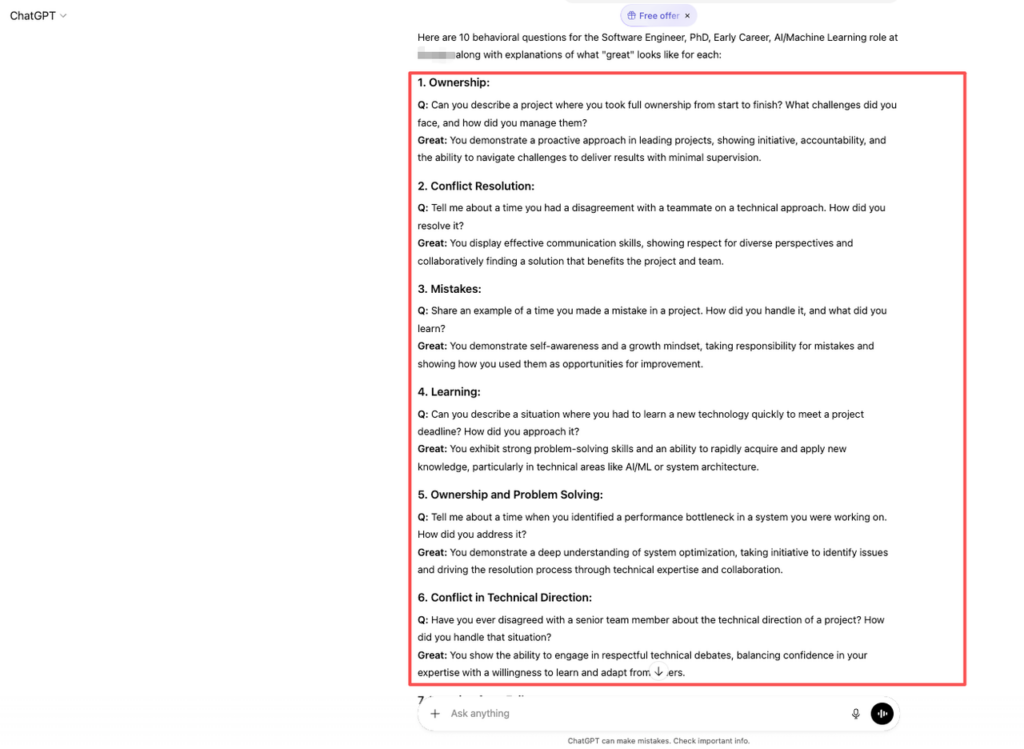
Now you know not just what they’ll ask, but how they’ll judge your answer.
If you skip this and just ‘wing it,’ you’re choosing noise over signal. That’s a low-ROI strategy in a market where offer rates are under 5–10% for top companies.
STAR Story Builder
How to Structure STAR Answers
The STAR method (Situation, Task, Action, Result) is standard, but most candidates mess up the R. They talk in tasks, not outcomes.
Here’s a simple STAR template you can feed to ChatGPT:
“Help me turn this experience into a STAR answer for [type of question, e.g., conflict with a teammate].
Here are the facts:
- Situation: [1–2 sentences]
- Task: [1 sentence]
- Actions: [bullet list of what I did]
- Results: [metrics, impact, what changed]
Rewrite this as a 2-minute answer in simple, clear language. Keep technical details accurate for a [SWE/PM/Data/Design] role.”
Use metrics wherever possible. Levels.fyi and your own dashboards are your friends. “Improved performance” is noise. “Cut API error rate from 3.2% to 0.4%” is signal.
Turn Your Experience into STAR Stories
You should build a library of 8–12 STAR stories:
- 3–4: Ownership and leadership.
- 2–3: Mistakes and what you learned.
- 2–3: Conflict and cross-functional work.
- 1–2: Big technical or product wins with strong metrics.
Have ChatGPT help you categorize them:
“Here are 10 short bullets about my past work.
- Sort them into themes: ownership, conflict, failure, success, leadership.
- For each, draft a STAR answer under 2 minutes.
- Suggest which story best fits common questions like ‘biggest mistake’, ‘hardest project’, ‘disagreement with manager’.”
Now imagine a simple table:
- Rows: Interview questions.
- Columns: Best-fit STAR story, main metric, main signal.
That table is your anti-panic map during prep. When anxiety spikes, you know exactly which story to pull.
Mock Interview Simulation
Interactive Mock Interview Prompt
If you only “read” answers in your head, you’re not preparing. You’re pretending.
Use ChatGPT as a strict interviewer:
“Act as an interviewer for a [Job Title] role at [Company]. Use this job description: [paste].
Rules:
- Ask me one question at a time.
- Mix technical and behavioral questions.
- Do not give hints unless I ask.
Wait for my answer after each question. At the end, give me a written score (1–10) on: a) clarity, b) technical depth, c) role alignment, and list 5 concrete ways to improve.”
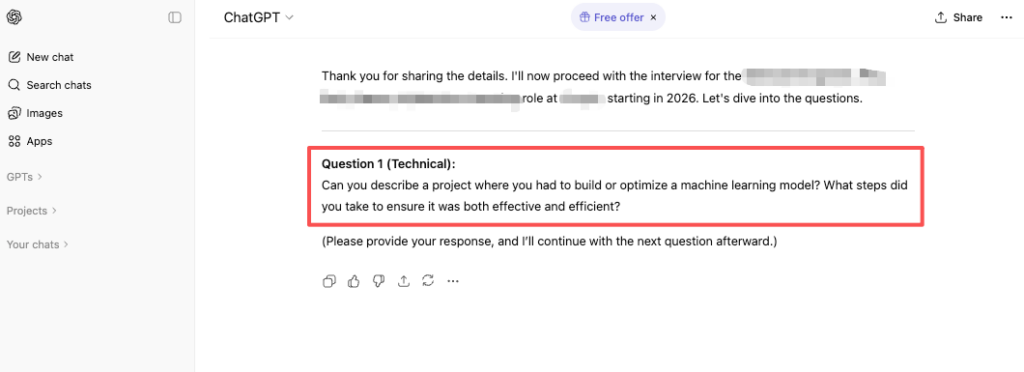
Say your answers out loud, then paste a summary of what you said. Speaking builds real muscle.
Feedback Request Prompt
Recruiters won’t tell you this, but most feedback is generic because interviewers don’t have time, not because you were hopeless.
So you need your own feedback loop:
“Here is my answer to this interview question: [paste question + your answer].
- Point out where I am vague or off-topic.
- Suggest how to add data, metrics, or clearer impact.
- Rewrite a tighter version under 90 seconds, keeping my experience accurate.
- Rate this answer from 1–10 for a [SWE/PM/Data/Design] role at a [startup/big tech] company.”
Run this for your top 5 questions. Compare “before/after” versions. You should see:
- Shorter intros, faster context.
- Sharper metrics.
- Clearer connection to the job description.
That’s measurable optimization, not vague “more confidence” advice.
Post-Interview Follow-Up
Thank You Email Prompt
A clean follow-up won’t save a terrible interview, but it can tip borderline decisions in your favor.
Indeed’s interview follow-up data shows that polite specific emails help reinforce interest and keep you out of the silent bucket.
Try this prompt:
“Write a concise thank-you email to [Interviewer Name] after a [onsite/virtual] interview for a [Job Title] role at [Company].
Constraints:
- 120–150 words.
- Mention 1–2 specific topics we discussed: [add here].
- Reaffirm my fit based on: [skills/experiences].
- Keep tone warm but professional. No clichés.”
Edit the output so it sounds like you. Don’t copy-paste blindly, that’s noise again.
What to Do If No Response
Now the hard part. No response after a strong interview can be brutal, especially if you’re on a visa clock.
For context: USCIS data shows demand for H‑1B far exceeds supply, and gaps in status can be risky. That means each interview matters more for you than for a domestic candidate.
Here’s a follow-up prompt:
“Help me write a polite follow-up email to [Recruiter Name] about my candidacy for the [Job Title] role we discussed on [date].
Constraints:
- Under 120 words.
- Reaffirm interest without sounding desperate.
- Ask if they need any additional information from me.
- If possible, gently ask for a rough timeline for next steps.”
If you get a rejection, feed it back into ChatGPT:
“Here is the feedback I received: [paste].
- Translate this into concrete skill gaps.
- Suggest a 4-week plan to improve those skills.
- For each week, give me 3 practice questions or exercises.”
That’s how you turn rejection from emotional noise into data-backed signal.
Action Challenge (do this today, not ‘later’):
- Pick one target role (SWE/PM/Data/Design) and grab a real job description.
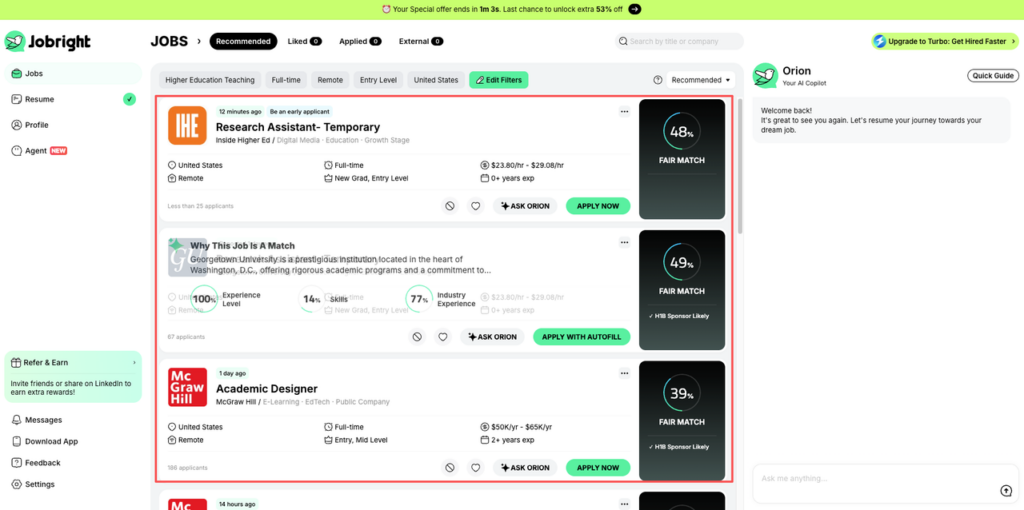
To find those high-signal job descriptions without the noise, we recommend using Jobright.ai to streamline your search before applying these prompts.
- Use the Role-Specific Question Generator prompt above with ChatGPT.
- Build one STAR story with real metrics for a common question like “Tell me about a challenge at work.”
You don’t need a perfect system to escape the application black hole. You need fewer, higher-signal interviews, and the skill to convert them.
For salary and negotiation prep next, pull real-time ranges from Levels.fyi and public DOL wage data, then ask ChatGPT to draft a negotiation script. But that’s another guide.
Frequently Asked Questions
How can I use ChatGPT for job interview prep in a structured way?
Use ChatGPT to analyze real job descriptions, predict role-specific technical and behavioral questions, and convert your experience into STAR stories. Then run interactive mock interviews, get written feedback on your answers, and generate follow-up and thank-you emails based on the actual conversations you’ve had.
What are the limits of using ChatGPT for job interview prep?
ChatGPT can’t invent impact or real achievements. You still need genuine projects, metrics, and failures. It’s best at cleaning up noise—messy wording, weak structure, unfocused answers—while you provide the signal: honest experience, clear numbers, and smart choices about which stories match the role and company.
How do I use ChatGPT to create strong STAR answers for behavioral interviews?
Share your raw facts in a Situation–Task–Action–Result template. Ask ChatGPT to turn them into a 2-minute answer in clear language for your target role. Include concrete metrics like latency, revenue, or error-rate improvements so ChatGPT can highlight outcomes instead of just listing responsibilities or generic “hard work.”
Can ChatGPT simulate a realistic mock interview for tech roles?
Yes. Ask it to act as an interviewer for a specific job at a specific company using the job description. Instruct it to mix technical and behavioral questions, ask one at a time, avoid hints, and score you on clarity, technical depth, and role fit with concrete suggestions for improvement at the end.
Is using ChatGPT for job interview prep considered cheating by employers?
No—using ChatGPT for job interview prep is generally seen as smart preparation, like working with a coach or using a question bank. Employers still evaluate your real skills, judgment, and communication in live conversations. Problems arise only if you lie about your experience or secretly copy scripted answers during the actual interview.
Recommended Reads