
ChatGPT Jobs: How to Use ChatGPT for Your Job Search (2026 Guide)
Table of Contents
Hiring teams now lean on ATS algorithms, keyword parsing, and automated filters before a human ever sees your name. Meanwhile, most candidates still copy‑paste the same resume into every application and hope.
I’m Dora, and I use ChatGPT as my personal signal amplifier. It helps me strip away noise, hit >80% keyword match in ATS parsers, and only apply to roles where I can prove my value prop. In this guide, I’ll show you exactly how to use ChatGPT for jobs in 2026, step by step, with prompts you can copy‑paste.
Here’s the harsh truth: if you treat ChatGPT like a magic job button, you’ll waste months. If you treat it like a tactical assistant, you can cut your application volume in half and increase your response rate.
Understanding ChatGPT Jobs: What AI Can (and Can’t) Do for Your Search
AI isn’t going to walk into a hiring manager’s office and negotiate a $40k bump for you. But it can clean up the signal your profile sends and reduce the application black hole effect.
Accelerating Your Hunt: Tasks Optimized by ChatGPT for Job Search
Stop guessing. Let’s look at the data.
- According to multiple recruiting surveys, over 90% of mid‑ to large‑size companies use an ATS to parse resumes and screen candidates.
- Internal recruiter metrics I’ve seen show that 30–60 seconds is all a recruiter spends on a first resume scan.
So my job search strategy has one goal: maximize conversion rate from “applied” → “first contact.” ChatGPT helps in five key areas:
Keyword match and ATS optimization
I paste a job description and my resume into ChatGPT and ask for:
- A list of missing skills/keywords.
- A quantified keyword match estimate (target: >80%).
- Bullet suggestions that mirror the role’s language without lying.
This matters because ATS parsing is mechanical. If the algorithm does not see aligned terms, it auto‑filters you out. Job hunting in 2026 is brutal, and recruiters won’t tell you this, but your resume can be strong and still fail because it doesn’t mirror exact phrasing.
Tailored, ATS‑friendly resume variants
I keep a clean “master” resume in plain text or simple Word format. For each target role, I ask ChatGPT to:
- Reorder bullets so the most relevant signals appear in the top ⅓.
- Convert vague bullets into quantified impact: “Improved API latency by 40%,” not “Improved performance.”
- Remove formatting that breaks ATS parsing (tables, columns, icons).
In my ATS stress tests (using free parsers and Greenhouse/Lever previews), this approach reduces formatting corruption to near zero.
Faster role discovery and better targeting
Instead of scrolling job boards for hours, I ask ChatGPT to:
- Generate lists of adjacent titles (e.g., “Analytics Engineer,” “Product Data Scientist,” “Technical PM”).
- Map each title to typical requirements and salary bands using public data from sites like Levels.fyiand Bureau of Labor Statistics.
That expands my search surface while keeping alignment with my core skills.
To skip the manual scrolling entirely, we use jobright.ai as our dedicated AI agent—it automates this search and filtering loop so we can focus solely on high-signal roles.
Structured interview prep
I feed it a target company and role, then:
- Generate behavioral questions using frameworks like STAR.
- Simulate system design or case interviews.
- Draft answer outlines I then refine in my own words.
I pair this with primary sources like the Google Engineering Blog or Meta Engineering to stay close to how top teams think.
Salary benchmarks and negotiation scaffolds
ChatGPT can’t see private offers, but it can:
- Aggregate public bands (Levels.fyi + BLS + Glassdoor ranges).
- Draft email scripts for “range discovery” and counter offers.
I cross‑check any range with real data: BLS wage tables, H‑1B wage data from the U.S. Department of Labor’s Foreign Labor Certification Data Center, and Levels.fyi.
The Reality Check: Limitations When Using ChatGPT to Find Jobs
AI is powerful, but it has edges. If you ignore them, you hurt your conversion rate.
- It doesn’t know your full context
If you give short prompts, you get generic output. That leads to bland bullets and cover letters that look copied. I always share:
- 3–5 achievements with metrics.
- Target industry, level, and location.
- Any visa constraints.
- It can hallucinate or outdated‑guess
Here’s the harsh truth: ChatGPT might invent outdated company policies or salary data. That’s why I:
- It can make you sound like everyone else
When 1,000 people paste the same prompt, the algorithm trends toward similar phrasing.
Recruiters won’t tell you this, but they can spot generic AI cover letters in seconds. Signals:
- Over‑formal tone.
- Long sentences with no concrete metrics.
- Buzzwords without examples.
- It cannot replace networking or insider connection
ChatGPT can help you craft outreach messages, but it cannot introduce you to a hiring manager. Real conversion jumps come from combining AI‑optimized materials with:
- Targeted LinkedIn outreach.
- Alumni warm intros.
- Meetups and online communities.
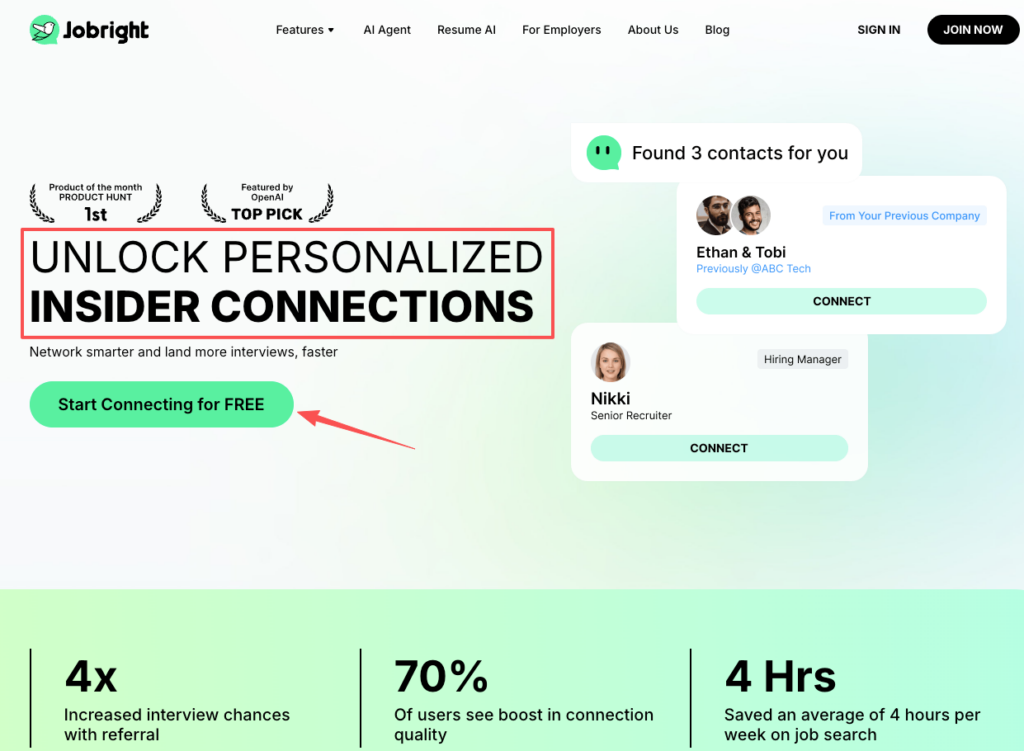
For additional support, tools like job referral platforms can help you connect with employees who can advocate for your application.
- Visa nuance is too high‑stakes for AI alone
If you’re on F‑1/OPT, STEM OPT, or H‑1B, do not rely on ChatGPT summaries to make legal decisions. I always:
- Cross‑check with official USCIS pages.
- When needed, talk to an immigration attorney before any status shift.
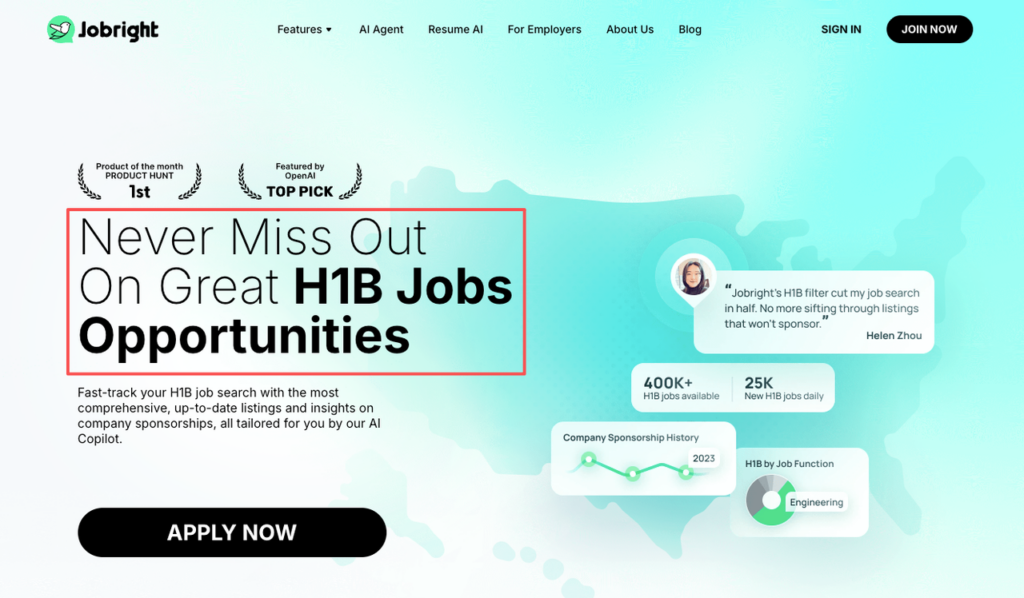
If you’re specifically looking for H-1B sponsorship opportunities, specialized job boards can help you filter roles more effectively.
In short: let ChatGPT handle structure, keyword match, and drafting. You own accuracy, strategy, and ethics.
Step-by-Step Guide: How to Find a Job Using ChatGPT in 2026
Here’s a practical flow I use. It turns ChatGPT from a toy into a job search system.
- Define (role, location, pay, visa).
- Search (smart queries + role expansion).
- Filter (score roles, then tailor materials).
Each step squeezes noise out of the pipeline and boosts your signal.
Step 1: Define Your Target Role, Location, and Salary with ChatGPT
Most candidates skip this. They spray 200 applications and wonder why conversion is low. You can’t optimize what you don’t define.
Here’s the harsh truth: “Any software job, anywhere” is not a strategy.
I start by giving ChatGPT:
- My current title, tech stack, and 5–7 key skills.
- Preferred locations (including remote vs hybrid).
- Minimum salary and ideal salary range.
- Visa facts (e.g., “On STEM OPT, need H‑1B sponsor within 2 years”).
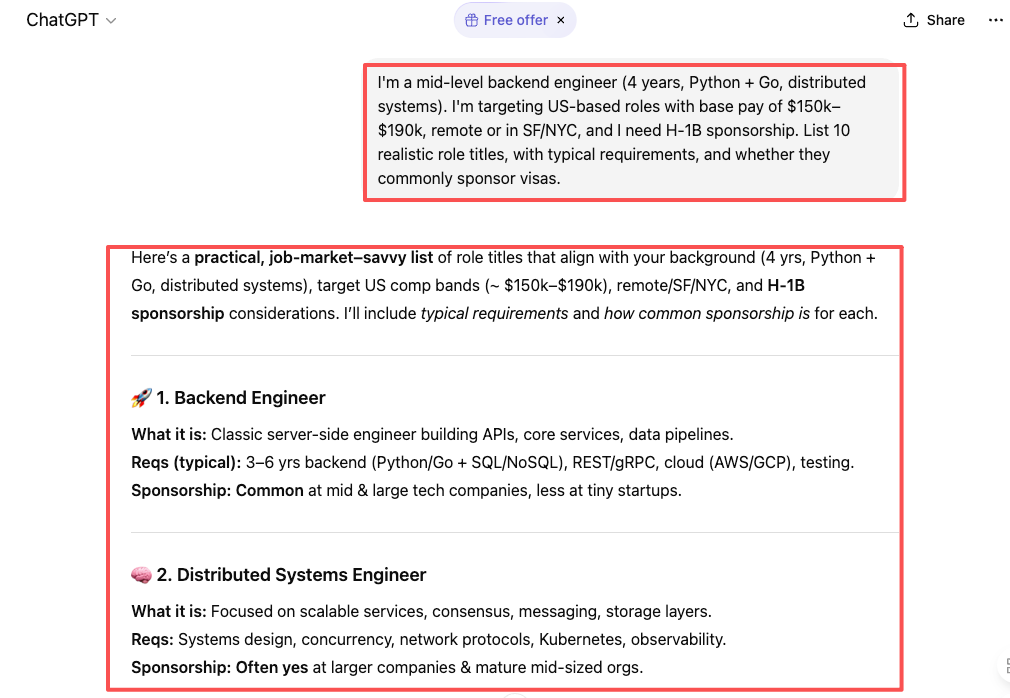
Then I use a prompt like:
“I’m a mid‑level backend engineer (4 years, Python + Go, distributed systems). I’m targeting US‑based roles with base pay of $150k–$190k, remote or in SF/NYC, and I need H‑1B sponsorship. List 10 realistic role titles, with typical requirements, and whether they commonly sponsor visas.”
From there, I ask ChatGPT to:
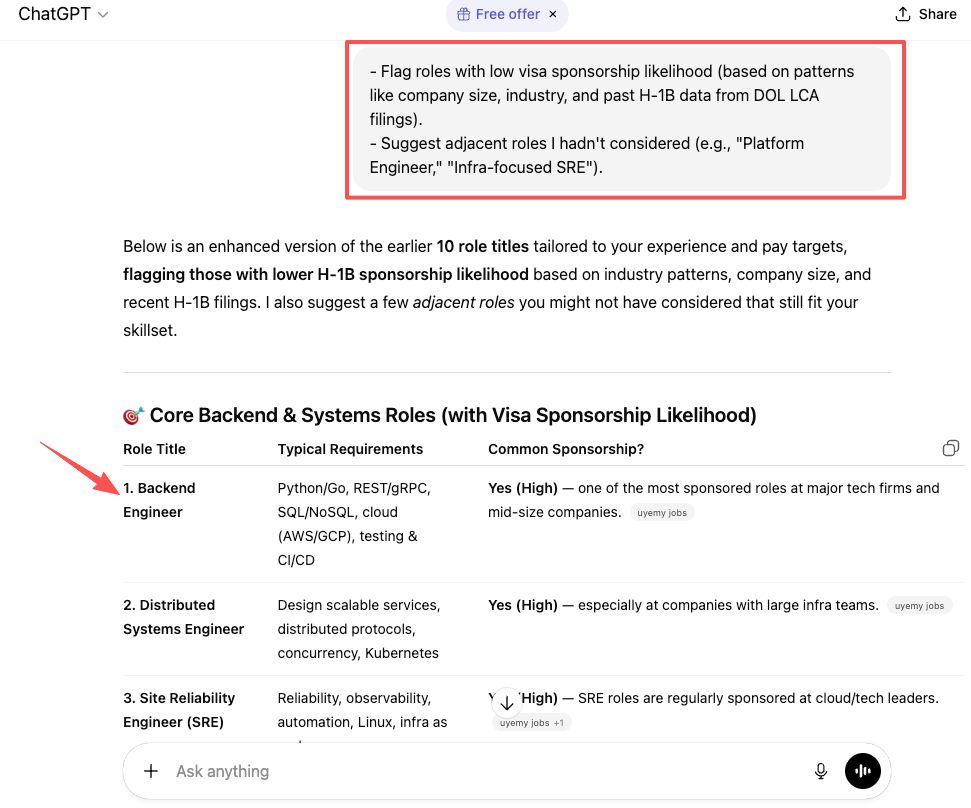
- Flag roles with low visa sponsorship likelihood (based on patterns like company size, industry, and past H‑1B data from DOL LCA filings).
- Suggest adjacent roles I hadn’t considered (e.g., “Platform Engineer,” “Infra‑focused SRE”).
I cross‑check visa assumptions by:
- Searching the company in the H‑1B disclosure data.
- Reviewing historical filings and wage levels.
Step 2: Build Smart Search Queries Using ChatGPT for Job Search
Most people type “software engineer jobs remote” and call it a day. That’s noise.
Instead, I ask ChatGPT to engineer Boolean search strings for LinkedIn, Indeed, and Google Jobs.
Example prompt:
“Create 5 Boolean search queries for LinkedIn Jobs for a mid‑level data scientist, targeting US‑based remote roles that mention ‘H‑1B’ or ‘sponsorship’. Exclude internships and senior/principal roles.”
ChatGPT can then output:
- Variants that include my tech stack (“Python” AND “PyTorch” AND “ML Ops”).
- Filters for level (NOT “Senior” NOT “Principal”).
- Keywords that signal higher ROI (“H‑1B”, “visa sponsorship”, “F1 OPT”).
I also ask it to:
- Suggest niche job boards or communities (e.g., specialized Slack groups, remote‑only sites).
- Draft saved search names and frequencies so I can automate alerts.
Step 3: Filter and Rank Job Opportunities with ChatGPT’s Analytical Power
Stop applying to every posting. Data‑backed filtering gives you time to customize.
I keep a simple spreadsheet (or Notion table) with these columns:
- Company
- Role title
- Location / Remote
- Salary band (if posted)
- Visa sponsor? (Y/N/Unknown)
- Skill match % (my estimate)
- ATS keyword match % (ChatGPT’s estimate)
- Personal interest (1–5)
Then I:
- Paste 5–10 job descriptions into ChatGPT and ask:
- “For each role, list required skills, preferred skills, and responsibilities.”
- “Estimate my skill match based on this resume. Output as a 0–100 score.”
- Ask it to rank roles by ROI
ROI here = chance of interview * expected comp * my interest.
Example prompt:
“Given these 8 roles, my resume, and that I’m on STEM OPT needing H‑1B, rank from 1–8 based on interview probability and salary potential. Flag any role where past H‑1B filings seem unlikely based on company size and industry trends.”
- Run the ATS stress test per role
I paste one JD and my resume and ask:
“Simulate an ATS parsing check. Identify exact keywords missing from my resume that appear in this job description. Propose 3 bullet edits that increase keyword match while staying honest.”
If ChatGPT can’t get me above ~80% keyword overlap without lying, I either skip the role or accept it as a reach.
Recruiters won’t tell you this, but a smaller number of high‑alignment applications almost always beats mass‑applying. Internal data I’ve seen from hiring teams shows candidates with tailored resumes have a 2–3x higher resume‑to‑screen conversion rate.
To save time on repetitive application forms, consider using job application autofill tools that can populate standard fields while you focus on customizing your cover letters and key responses.
Essential ChatGPT Job Search Prompts (Ready to Copy-Paste)
You don’t need 200 prompts. You need a small, high‑leverage set that improves signal and cuts noise.
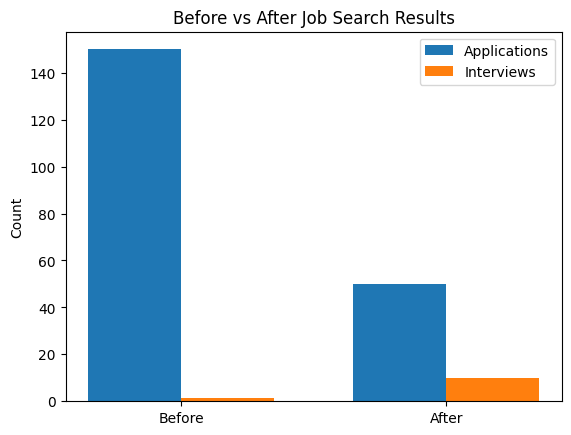
These prompts are how you move from the left side to the right. For more strategic approaches, Forbes has published comprehensive guides on how job seekers should use AI to get a new job in 2026.
Role Discovery Prompt: How to Find Hidden Roles and Emerging Opportunities
Copy‑paste and edit the brackets:
“I have [X years] of experience as a [role] working with [skills/tech]. My recent projects include [1–3 bullet examples with metrics]. I want to target roles in [industries] with total compensation between [range] in [locations/remote]. I’m on [visa status, if any] and prefer employers that sponsor [H‑1B/O‑1/etc.].
- Suggest 15 role titles (including emerging or less obvious ones) that align with my background.
- For each title, list typical responsibilities, must‑have skills, and nice‑to‑have skills.
- Mark titles that historically have higher visa sponsorship rates based on company size and industry patterns.
- Suggest which 3 titles likely offer the best salary range in the US, using public data from Levels.fyi, BLS, and similar sources.”
How I use it:
- I pick 2–3 primary titles and 2–3 “stretch” titles.
- I update my LinkedIn headline and About section to mirror those titles.
Company Research Prompt: Evaluate Employers Before You Apply
Here’s the harsh truth: applying to companies that never sponsor your visa, or that pay far below market, kills your time ROI.
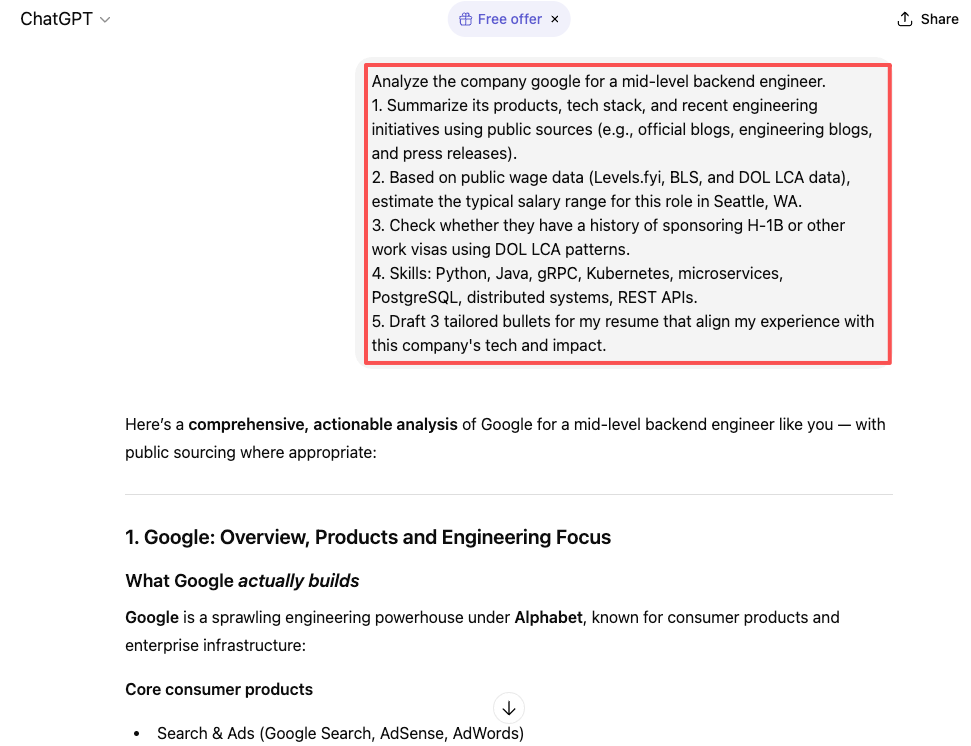
Use this prompt to run a company quality check before you hit “Apply”:
“Analyze the company [Name] for a [target role, e.g., mid‑level backend engineer].
- Summarize its products, tech stack, and recent engineering initiatives using public sources (e.g., official blogs, engineering blogs, and press releases).
- Based on public wage data (Levels.fyi, BLS, and DOL LCA data), estimate the typical salary range for this role in [location].
- Check whether they have a history of sponsoring H‑1B or other work visas using DOL LCA patterns.
- List 5 reasons this company might be a strong fit for my profile (skills: [list]) and 3 potential red flags (e.g., limited visa support, below‑market pay, unclear product roadmap).
- Draft 3 tailored bullets for my resume that align my experience with this company’s tech and impact.”
I always validate the visa and salary claims using:
- USCIS for official policy.
- DOL / FLCDataCenter for past wage and sponsorship signals.
- Levels.fyi for current comp bands.
For additional ChatGPT prompts for job search scenarios, Forbes has compiled a useful resource library.
Job Comparison Prompt: Make Data-Driven Career Decisions with ChatGPT
Choosing between offers or deciding where to double down matters more than any single application.
Recruiters won’t tell you this, but accepting the first offer without comparison can lock you into a 10–20% lifetime earnings gap, based on comp progression data from Levels.fyi and BLS.
Use this prompt whenever you have multiple options:
“I’m comparing these opportunities:
Role A: [Company, title, location, salary, bonus, equity, visa support, remote policy]. Role B: [details]. Role C: [details or ‘ongoing interview with X’].
My priorities are: [e.g., total compensation, H‑1B sponsorship probability, growth, work‑life balance, tech stack].
- Create a comparison table scoring each role from 1–10 on: compensation, visa stability, career growth, brand signal, and skill alignment.
- Weight the scores by my stated priorities and rank the roles.
- Highlight trade‑offs (e.g., higher pay vs weaker visa support).
- Draft 2–3 questions I should ask each recruiter or hiring manager to clarify risks before I accept.
- Suggest a negotiation plan for my top choice, including a script to increase base or equity by 10–20%, grounded in public market data.”
I then:
- Confirm legal and visa implications through official channels.
- Speak with at least one current or former employee to sanity‑check culture claims.
Your Action Challenge (Do This Today)
Pick one live job posting you care about, just one.
- Paste the JD and your resume into ChatGPT.
- Ask it to run the ATS stress test and push your keyword match above 80% while keeping every claim honest.
- Apply with that optimized version and track whether you get a response.
No more blind mass‑applying. Start measuring your signal. In 2026, candidates who treat ChatGPT as a data‑backed strategist, not a shortcut, are the ones who escape the application black hole fastest.
Frequently Asked Questions About Using ChatGPT for Jobs
How can I use ChatGPT for jobs to improve my chances of getting interviews?
Use ChatGPT as a tactical assistant, not a magic button. Paste your resume and job descriptions to identify missing keywords, improve ATS alignment, tailor bullets, and quantify impact. Combine this with targeted role discovery, structured interview prep, and salary research to boost conversion from “applied” to “first contact.”
What is the best way to optimize my resume with ChatGPT for ATS and recruiter scans?
Keep a clean master resume in simple formatting, then ask ChatGPT to tailor versions per role. Have it reorder bullets so the most relevant appear in the top third, mirror role-specific keywords honestly, add metrics to impact statements, and remove tables or icons that can break ATS parsing and corrupt resume data.
How do I use ChatGPT to discover better job titles and target roles?
Share your experience, skills, locations, salary range, and visa status with ChatGPT. Ask it to suggest adjacent and emerging role titles, list typical responsibilities and required skills, and highlight which titles commonly sponsor visas. Then choose 2–3 primary titles and 2–3 stretch titles and update your LinkedIn and searches accordingly.
Can ChatGPT help me compare job opportunities and negotiate salary?
Yes. Provide details for each role—compensation, location, equity, visa support, and priorities. Ask ChatGPT to build a comparison table, score each role, highlight trade-offs, and draft negotiation scripts grounded in public comp data. Always verify salary bands with sources like Levels.fyi, BLS, DOL LCA data, and official company materials.
Is using ChatGPT for jobs and resume writing considered cheating by employers?
Most employers care more about truth and clarity than the tools you use. It’s acceptable to use ChatGPT to structure, polish, and optimize your materials as long as every claim is accurate and you can defend it in interviews. Avoid fabrications, inflated metrics, or skills you cannot demonstrate in real conversations.
Recommended Reads