
How to Use ChatGPT to Tailor Resume to Job Description (Section-by-Section)
Table of Contents
Last Updated: Feb 8, 2026 Applicable to: 2026 hiring season
Let’s look at the numbers: 87 applications, 0 interviews.
That’s not a bad luck streak. That’s a broken system. The harsh reality of the 2026 job market is that algorithms—not people—are reading your resume first. If your keywords don’t mirror the job description, the ATS deletes you. Period.
You don’t need to apply more; you need to apply smarter.
This isn’t about gaming the system with hidden text or formatting tricks that break parsing. This is about using ChatGPT to legitimately translate your actual experience into the language the ATS wants to hear. Hi, I’m Dora. Below, I’m sharing my exact 10-minute protocol to hit an 80%+ keyword match and finally get your resume into human hands.
How to Tailor Resume Using ChatGPT (10-Min Workflow)
Think of your resume as a signal. The job description is the receiver. Anything that doesn’t match is noise. ChatGPT helps you boost the signal, but only if you feed it the right inputs.
Here’s the 10‑minute workflow I use myself and with clients:
- Paste the full job description into ChatGPT.
- Paste your current resume text (no design, plain text).
- Run three focused prompts in this order: Summary → Experience → Skills.
- Apply the “ATS Stress Test”: check parsing, keyword match, and formatting.
We codified these exact four steps into our AI Resume Builder to help you skip the manual setup and go straight to the application.
The Right Order (Summary – Experience – Skills)
Most people jump straight to skills, then throw in buzzwords. That’s backwards.
Here’s why I start with summary:
- Recruiters scan your top third first. If your summary aligns with the job, they keep reading.
- Then they look at experience to confirm impact with metrics.
- Skills are the tie‑breaker and keyword booster.
It is a simple process diagram:

If you edit skills first, you often end up with noise: a long keyword list that doesn’t match your bullets.
What Tailoring Means (Highlight, Not Fabricate)
Recruiters won’t tell you this, but they’re less worried about AI tools and more worried about lies.
Tailoring means:
- Reordering bullets so the most relevant work comes first.
- Adding clear metrics where you already have impact (conversion rate, latency, revenue, tickets closed).
- Using the employer’s language for the same work you already did.
Tailoring does not mean:
- Inventing skills you don’t have.
- Claiming visa status you don’t hold (for international candidates, this can hurt future filings with USCIS: see uscis.gov for exact rules).
- Making up job titles.
Stop guessing. Let’s look at the data: surveys from multiple hiring teams show that obvious exaggeration leads to an immediate reject, even if ATS passes. You’re not only fighting the algorithm: you’re fighting human trust. Use ChatGPT to clarify and align your real value, not to manufacture a fake profile.
Summary Section Prompt
Your summary is your “value prop in one glance.” For tech roles, recruiters often spend less than 10 seconds on this area.
Prompt Template
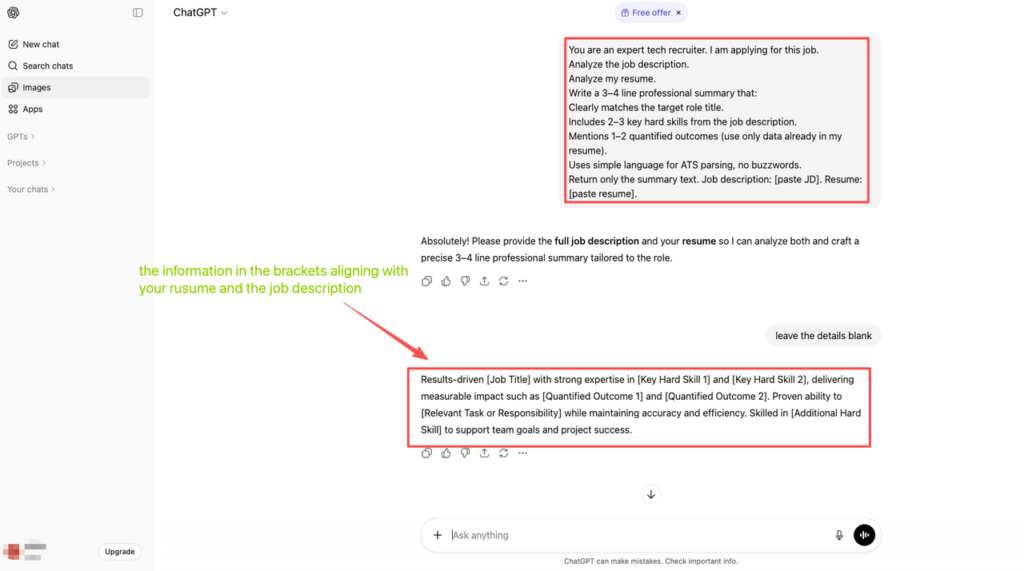
Here’s the exact prompt I use:
You are an expert tech recruiter. I am applying for this job.
Analyze the job description.
Analyze my resume.
Write a 3–4 line professional summary that:
Clearly matches the target role title.
Includes 2–3 key hard skills from the job description.
Mentions 1–2 quantified outcomes (use only data already in my resume).
Uses simple language for ATS parsing, no buzzwords.
Return only the summary text. Job description: [paste JD]. Resume: [paste resume].
You’re telling ChatGPT the mechanism: align to role title, inject job keywords, keep ATS‑safe language.
Before/After Example
Let’s take a Software Engineer:
Before
“Software engineer with 5 years of experience. Passionate about building scalable systems and working in fast‑paced environments.”
Problems:
- No metrics.
- No alignment with specific tech stack.
- Generic phrases that blend into the application black hole.
After (ChatGPT‑guided)
“Software Engineer with 5+ years building backend services in Python and Node.js for B2C products. Led features that reduced API latency by 30% and supported 2M+ monthly users. Strong experience with AWS, REST APIs, and SQL, aligned to high‑traffic, product‑led teams.”
Notice what changed:
- Clear tech stack (Python, Node.js, AWS, REST, SQL).
- Quantified outcomes (30% latency reduction, 2M+ users).
- Language that mirrors typical job posts on company engineering blogs (for examples, check the Meta or Google engineering blogs).
If you’re an international candidate, you can add one more simple line in some cases:
“Currently on STEM OPT, seeking H‑1B‑sponsoring employer: authorized to work in the U.S. as of [year].”
Keep this truthful and aligned with USCIS rules. When in doubt, read the latest guidance on STEM OPT or consult an immigration attorney. Don’t let ChatGPT guess your status for you.
Experience Section Prompt
Most of your signal sits in your experience bullets. That’s also where ATS picks up role‑specific keywords.
Bullet Rewrite Prompt (Add Metrics + Keywords)
Here’s the prompt I use to upgrade bullets:
You are a hiring manager for [target role].
Using the job description and my existing bullet points, rewrite each bullet to:
Keep the same core task and scope.
Add metrics where possible (time saved, revenue, latency, user growth, bug count, ticket volume). Only use numbers that already exist or are obviously implied.
Include 1–2 relevant keywords from the job description per bullet.
Keep each bullet under 2 lines for ATS.
Return a list of improved bullets mapped to each job. Job description: [JD]. Bullets: [paste experience section].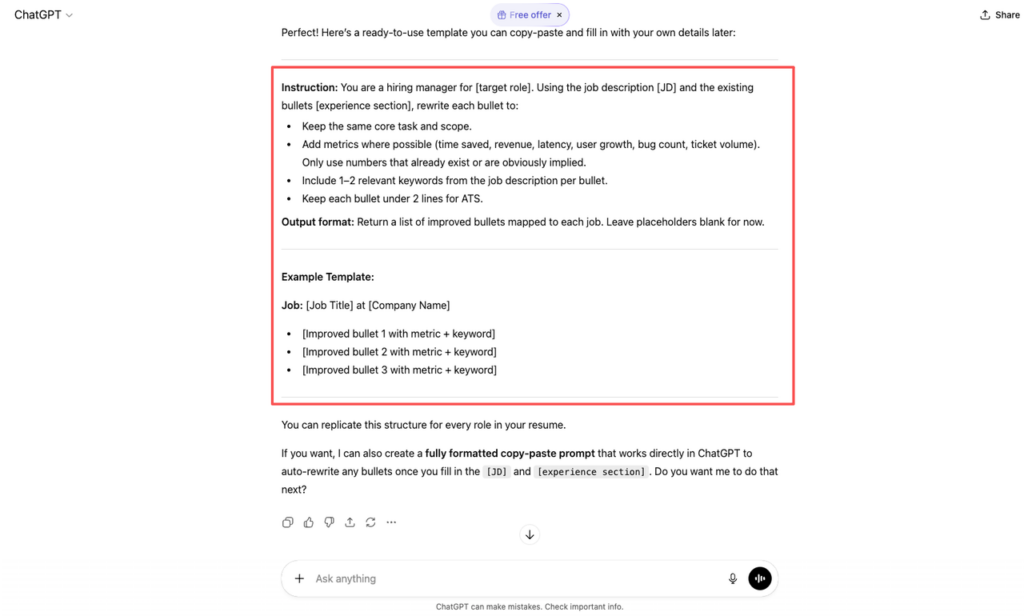
This gives you bullets like:
“Improved page load speed by 40% by refactoring React components and optimizing bundle size, cutting bounce rate on key flows by 18%.”
Instead of:
“Worked on performance improvements for the website.”
Data from multiple resume platforms shows that metrics in bullets can bump response rates by 20–30%, because they turn tasks into impact.
Keeping It Truthful
Here’s the harsh truth: if you let ChatGPT invent numbers, you’re building a house on sand.
I always do this:
- First, I list real outcomes on a scratchpad. Example: “Reduced build time from 20 to 12 minutes,” “Handled on‑call once per week,” “Improved test coverage from 60% to 80%.”
- Then I tell ChatGPT: “Only use these metrics. Do NOT invent new ones.”
- After it rewrites, I read each bullet aloud and ask, “Would my manager agree with this? Could I defend it in an interview?”
For international candidates on H‑1B or STEM OPT, your employment history may later be compared to what employers report in Labor Condition Applications (LCAs) and to timelines on sites like the Dept. of Labor (dol.gov). Keep your story clean and consistent. Your future self will thank you.
Skills Section Prompt
Your skills section is where you win the ATS keyword match game. But if you turn it into a dense wall of buzzwords, recruiters tune it out.
Hard Skills Matching
Think of hard skills as the “search terms” the ATS looks for: languages, frameworks, tools, databases.
Prompt I use:
From this job description, extract a list of hard skills (languages, frameworks, tools, platforms). Compare it with my existing skills section.
Show me a table with columns: Skill | In Job Description? | On My Resume? | Action (Add / Remove / Keep).
Suggest a concise skills section grouped by category (Languages, Frameworks, Data, Cloud, Tools).
Only include skills I already mention or that are clearly demonstrated by my experience. Do not add skills I don't have.
Here is the job description: [JD]. Here is my resume: [resume].
That simple skills table lets you quantify gaps:
| Skill | In Job Description? | On My Resume? | Action (Add / Remove / Keep) |
| Python | Yes | Yes | Keep |
| Kubernetes | Yes | No | Add only if accurate |
| PHP | No | Yes | Consider remove if not relevant |
Soft Skills – When to Include
Soft skills belong mostly in your bullets and interviews, not as a long word cloud.
I use this rule:
- Only add a soft skill in the skills section if the job description repeats it and you have concrete proof in your experience (leadership, stakeholder alignment, mentoring, cross‑team work).
- Otherwise, bake it into bullets: “Led a team of 4 engineers across 2 time zones,” “Partnered with PM and Design to ship feature used by 150k users.”
Recruiters won’t tell you this, but when they see a skills list full of “team player, strong communicator, detail‑oriented,” their eyes skip it. The conversion rate from resume to interview drops, because your signal (hard skills) is buried inside noise (generic traits).
For salary leverage, especially in tech hubs, I also cross‑check skills against current offers on levels.fyi. If top offers for your target level list Go, Kubernetes, or specific ML tools, I make sure any real experience with those is clear and high‑signal on the page.
Final ATS Checklist
Now we run the “ATS Stress Test”: will your resume parse cleanly and hit 80%+ keyword match without weird formatting issues?
Format Dos and Donts
Format is where a lot of strong candidates lose.
Do:
- Use a simple, single‑column layout in PDF and keep a .docx backup.
- Use standard section headings: “Summary,” “Experience,” “Education,” “Skills.”
- Use bullet points, not text boxes or images.
- Use a readable font (Arial, Calibri, Helvetica) at 10–12 pt.
Don’t:
- Don’t put text inside images, icons, fancy timelines, or multi‑column templates that can break parsing.
- Don’t use headers/footers for key info: some ATS ignore those.
- Don’t stuff keywords in white text or hidden areas. That can get you flagged.
If you want to be precise, run your resume through a parser (many ATS simulators exist online) and check: did your name, email, roles, and skills extract correctly? If not, you have formatting noise blocking your signal.
Keyword Density (No Stuffing)
Stop guessing. Let’s look at the data: ATS tools don’t reward spam. If a keyword appears once in your summary, once or twice in skills, and a few times across bullets, you’re fine.
I aim for this rough distribution for a critical skill (for example, “Python”):
- Summary: 1 mention
- Experience bullets: 2–4 natural mentions
- Skills section: 1 mention under “Languages”
If ChatGPT suggests a paragraph like “Python, Python, Python” in every line, I delete and rewrite. Remember: your resume must pass both the algorithm and the human.
For international, visa‑dependent job seekers, you have zero room for noise. You’re competing in a smaller employer pool that sponsors (you can research them through public LCA data and tools that read the DOL’s disclosure data). Clean formatting + honest keyword alignment gives you a better shot at companies that understand the H‑1B process.
Action Challenge
Right now, pick one live job description and your current resume. Run only the summary prompt from this guide and paste the new summary into your document. Then, within 24 hours, run the experience prompt for your most recent role. Don’t wait to be “ready.” Ship the next version, test the signal, and track your response rate over the next 10 applications.
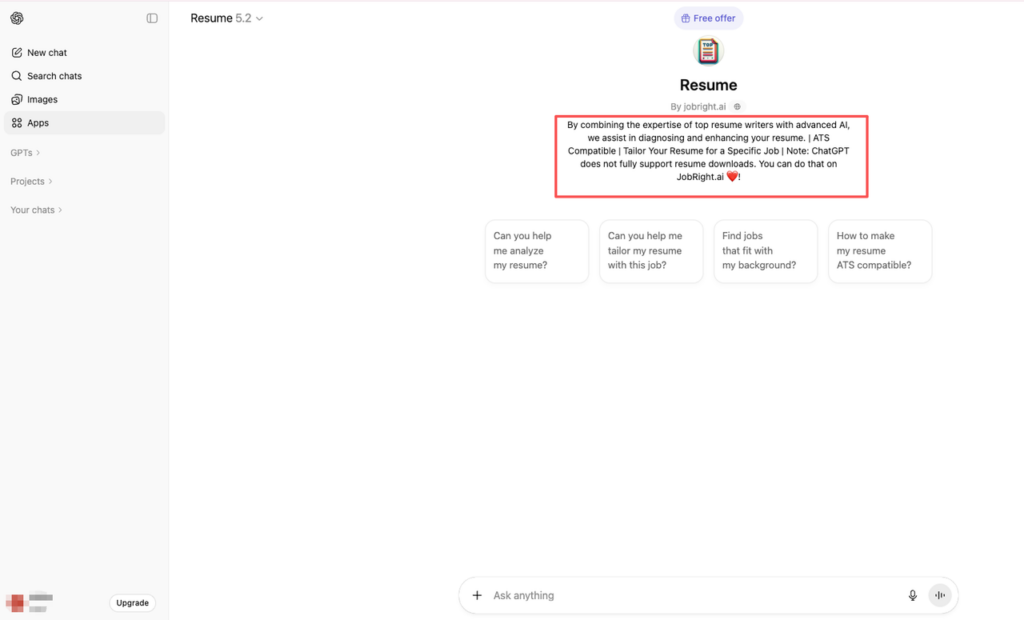
To bridge the gap between intention and action without the manual friction, we have integrated this entire workflow into our specialized Resume GPT, designed to instantly align your profile with these strict ATS standards.
Frequently Asked Questions
How do I use ChatGPT to tailor my resume to a specific job description in about 10 minutes?
Copy and paste the full job description into ChatGPT, then paste your current resume as plain text. Run three prompts in order: first have ChatGPT rewrite your summary, then your experience bullets, then your skills section. Finally, check ATS parsing, keyword match, and formatting before sending.
What does it mean to tailor a resume with ChatGPT without lying?
Tailoring means reordering bullets so the most relevant work appears first, adding real metrics you actually achieved, and mirroring the employer’s language for work you’ve already done. It does not mean inventing skills, inflating titles, fabricating metrics, or misrepresenting your work authorization or visa status.
How should I structure my prompts when using ChatGPT to tailor my resume to a job description?
Use role‑specific prompts. For summary, ask ChatGPT (as an expert recruiter) to align your title, key skills, and real metrics to the job description, for experience, ask it to keep the same tasks, add only true metrics, and insert 1–2 role keywords per bullet, for skills, ask for a comparison table and concise categories, and for more ChatGPT prompts for job search, explore expert-tested templates.
How can I make sure my ChatGPT‑tailored resume passes ATS filters?
Use a simple, single‑column layout with standard headings (Summary, Experience, Education, Skills) and ATS‑friendly fonts. Avoid text boxes, images, icons, or multi‑column templates. Mention important keywords naturally in summary, a few bullets, and the skills section. Optionally test your resume in an ATS simulator to confirm clean parsing.
Is it safe to use ChatGPT to tailor my resume, and how do I avoid AI‑sounding content?
It’s generally safe if you remove personal identifiers before pasting and review the output carefully. Treat ChatGPT as a drafting assistant: enforce “no invented metrics or skills,” then edit the language so it sounds like you. Read each bullet aloud and ask, “Could I defend this confidently in an interview?” For additional guidance on creating impactful resumes, consult professional career resources.
Recommended Reads