
Data Annotation Jobs Remote: Tests, Tools & First-Week Playbook
Table of Contents
Last Updated: January 26, 2026
You’ve sent 47 applications to remote data annotation jobs, you’ve completed 12 screening tests, and you’ve heard back from… zero. Here’s what nobody tells you: annotation hiring isn’t a resume game—it’s a production funnel with hidden metrics, auto-scoring algorithms, and quality gates that silently filter out 96% of applicants. I’m Dora, and after analyzing hiring data from Labelbox, Scale AI, and Appen, I’ve reverse-engineered the exact conversion points where most candidates drop off. This guide will show you how to treat annotation work like the data-driven system it actually is, so you stop adding noise and start sending signals that convert to paid work.
The Data Annotation Hiring Funnel for Remote Jobs: Data Labeling Test → Paid Trial → QA Review
Here’s the harsh truth: if you treat remote annotation hiring like a normal job application, you lose. It’s not a resume contest. It’s a production funnel with clear conversion stages.
The real funnel (and where people drop off)
Most serious annotation vendors and AI labs use some version of this:
- Screening test (Data labeling test)
- Short unpaid test: 15–60 minutes.
- 10–50 items to label.
- Auto‑scored by an algorithm against a gold standard.
- Pass threshold: often around 85–95% accuracy.
- Paid trial batch
- Fixed batch (e.g., 200–500 items).
- You’re paid per task, but you’re still on trial.
- A QA reviewer checks your accuracy and consistency.
- If your metrics drop, you never see the next project.
- Ongoing work + performance review
- You’re rated on accuracy, speed, and rework rate.
- Promotions to QA or higher‑pay projects depend on those numbers.
Recruiters won’t tell you this, but many platforms quietly auto‑filter annotators using internal ATS‑like systems. They track your test scores, task rejection rate, and response time like an ATS tracks keyword match and resume parsing quality.
Simple funnel data (what I see in practice)
Most platforms don’t share public stats, but let’s stitch together what we know from worker forums, internal docs, and general hiring data:
Sample funnel for 1,000 applicants to a remote annotation project:
- 1,000 sign up.
- 600 start the test.
- 250 finish the test.
- 80 pass the accuracy threshold.
- 40 complete a full paid trial batch.
- 20 get invited to steady work.
- 5–10 move up to QA / lead roles.
That’s a 2–4% conversion rate from signup to steady income.
Stop guessing. Let’s look at the data: if your conversion is lower than this, you don’t need more applications, you need better test strategy and quality optimization.
How to treat this like an ATS Stress Test
The “ATS Stress Test” for normal jobs asks: Does my resume hit 80%+ keyword match without breaking parsing?
For remote data annotation, your Stress Test looks like this:
- Test accuracy ≥ 90% on most platforms.
- Instruction compliance ≥ 95% (you almost never miss a rule).
- Rejection rate ≤ 3–5% on your paid trial batch.
- Stable speed (no wild swings that signal guessing).
Your goal isn’t “get any gig.” Your goal is optimize each stage so you move from noise (random tests) to signal (consistent passes and invites).
Core Annotation Tools Used in Remote Data Annotation Jobs (And How to Learn Them Fast)
Remote data annotation jobs don’t care which IDE you use. They care whether you can drive their tool at speed without errors.
Most tools fall into the same patterns. If you master one in each pattern, you move faster and make more money.
Labelbox, Scale AI & Appen: What Each Platform Tests in Remote Annotation Roles
Let’s group them by type rather than brand hype.
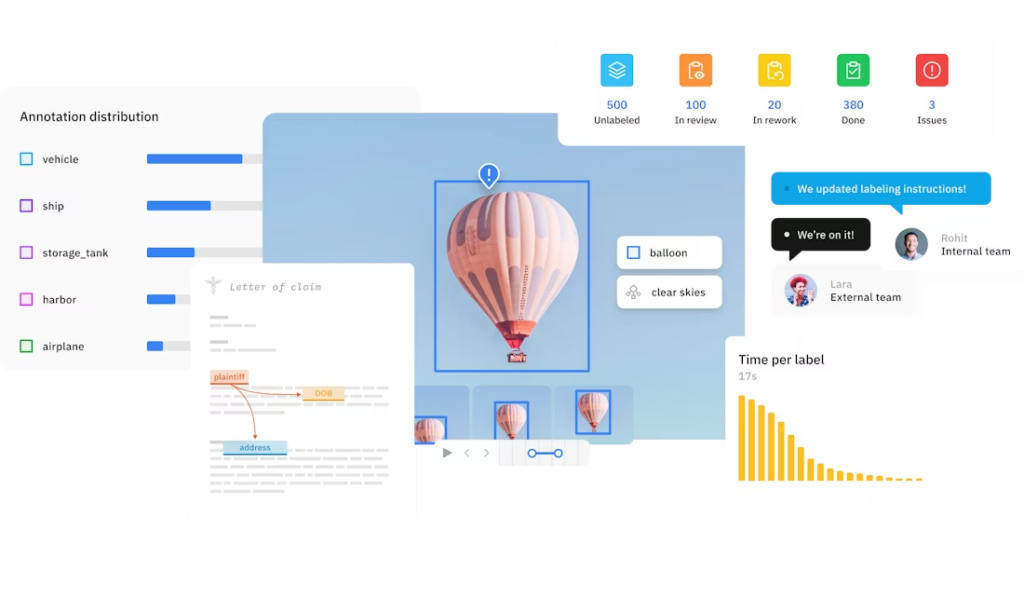
Labelbox (and similar SaaS tools)
Common use: enterprise image, video, and text projects.
What they test:
- Polygon and bounding boxprecision (how tight your boxes are).
- Class label accuracy (you pick the right category every time).
- Instruction following (edge cases, tricky definitions).
Learning plan (2 hours):
- Watch their official annotation overview documentation.
- Learn essential keyboard shortcuts for Labelbox to maximize efficiency.
- Practice drawing 50–100 boxes on public datasets (COCO dataset images work).
Force yourself to read the instructions twice before starting.
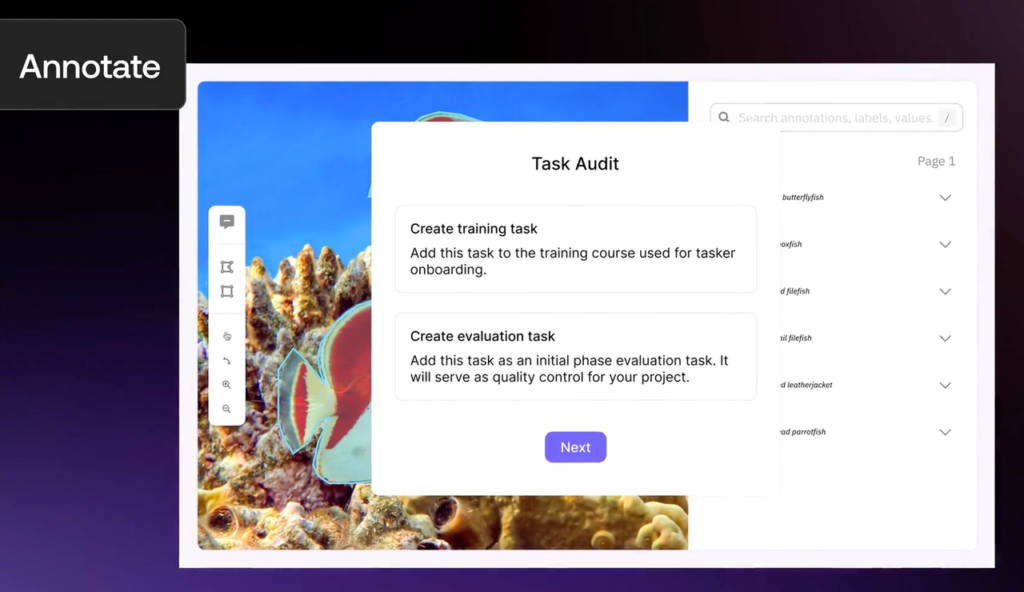
Scale AI / Remotasks‑style platforms
Common use: complex tasks (3D, LiDAR, system prompts, safety review).
What they test:
- Multi‑step reasoning (following long guideline docs).
- Consistencyunder ambiguous cases.
- Speed with strict quality gates.
Learning plan (2–3 hours):
- Review Scale’s data labeling and annotation guide to understand industry standards.
- Pick one task type (e.g., image classification). Don’t sample five.
- Take notes on the most common “do/don’t” rules.
- Create a small personal cheat sheet (3–5 bullets per rule set).
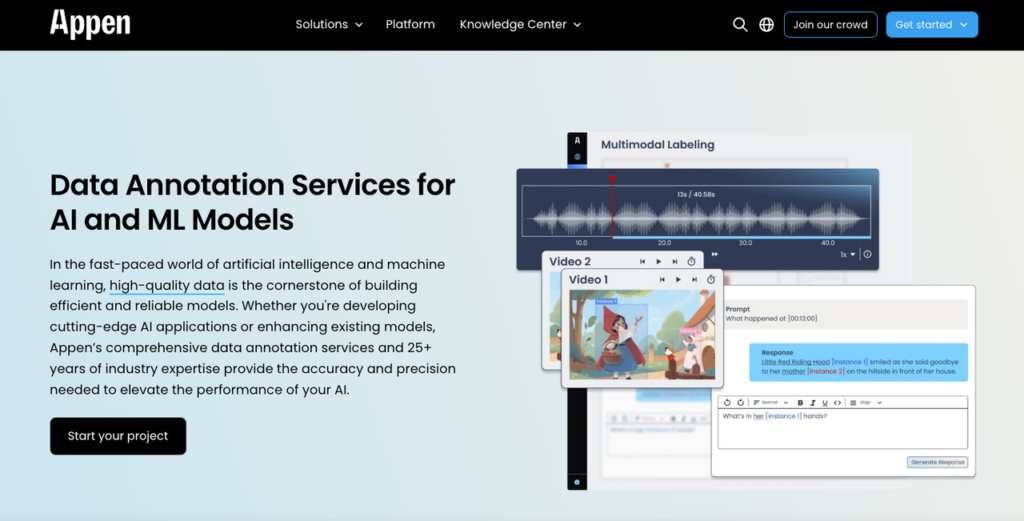
Appen / TELUS International / similar vendor platforms
Common use: search relevance, social media labeling, speech.
What they test:
- Linguistic nuance (is this spam, satire, hate, or something else?).
- Cultural context (especially for international roles).
- Long‑term consistency (same answer today and next month).
Learning plan (2 hours):
- Understand what data annotation entails at Appen through their official resources.
- Read Google’s Search Quality Evaluator Guidelines line‑by‑line for search relevance tasks.
- Learn how TELUS Digital measures data annotation metrics to understand performance expectations.
- Do 20–30 practice ratings and compare to provided answers.
- Note patterns: what words or signals make an item positive vs negative.
You’d see Labelbox‑style tools tied to spatial precision, Scale‑style tools tied to process logic, and Appen‑style tools tied to language judgment. Different surfaces, same point: clear instructions + repeatable process beat raw speed.
Essential Keyboard Shortcuts & Tool Efficiency Tips for Remote Annotators
Here’s the harsh truth: annotation pay often looks low because people work slow. The algorithm doesn’t only track accuracy: it tracks output per hour.
Basic efficiency rules:
- Learn every keyboard shortcut for: next item, previous item, apply label, undo, zoom.
- Aim to reduce mouse travel. If your hand leaves the keyboard every 5 seconds, your conversion rate on pay tanks.
- Batch similar decisions: handle all “easy yes/no” items first, then tackle edge cases.
Quick practice drill (30 minutes):
- Pick any annotation demo tool (many vendors have sandboxes like CVAT.ai or Label Studio).

- Do 20 items using only mouse. Time yourself.
- Do 20 items using shortcuts.
- Quantify the difference. My rule of thumb: 30–50% speed gain with shortcuts after a day or two.
The signal you want to send: “I hit top‑quartile speed without sacrificing quality metrics.” Anything else is noise.
Annotation Quality Metrics Explained: Accuracy, Consistency & Speed Benchmarks
If you don’t know how you’re being scored, you can’t optimize. And if you can’t optimize, you get stuck in low‑pay, low‑volume tasks.
Most remote data annotation jobs track three core metrics:
- Accuracy (your main promotion lever)
Accuracy is how often your label matches the gold answer set.
Typical targets I see:
- Image / bounding box tasks: 90–95%+
- Search relevance / text tasks: 85–95%+
- Specialized medical / legal tasks: 95–98%+
Platforms often calculate this over a rolling window (e.g., last 200 items). If you drop below a hidden threshold, the algorithm flags you for review or cuts your access.
- Consistency (your “do I trust you?” score)
Consistency is: Do you label the same scenario the same way every time?
Recruiters won’t tell you this, but minor accuracy dips are tolerated if you’re consistent with the written rules. Wild swings, labeling similar items differently, are what kill your account.
How they quantify it:
- Inter‑annotator agreement: how often you match other trusted annotators.
- Rework rate: how many of your items a QA needs to correct.
- Dispute frequency: how often you’re out of sync with standards.
Aim for a rework rate under 3–5%. That’s a strong signal.
- Speed (without turning your work into noise)
Speed is often tracked as items per hour or average seconds per item.
Common benchmarks (based on public task descriptions and internal docs I’ve seen):
- Simple image yes/no: 400–600 items/hour at stable accuracy.
- Basic text tagging: 200–350 items/hour.
- Complex reasoning tasks: 30–80 items/hour.
If you chase speed before you lock accuracy and consistency, you send the exact wrong signal: high volume, low trust. That’s noise.
Putting it together: a simple metric dashboard
Picture a small dashboard you keep in a notebook or spreadsheet with 4 rows:
- Row 1: Accuracy last 100 items.
- Row 2: Rework / rejection rate.
- Row 3: Items per hour.
- Row 4: Notes on common mistakes.
Every week, you update it from whatever feedback or stats the platform shows. That’s how you turn a vague gig into a data‑backed system you can improve, the same way you’d debug a model or optimize a product funnel.
Remote Annotation Onboarding: A Practical First-Week Playbook for New Annotators
Your first week decides whether you become a long‑term annotator or just another lost profile in the application black hole.
Here’s a 7‑day playbook I’d use if I were starting fresh in remote data annotation jobs.
Day 1–2: Tool setup + instruction deep dive
- Pick one platform and one project type. Don’t scatter your focus.
- Read the full guideline doc once. Take a break. Read it again with a pen.
- Create a one‑page cheat sheet: edge cases, must‑follow rules, automatic fails.
- Review Ultralytics’ guide to data collection and annotation for best practices in computer vision tasks.

Stop guessing. Let’s look at the data: workers who skim instructions often report rejection rates above 15–20%. That wipes out your ROI. You want to be in the ≤5% rejection band from day one.
Day 3–4: Practice + mini “signal vs. noise” review
- Do 50–100 practice items if the platform offers them.
- After each 10–20 items, pause and compare your labels to the gold answers.
- Write down three recurring mistakes.
This is your first signal vs. noise filter:
- Signal: mistakes tied to unclear rules → you update your cheat sheet.
- Noise: random lapses (rushing, distractions) → you fix your work setup.
Day 5: Speed drills (without wrecking accuracy)
- Set a timer for 25 minutes (Pomodoro).
- Label items at a comfortable pace, not “max speed.”
- Count how many you complete and your error rate.
Run three cycles:
- Normal pace.
- Slightly faster.
- Back to normal pace.
Your goal is to quantify where your accuracy starts dropping. For many people, pushing past a 20–30% speed increase causes a 10–15 point accuracy drop. At that point, the algorithm starts doubting you.
Day 6: QA mindset rehearsal
Even if you’re not a QA reviewer yet, think like one:
- Re‑check a random 10–20 of your own items.
- Ask: “If I was paid to audit this, what would I flag?”
- Track patterns: is it fuzzy edges, misread rules, or rushing?
You’re building a feedback loop so quality climbs week over week, not randomly.
Day 7: Portfolio + ATS alignment (for your resume)
Most people skip this and then wonder why their “side gig” doesn’t help their main tech job hunt.
Do this instead:
- Create a line on your resume like:
- “Remote Data Annotator, [Platform], Labeled 8,000+ images at 96% QA‑verified accuracy: supported model training for [domain].”
- Run your resume through an ATS keyword parser (there are free tools).
- Make sure you hit keyword match for terms like “data annotation,” “labeling,” “quality metrics,” and “QA review” on roles you care about.
Your goal: your resume should pass an 80%+ keyword match stress test without formatting issues. That way, your remote annotation work sends a clear, machine‑readable signal to real ATS systems, not just to annotation platforms.
How to Move Up in Remote Data Annotation Jobs: Higher Pay, Better Projects & QA Roles
Many people treat remote data annotation jobs as a dead end. They’re not, if you understand how the ladder works and what companies measure.
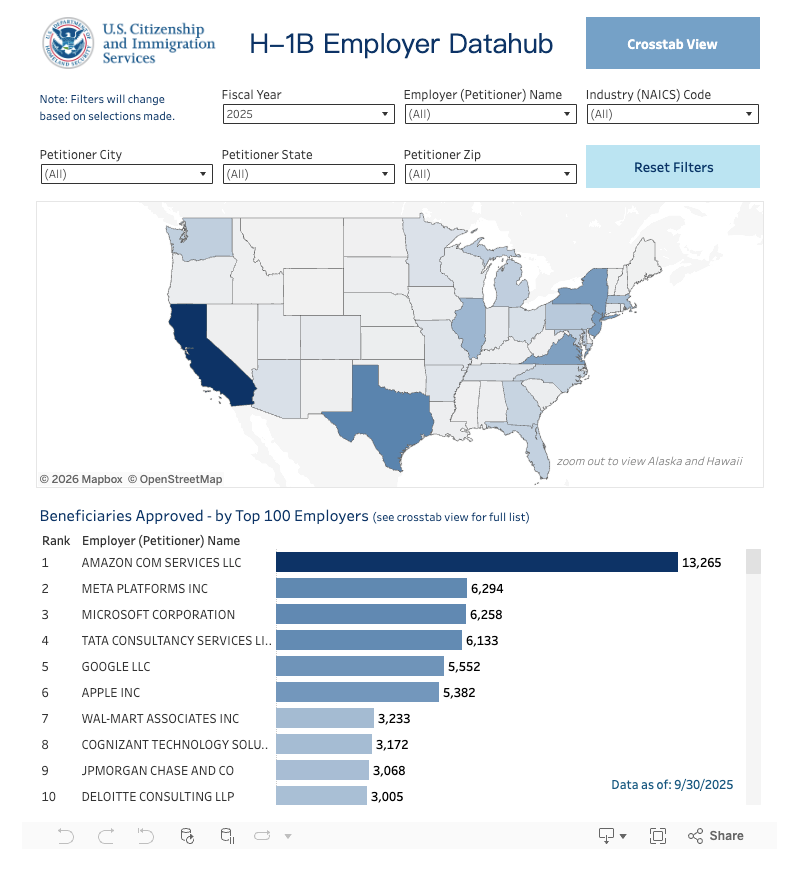
Here’s the harsh truth: for most US‑based visa‑dependent candidates (H‑1B, OPT, STEM OPT), many small annotation vendors do not sponsor visas. USCIS H-1B employer data and DOL’s LCA disclosures show sponsorship clustered in big tech and large consultancies, not small gig platforms.
So you should see remote data annotation as either:
- A bridge to more technical roles (ML ops, data QA, analyst), or
- A short‑term income stream while you aim for sponsors (check Levels.fyi and LCA data for real salary and sponsor lists).
Step 1: Use metrics to ask for higher‑pay projects
Once you’ve done a few thousand items, don’t just wait and hope.
Collect data‑backed proof:
- Total items labeled.
- Average QA accuracy (screenshot if possible).
- Rejection / rework rate.
- Any positive feedback from QA leads.
Then send a short, direct message to your project manager or platform support:
“I’ve completed 4,200 items on Project X at 96.3% QA‑verified accuracy with a 2.1% rework rate. Are there any higher‑complexity or higher‑rate projects where this performance would be useful?”
You’re not begging: you’re presenting conversion metrics. That’s signal.
Step 2: Target QA and lead roles
QA roles pay more because they protect model quality.
To move into QA:
- Keep your accuracy above platform averages for at least 3–6 months.
- Show you can explain rules clearly (offer to help new annotators in forums or chats).
- Document examples of tricky cases and how you resolved them.
When a QA opening appears, you can say:
“I’ve maintained 97%+ accuracy on 6,000 text items and have a documented library of 50+ edge cases I’ve flagged and resolved. I’m interested in QA reviewer roles for similar projects.”
That’s far stronger than, “I work hard and pay attention to detail.”
Step 3: Connect annotation work to core tech careers
If you’re a software engineer, PM, or data analyst, your endgame isn’t more clicking. It’s moving closer to the model and the product. Understanding how data annotation creates legitimate tech jobs in AI can help you position your experience strategically.
Some realistic bridges:
- Data Analyst path: Emphasize your experience with labeling guidelines, quality metrics, and dataset health. Connect it to data QA or analytics roles.
- ML / Data Engineer path: Pair annotation work with personal projects using open datasets. Show how labeling choices impact model performance (you can reference blog posts from the Google AI Blog or Meta AI that discuss data quality and label noise).
- PM / UX path: Highlight how you worked with ambiguous requirements, defined edge cases, and improved guidelines, these map cleanly to product and research workflows.
On your resume and LinkedIn, translate annotation into outcome language:
- “Reduced label rework by 40% by refining edge‑case rules for a 10‑person annotation team.”
- “Improved model training data quality by maintaining 97%+ agreement with gold labels over 8,000 items.”
Critical note for international job seekers
If you depend on H‑1B or similar status:
- Check the USCIS H‑1B employer data hub and DOL LCA databases to confirm whether an employer has ever filed for your role type.
- Use remote annotation gigs mostly to fill gaps, keep your skills sharp, and show US market experience.
- Aim your main applications at companies with proven sponsorship history and strong salary data (Levels.fyi and official LCA records help you benchmark).
Remote annotation is great at creating signal: you can prove you show up, follow rules, and care about metrics. But it’s still on you to direct that signal toward employers who can sponsor and pay at market rates.
Your 10‑minute Action Challenge
Don’t just close this tab and go back to random applications.
In the next 10 minutes, I want you to do one concrete thing:
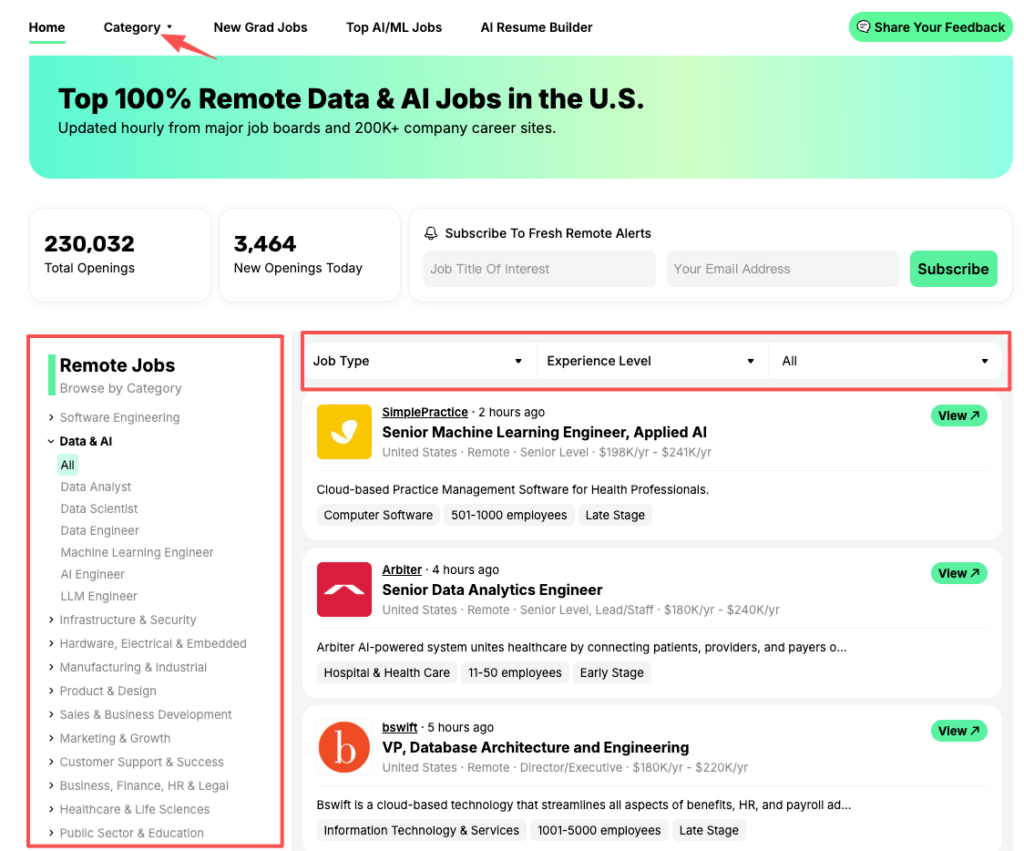
- Sourcing: Don’t waste hour scrolling LinkedIn. Let’s go to JobRight.ai/remote-jobs, set a filter for ‘Data Annotation’ or ‘AI Training’, and apply to the top 3 matches that have been verified in the last 24 hours.
- Pick one platform or project you’re targeting for remote data annotation jobs.
- Write a tiny, 5‑line plan:
- Tool you’ll learn.
- Metrics you’ll track (accuracy, rework, speed).
- A weekly target (e.g., 500 items at 95%+ accuracy).
- Add one bullet to your resume that quantifies existing annotation work, or commits you to earn that bullet in the next 30 days.
Do that, and you’ll stop adding noise to the job market and start sending clear, data‑backed signals, to platforms, to ATS systems, and to the hiring managers who decide what happens next in your career.
Frequently Asked Questions
What are remote data annotation jobs and how do they work?
Remote data annotation jobs involve labeling images, text, audio, or video from home so AI models can learn from high‑quality training data. You typically complete an online test, do a paid trial batch, then receive ongoing work if your accuracy, consistency, and speed meet the platform’s quality metrics.
How hard is it to get data annotation jobs remote compared to regular online gigs?
Remote data annotation jobs are much more selective than most people expect. A typical funnel might see only 2–4% of sign‑ups reach steady work. Platforms auto‑score your tests, track your rejection rate and speed, and quietly filter out annotators who can’t sustain 90%+ accuracy and low rework rates.
What skills do I need to succeed in remote data annotation jobs?
Success in remote data annotation comes from three core skills: carefully following detailed written instructions, maintaining high accuracy and consistency across similar cases, and using platform tools efficiently with keyboard shortcuts. Vendors also value cultural and linguistic awareness for text tasks and spatial precision for image and video labeling.
Which platforms offer legitimate remote data annotation jobs?
Legitimate remote data annotation work is commonly available on platforms like Labelbox (via vendor partnerships), Scale AI/Remotasks, Appen, TELUS International, and similar providers. You can also explore open-source tools like CVAT and Label Studio. Always verify pay rates, project descriptions, and data privacy terms, and avoid any site that asks for upfront fees or vague “training” payments.
How can I move from basic data annotation work to higher‑pay or QA roles?
Track your metrics—total items labeled, QA‑verified accuracy, and rework rate—and use them to request access to higher‑complexity projects. Over 3–6 months, keep accuracy above platform averages, document tricky edge cases, and demonstrate you can explain rules clearly. These behaviors position you for QA reviewer and lead annotator roles.
You’ve learned the funnel—now fill it with high-quality leads. Use JobRight.ai to filter for verified AI training and annotation roles that match your new strategy. Start your search today.
Recommended Reads