
Data Entry Remote Jobs: Legit Companies + Resume Template (2026)
Table of Contents
Last Updated: January 14, 2026, Applicable to 2026 hiring season
If you’re eyeing data entry remote jobs as a fast way to get income, US experience, or a visa-friendly foothold, you can’t afford to spray and pray. The market in 2026 is crowded, scam-heavy, and harsh on sloppy resumes.
Here’s the harsh truth: if your resume can’t survive an ATS stress test and you can’t spot scams on sight, you’re burning time for almost no ROI.
In this guide, I’ll walk you through:
- Realistic pay for data entry remote jobs (with current data, not guesses)
- The screening tests you’ll face (and how to hit 40–60 WPM)
- How to spot work-from-home data entry scams fast
- An ATS-friendly resume template + keywords for no-experience applicants
- A simple application strategy that cuts ghosting
Stop guessing. Let’s look at the data and build a clean, high-signal strategy.
Realistic Pay for Data Entry Remote Jobs ($14–$22/hr)
Recruiters won’t tell you this, but most “$35/hour entry-level data entry” ads are either bait or scams.
Based on current data from Glassdoor, Indeed, and ZipRecruiter (links you can check yourself):
- Glassdoor US data entry (remote + on-site): about $15–$18/hr median for entry-level.
- Indeed’s salary data for data entry clerks: roughly $16–$19/hr in many metro areas.
- ZipRecruiter remote data entry: national average near $19–$20/hr, with most roles between $14–$22/hr.
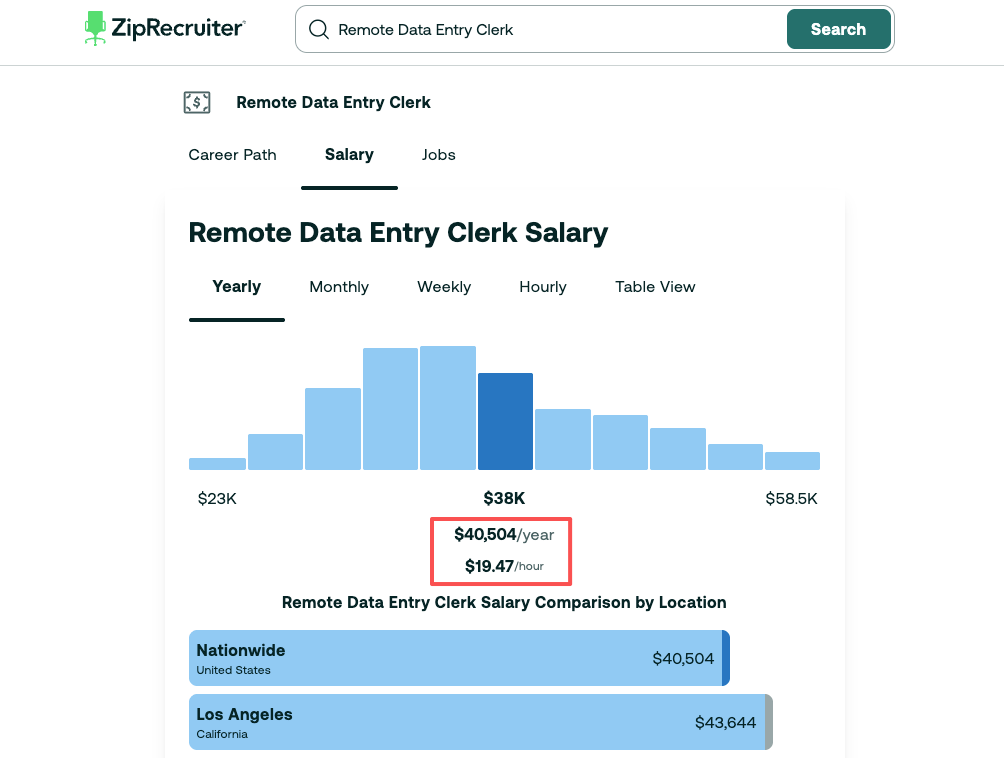
Quick pay chart
| Source | Typical Low Range | Typical High Range |
| Glassdoor | $14/hr | $18/hr |
| Indeed | $15/hr | $19/hr |
| ZipRecruiter | $16/hr | $22/hr |
If you see pay far above that range, and the posting is entry-level with no tests, you should treat it as noise, not signal.
Here’s the harsh truth: for 2026, $14–$22/hr is the realistic band for legitimate remote data entry jobs in North America. Anything outside that range needs extra verification.
For international candidates on F‑1/OPT or H‑1B paths, this matters even more. Data entry wages are often too low to support H‑1B filings under US Department of Labor wage levels. An H‑1B sponsor usually needs a specialized role (think remote data analyst or software engineer). So use data entry as a stepping stone, not your final target.
Key metrics to track for yourself:
- Average hourly rate from roles you’re saving
- Number of interviews per 10 targeted applications
- Conversion rate from first interview → offer
If those metrics are flat or dropping, your strategy isn’t aligned with the current market.
Common Screening Tests for Remote Data Entry Roles
Legit remote data entry jobs rarely hire without tests. If you see “no experience, no test, instant hire,” your scam radar should start screaming.
Most companies use a mix of typing speed, accuracy, and basic data validation tasks. These are easy to prepare for if you treat them like mini technical screens.
Typing Test Prep: 40–60 WPM Benchmarks
For 2026, most entry-level data entry postings still expect:
- 40 WPM as a minimum threshold
- 50–60 WPM as a competitive range
Many ATS systems and testing platforms will auto-reject below 35–40 WPM. You never even see a human.
Simple weekly practice plan (15–20 minutes/day):
- Days 1–3: Practice on free typing test sites with short paragraphs (emails, labels). Focus on accuracy first, speed second.
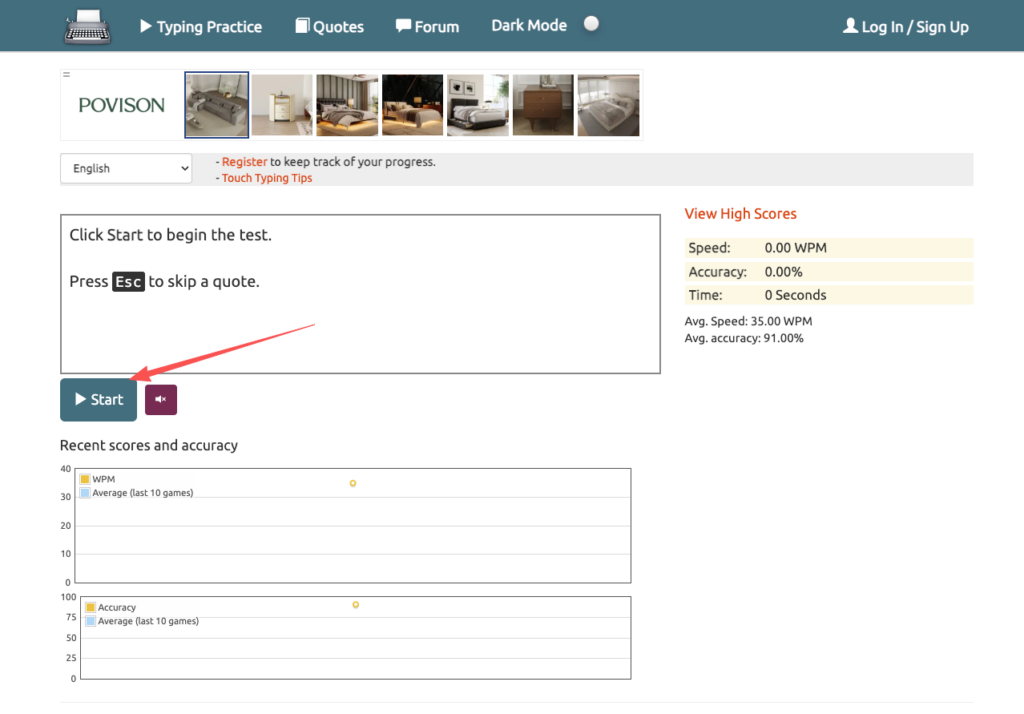
- Days 4–7: Switch to numeric data and short codes (invoice numbers, IDs). That’s closer to what you’ll see on the job.
- Weekly metric: track your WPM + accuracy rate. Your goal is 50+ WPM with 95%+ accuracy.
Recruiters won’t tell you this, but a candidate at 55 WPM and 98% accuracy feels safer to them than someone at 70 WPM and 88% accuracy. Errors cost them time and money.
Accuracy & Data Validation Tests
Typing is just one part. Many remote data entry roles include tasks like:
- Comparing two spreadsheets and flagging mismatches
- Fixing inconsistent formats (dates, phone numbers, country codes)
- Spotting duplicate records
These tests measure your attention to detail and your ability to follow simple rules without improvising.
How to train for this:
- Download any public dataset (e.g., sample CSVs from Kaggle).
- Create a copy and intentionally inject errors: wrong dates, shifted decimals, missing leading zeros.
- Time yourself for 10–15 minutes as you clean the data.
You’re training your brain to treat accuracy as the main signal and speed as secondary.
Signal vs. noise principle here:
- Signal: clear, consistent, rule‑based corrections
- Noise: “creative” fixes, random formatting, extra comments
Companies want you to follow the algorithm (the rules they give), not invent your own.
How to Spot WFH Data Entry Scams
Stop doing this immediately: never say yes to a remote data entry role that asks for money upfront. The US Federal Trade Commission (FTC) has warned about job scams for years, and job scam reports keep rising.
According to the FTC’s job scam guidance, the common patterns in fake WFH data entry jobs are:
- You must pay for training, equipment, or “registration.”
- They send you a check to “buy equipment,” then ask you to send part of it back (it later bounces).
- Communication only through WhatsApp/Telegram with no company email.
- No company footprint on LinkedIn, no real website, no employee profiles.
Indeed’s own warnings on data entry job scams echo the same patterns: vague job descriptions, high pay with no tests, and pressure to respond fast.
Quick scam detection checklist (treat this like a binary test):
If you see two or more of these, close the tab:
- Pay advertised as $30+/hr for entry-level, no tests
- No company domain email (only free email providers)
- No verifiable address, no LinkedIn presence
- Request for bank details, ID photos, or crypto “for verification”
- Promise of “guaranteed job” after paying a fee
For international candidates, this gets even more dangerous. Fake “remote data entry” roles sometimes claim they can “sponsor H‑1B later.” Here’s the harsh truth: a real H‑1B sponsor is usually listed in USCIS public data, and the job needs to meet specific wage and specialty requirements. Data entry almost never qualifies.
Your rule of thumb: If it sounds like an easy path to fast US work authorization through low-skill remote work, treat it as noise until you can verify the employer through official records or independent reviews.
Stop guessing. Let’s look at the data: FlexJobs, which screens remote roles, reports that a large share of unsolicited “simple data entry from home” messages are fraudulent or misclassified.
We rigorously screen every listing. JobRight.ai surfaces trusted remote opportunities, giving you a safer path to your next job.
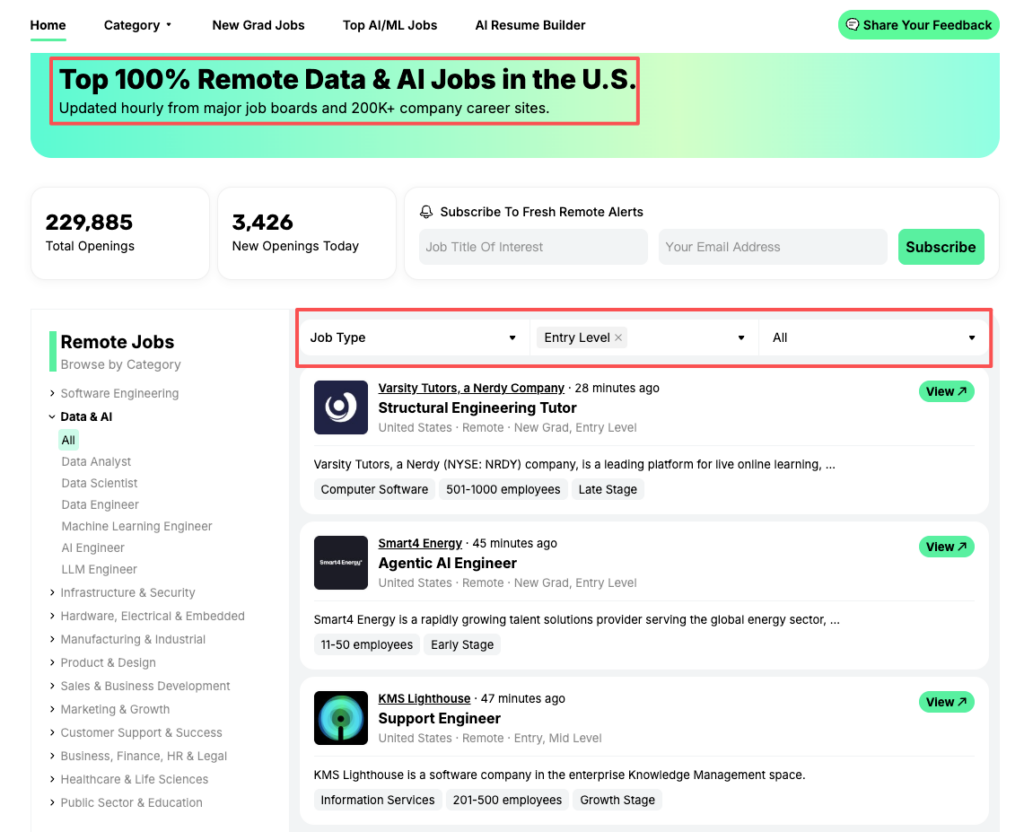
High-signal signs of a legit data entry posting:
- Company domain email and a clear website
- Some employees on LinkedIn with consistent history
- A clear description of tools and processes (Excel, CRM, EMR, etc.)
- Short but real screening process: application → test → interview
Data Entry Resume Template + Keywords for No-Experience Applicants
If you’re sending a graphic-heavy resume for remote data entry roles, your ATS conversion rate is likely close to zero.
Remember the “ATS Stress Test” goal: >80% keyword match, zero formatting corruption. For data entry, that means a clean layout and simple language.
Simple, ATS-friendly resume layout (text diagram)
Imagine a top-to-bottom flow:
- Name + city/state + email + phone + LinkedIn
- One-line Summary
- Skills section (3–4 short columns or a single list)
- Experience (reverse chronological)
- Education
- Optional: Projects / Volunteering
No tables, no text boxes, no images, no columns that might break parsing. Just one main column with bold section headings.
Example summary (no experience, but tech-savvy)
“Detail-oriented candidate with fast, accurate typing (52 WPM, 98% accuracy), strong Excel skills, and experience handling large datasets in academic and side projects. Seeking remote data entry role where I can maintain high data quality and meet tight deadlines.”
High-signal keywords for ATS parsing
These are examples you can align to each job description:
- data entry
- typing
- data accuracy
- data validation
- spreadsheet
- Microsoft Excel / Google Sheets
- CRM
- database
- record keeping
- filing
- quality control
- 10-key
- numeric entry
- customer records
Here’s the harsh truth: if the job description mentions “CRM,” “10-key,” and “Google Sheets,” and those words never appear on your resume, the algorithm has no reason to score you high.
Micro-strategy for keyword match:
- For each role, highlight 8–12 technical or task-related phrases.
- Mirror that language exactly (if it’s true for you) in your skills and bullet points.
- Keep bullets short and metric-focused.
Sample bullets (for no direct experience)
You can pull from school, volunteering, or any admin‑type work:
- “Entered 1,200+ survey responses into Google Sheets with 99% accuracy, verified against original forms.”
- “Cleaned and standardized 3,000-row Excel dataset (dates, phone numbers, country fields) for a research project.”
- “Updated and maintained club member database of 250+ records, ensuring information was current each semester.”
Each bullet shows volume, tool, and accuracy, exactly what hiring managers care about.
Signal vs. noise filter:
- Signal: specific numbers, tools, and tasks.
- Noise: “hard worker,” “fast learner,” “team player” with no proof.
How to Apply for Remote Data Entry Jobs Without Getting Ghosted
If you’re blasting the same resume to 50 postings a week, your conversion rate will stay near zero. That’s not a pipeline: that’s an application black hole.
Here’s the harsh truth: data entry roles are simple to apply for, so competition is high. Your only edge is precision.
Step 1: Tighten your target list
Use sites like Indeed and FlexJobs to filter for:
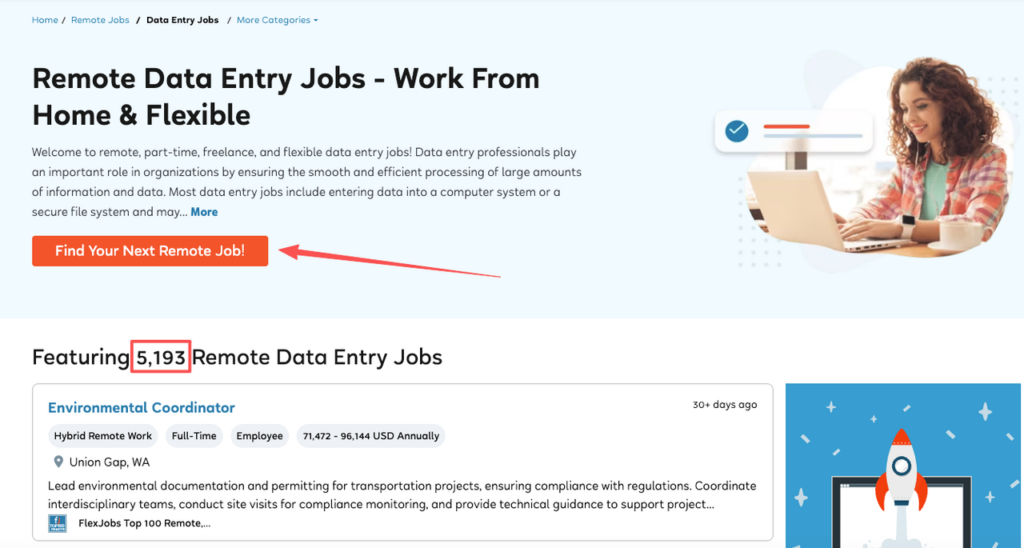
- “Remote” + “data entry” or “data entry clerk”
- Pay within $14–$22/hr
- Clear company name and description
Skip anything that:
- Uses vague language with no task details
- Mentions “easy job” and “no experience” in the same line as “$30+/hr”
Your goal: 5–10 high-signal applications per week, not 60 low-signal clicks.
Step 2: Run an ATS keyword match pass
Before you apply, do a quick manual keyword alignment:
- Scan the posting for repeated phrases (e.g., “data validation,” “Excel,” “CRM”).
- Check your resume: do those exact phrases appear 2–4 times in relevant sections?
- Adjust your Summary, Skills, and a couple of bullets to match.
You’re not gaming the algorithm: you’re speaking its language.
Step 3: Short, targeted note to hiring managers
Recruiters won’t tell you this, but a simple, specific message can bump your chances more than yet another resume tweak.
Example outreach on LinkedIn or email:
Hi [Name],
I just applied for the Remote Data Entry position (Job ID: 12345). I average 52 WPM at 98% accuracy and recently cleaned a 3,000-row Excel dataset for a research project. I’m comfortable with Google Sheets, basic formulas, and following strict formatting rules. If you’re still reviewing candidates, I’d love to be considered.
This is short, quantified, and aligned with the job’s value prop.
Step 4: Track your metrics like an engineer
Stop guessing. Let’s look at the data from your own search.
Create a simple spreadsheet with columns:
- Role + company
- Date applied
- Tailored resume? (Y/N)
- WPM & accuracy listed? (Y/N)
- Response (Y/N)
- Outcome (rejected / interview / offer)
After 3–4 weeks, check your conversion rates:
- Applications → responses
- Responses → interviews
- Interviews → offers
If your Applications → responses rate is under 10%, your signal isn’t getting through ATS parsing. That means more keyword alignment, cleaner formatting, and fewer, better-targeted roles.
Action challenge (do this in the next 24 hours)
- Pick 3 remote data entry postings in the $14–$22/hr range from a reputable site.
- Rewrite your resume once using the ATS-friendly layout above.
- For each posting, align 10–12 keywords and add 2–3 quantified bullets.
- Apply to only those 3, then log them in a tracker.
You’ll feel the difference between noise (mass applying) and signal (focused, data-backed strategy). And once you master that with data entry remote jobs, you can use the same playbook for higher-paying roles in software, product, or data.
That’s how you move from desperate clicking to deliberate career design.
Frequently Asked Questions
What is the realistic pay range for data entry remote jobs in 2026?
For legitimate entry-level data entry remote jobs in North America during 2026, a realistic hourly rate is typically between $14 and $22 per hour. Most roles cluster around $15–$20, based on current data from Glassdoor, Indeed, and ZipRecruiter. Anything far above that range deserves extra verification for potential scams.
What typing speed do I need to get hired for remote data entry jobs?
Most remote data entry jobs expect at least 40 words per minute (WPM), with 50–60 WPM considered competitive. Many testing platforms auto-reject candidates below about 35–40 WPM. Aim for 50+ WPM with 95%+ accuracy by practicing daily on typing test sites and working with both text and numeric data.
How can I spot scams when applying for data entry remote jobs from home?
Treat these as red flags: requests for upfront payments, checks sent to buy equipment, only WhatsApp/Telegram contact, no real website or LinkedIn presence, vague job descriptions, and very high pay with no tests. The FTC provides guidance on job scams and Indeed offers advice on identifying data entry job scams. Legit employers use company emails, have a verifiable footprint, and include a real screening process with tests and interviews.
How do I create an ATS-friendly resume for data entry remote jobs with no experience?
Use a simple one-column layout with clear headings, no graphics or tables. Include a concise summary, a skills section with terms like “data entry,” “Excel,” “Google Sheets,” and “data accuracy,” plus experience or projects that show numbers, tools, and accuracy. Mirror 8–12 keywords from each job description while staying honest.
What equipment and tools do I need for a remote data entry job?
Most remote data entry jobs require a reliable computer, a stable high-speed internet connection, and a quiet workspace. Common tools include Microsoft Excel or Google Sheets, web-based CRMs, and sometimes secure VPN access. A full-size keyboard, mouse, and dual monitors can significantly improve your speed, accuracy, and comfort over long work sessions.
Recommended Reads: