
10 Best Resume Builders for High School Students (2026 Guide + AI Tools That Work)
Table of Contents
Finding your first job or securing a competitive internship feels like a “chicken and egg” problem: you need experience to get the job, but you need the job to get experience. In 2026, the stakes are higher. With Applicant Tracking Systems (ATS) now powered by sophisticated AI, a simple Word document or a flashy Canva template isn’t enough to get you noticed.
Whether you are applying for a local retail position, a summer internship at a tech startup, or your first “real” corporate role, your resume needs to speak the language of recruiters and algorithms alike.
Instant Answer — Which Tool Should You Choose?
If you’re in a hurry, here is the 2026 breakdown of the top tools based on your specific needs:
| Tool | Best For | Why It Stands Out | Key Advantage |
| Jobright.ai | All-in-one AI resume + job matching | Combines resume building with real-time job matching using Orion AI | Turns your resume into targeted job opportunities instantly |
| Zety | Complete beginners | Step-by-step resume builder with guided prompts and suggestions | Eliminates the “blank page” problem |
| Novoresume | Professional, ATS-safe resumes | Clean, structured layouts built for recruiter expectations | Reliable ATS-friendly formatting |
| Rezi | Passing ATS filters | AI scoring + keyword optimization based on job descriptions | Maximizes chances of beating ATS systems |
| Kickresume | All-in-one AI resume + personal branding | AI writing, resume checker, and personal website builder in one platform | Build a resume + portfolio + cover letter together |
| Teal | Job tracking + resume optimization | Combines resume keyword matching with application tracking | Keep all applications organized while optimizing for keywords |
| Resume.io | Fast & simple resumes | Streamlined AI-powered content generation with ATS-friendly templates | Quickly create professional resumes in minutes |
| Enhancv | Storytelling + personal branding | Focuses on personal narrative and visual storytelling | Stand out with engaging, personality-driven resumes |
| Resume Genius | Writing assistance | AI-generated bullet points and pre-written phrases for student jobs | Ideal for beginners who need help wording their experience |
| Canva | Creative roles & portfolios | Fully customizable visual resume templates | Best for visually engaging, design-heavy resumes |
Why Most High School Resumes Fail (and How to Fix It)
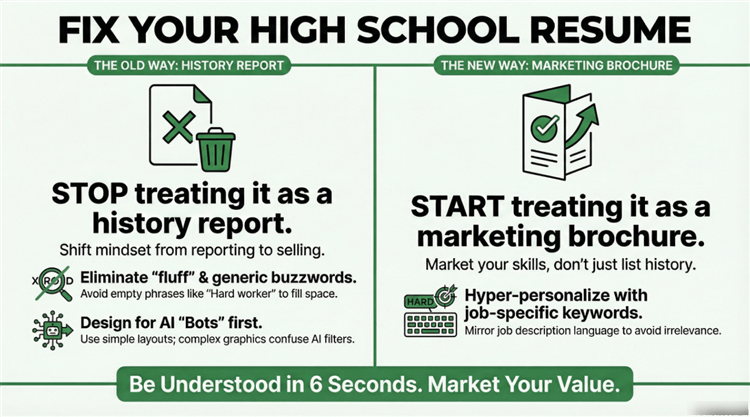
Most student resumes end up in the “digital trash” within six seconds. Why? Most students approach their resume as a history report rather than a marketing brochure.
The “No Experience” Paradox
The biggest emotional hurdle for high schoolers is looking at a blank page and thinking, “I haven’t done anything.” You feel like you have no “real” work to show, so you leave the experience section thin or, worse, fill it with fluff like “Hard worker” and “Team player.”
The ATS Rejection Wall
In 2026, even small businesses will use AI filters. If your resume is a PDF made in Canva with complex graphics, columns, and icons, the “bot” can’t read it. You might be the perfect candidate, but the recruiter never even sees your name because your file was unreadable.
The “Generic” Trap
Sending the same resume to a grocery store, a lifeguard post, and a coding camp is a recipe for silence. In the age of AI, recruiters expect hyper-personalization. If your resume doesn’t mirror the specific keywords in the job description, it’s considered irrelevant.
Further Reading: How to Convert Your Resume into a Great LinkedIn Profile >
What to Put on a High School Resume (No Experience Guide + SEO Tips)
If you’re a high school student without formal work experience, the key is to sell your potential through tangible proof of skills, projects, and leadership, not just generic phrases like “hard worker” or “team player.” In 2026, recruiters and AI-powered ATS systems look for impact, specificity, and relevance.
Here’s how to structure your resume sections even if you’ve never had a traditional job:
1. Impactful Projects
Any initiative you’ve led or participated in counts as experience. Think of projects as mini-businesses, teams, or tech experiments you managed.
Examples:
- Built a custom PC or gaming rig and documented the process online
- Started a small Depop or Etsy shop, handling sales, shipping, and customer service
- Managed a Minecraft or Discord server with 50+ active members
- Created a short YouTube series or TikTok channel for a school club or hobby
SEO & Resume Tips:
- Use titles like “Project Lead”, “Founder”, or “Organizer”
- Quantify your impact wherever possible: “Managed $500 monthly revenue”, “Coordinated a 10-person digital team”, “Increased YouTube channel subscribers by 35% in 3 months.”
- Highlight results, metrics, and scope — ATS and recruiters love numbers.
2. Extracurriculars as “Work”
Extracurricular leadership is professional experience. Clubs, sports, volunteer work, or student organizations are perfect for demonstrating responsibility, teamwork, and initiative.
Examples:
- Captain of the debate team → “Led 20-member team in state-level competitions, organized weekly practice schedules, and mentored new members”
- Treasurer of Key Club → “Managed $2,000 annual budget and coordinated fundraising campaigns”
- Volunteer at an animal shelter → “Organized donation drives and managed weekly schedules for 15 volunteers”
Tip: Treat these roles like real jobs on your resume: include title, scope, achievements, and metrics.
3. Academic Achievements & GPA
Academic performance still matters, especially for internships or programs targeting high-achieving students. What to include:
- GPA (if 3.5 or higher)
- Honors and awards: National Merit, Honor Roll, Science Olympiad, etc.
- AP, IB, or college-level courses relevant to the role: AP Computer Science → IT/Tech internships, AP Statistics → Data-related roles, IB Business → Leadership or entrepreneurship programs
Tip: Create a “Relevant Coursework” subsection to show alignment with the role without padding your experience section.
4. The “Digital-Native” Skill Set
In 2026, digital literacy is a high-value workplace experience. Don’t just list vague skills like “social media” — be specific, action-oriented, and tool-focused.
Examples of Marketable Digital Skills:
- Content Creation & Community Management: CapCut, Canva, Discord moderation
- AI & Automation: ChatGPT prompting, basic Python scripts, Google Apps automation
- Design & Multimedia: Video editing, graphic design, Canva, Adobe Spark
- Collaboration Tools: Trello, Notion, Slack, Google Workspace
Tip: For each skill, tie it to a project or outcome:
- “Created Instagram content calendar using Canva, increasing club engagement by 40%”
- “Moderated 100+ members on Discord server, maintaining community guidelines and engagement”
5. Additional Sections for Extra Impact
Even with no formal work experience, you can add other sections to strengthen your resume:
- Volunteer Experience: Highlight leadership, coordination, and impact
- Hackathons or Competitions: Show initiative and technical skill
- Certificates or Online Courses: Google Analytics, Canva Design, coding courses, AI basics
- Personal Projects or Portfolio: Link to GitHub, blogs, or creative projects
Tip: Always frame these as professional experience: what you did, how you did it, and what the measurable result was.
3 Best Traditional Resume Builders for Students (Simple & ATS-Safe Options)
If you’re just getting started, a traditional resume generator or builder is the easiest way to overcome the “blank page” problem. These tools don’t rely heavily on AI—they guide you step-by-step and ensure your resume follows proven formats that recruiters expect.
They’re best for students who want control, simplicity, and ATS-safe layouts without over-automation.
1. Zety: The Beginner-Friendly Guide
Best For: First-time resume writers who need step-by-step help
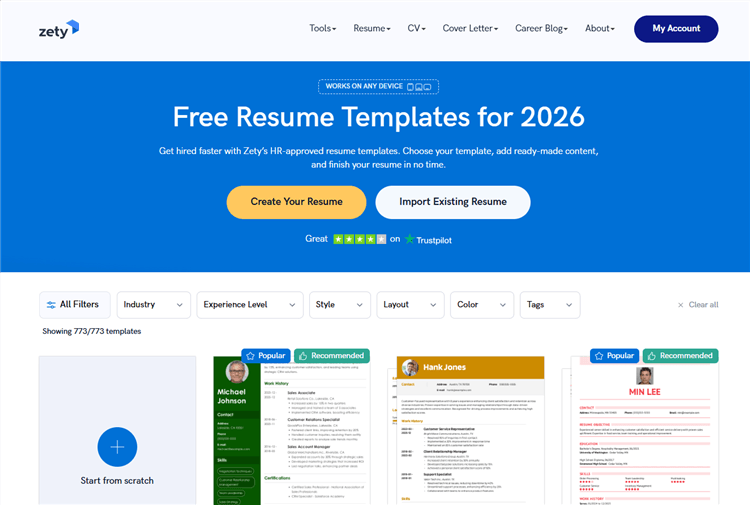
Zety is a guided resume builder designed to walk first-time users through every step of the writing process. It’s especially helpful for students who have never created a resume before and need structured prompts.
Key Features:
- Guided resume builder with real-time suggestions
- Pre-written bullet points for common student roles
- Built-in formatting and structure assistance
Pros:
- Extremely easy to use (ideal for beginners)
- Helps overcome “what should I write?” confusion
- Clean, professional templates
Cons:
- Most premium templates require payment
- Limited customization for advanced users
2. Novoresume: The Professional Standard
Best For: Students who want a polished, corporate-style resume
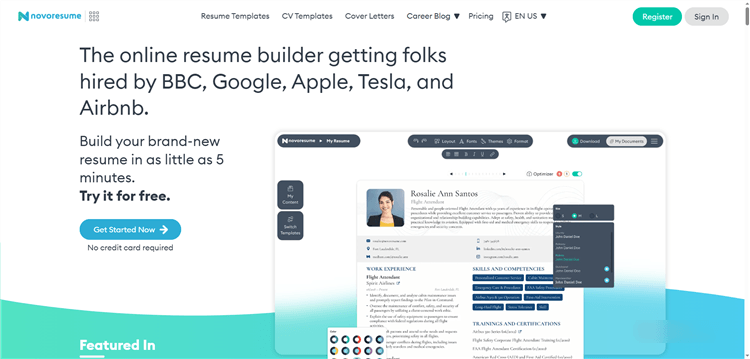
Novoresume is a modern resume builder focused on clean, ATS-friendly designs that follow corporate hiring standards. It’s ideal for students who want a polished and traditional-looking resume.
Key Features:
- ATS-optimized templates
- Dedicated “Student Resume” layouts
- Strong focus on education-first formatting
Pros:
- Highly ATS-friendly and recruiter-approved
- Clean, modern, and professional designs
- Great structure for academic-focused resumes
Cons:
- Limited design flexibility
- Advanced features locked behind a paywall
3. Canva: The Creative Choice (Use With Caution)
Best For: Creative roles or in-person applications
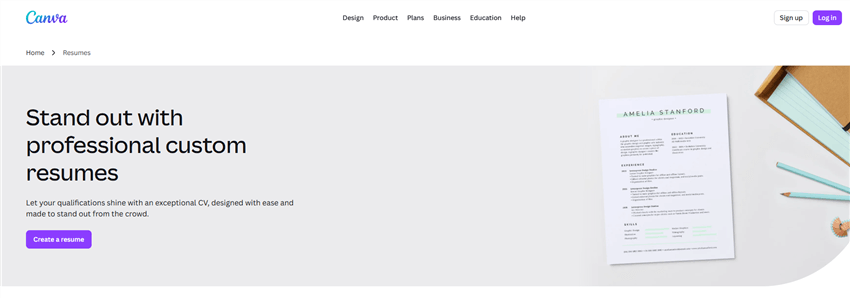
Canva is a visual design platform that includes highly customizable resume templates for creative expression. While powerful for design roles, it requires careful use to avoid ATS issues.
Key Features:
- Drag-and-drop visual editor
- Hundreds of customizable resume templates
- Strong branding and design capabilities
Pros:
- Visually impressive resumes
- Ideal for design, marketing, or social media roles
- Easy customization
Cons:
- Not ATS-friendly (graphics, columns, icons break parsing)
- Risky for online job applications
- Can look unprofessional if overdesigned
The 7 Best AI Resume Builders for Students (2026 Edition)
AI resume builders don’t just format your resume—they act like career assistants. In 2026, these tools will help students translate school experience into professional language, optimize for ATS, and even match with relevant jobs.
They’re best for students who want faster results, smarter optimization, and a competitive edge.
1. Rezi: The ATS Optimization Specialist
Best For: Students targeting competitive internships or corporate roles
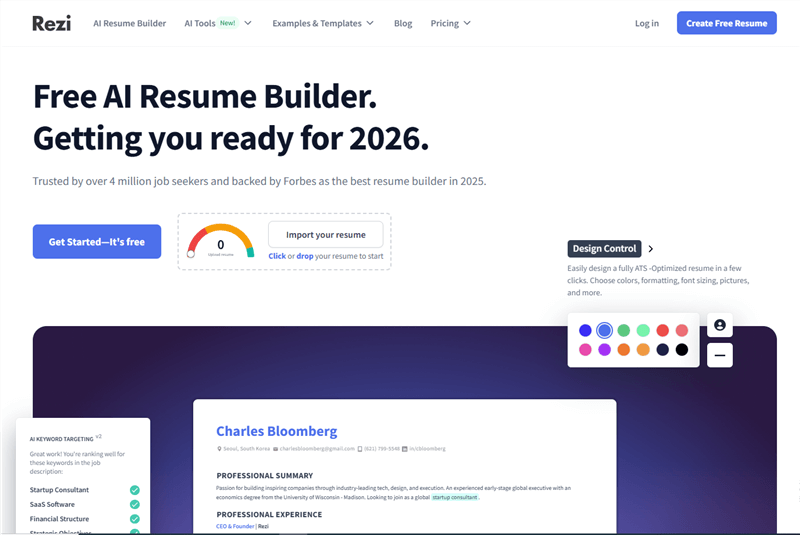
Rezi is an AI-powered resume builder focused on maximizing your chances of passing Applicant Tracking Systems (ATS). It uses scoring and keyword analysis to align your resume with job requirements.
Key Features:
- AI-powered ATS scoring system (0–100 rating)
- Keyword optimization based on job descriptions
- Real-time resume audit and suggestions
Pros:
- Excellent for beating ATS filters
- Data-driven feedback improves resume quality
- Strong for technical and corporate applications
Cons:
- The interface can feel rigid
- Less focus on creativity or storytelling
2. Kickresume: The All-in-One Gen Z Toolkit
Best For: Students who want both a resume and a personal brand
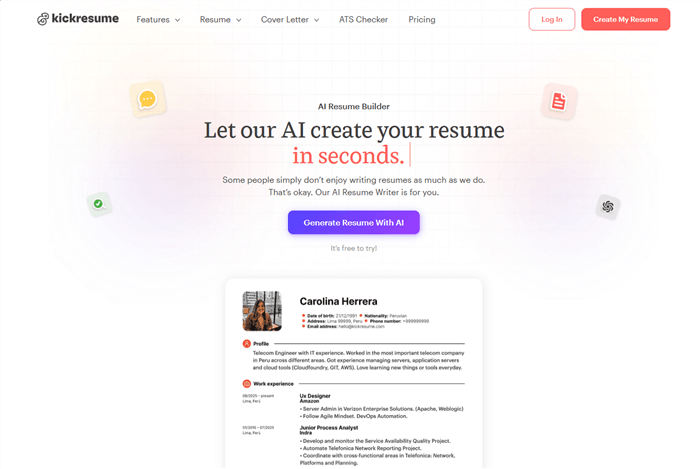
Kickresume is an AI-driven career platform that combines resume building, cover letter writing, and personal branding tools. It’s designed for students who want more than just a resume.
Key Features:
- AI resume and cover letter generator
- Personal website/portfolio builder
- Pre-built examples for inspiration
Pros:
- Great all-in-one career toolkit
- Fast content generation
- Portfolio feature adds extra visibility
Cons:
- AI output can feel generic without editing
- Some features are locked behind the premium plan
3. Jobright.ai: The Smartest AI Career Copilot
Best For: Students and recent graduates who want resume optimization, personalized job matching, and automated application support in one platform
Jobright is an AI-powered career platform designed for students and entry-level job seekers, combining resume building, job matching, and LinkedIn optimization into one seamless workflow. Unlike traditional resume tools, it acts like a personal career assistant, guiding users through every step of the application process.

Key Features:
- Orion AI Copilot: Transforms your school activities, projects, and volunteer work into polished, impact-driven bullet points
- AI Resume Builder: Creates ATS-friendly resumes quickly, suggests edits, and provides a scoring system to optimize for recruiter algorithms
- Instant Job Matches: Recommends relevant jobs where you are a top applicant based on your skills and resume
- LinkedIn Profile Optimization: Ensures your online professional presence aligns with your resume
- One-Click Resume Tailoring: Instantly customizes your resume for different job postings
- Job Autofill & Tracking: Automatically populates applications and monitors your application status
Pros:
- Acts as a full career assistant, not just a resume builder
- Saves hours on job applications through AI automation
- Designed specifically for students and entry-level job seekers
- Helps improve visibility and match rates with ATS and recruiter systems
Cons:
- Newer platform compared to legacy tools
- Users must engage with the AI workflow fully to unlock maximum benefits
Why it stands out: Jobright.ai goes beyond formatting resumes—it guides students from raw experience to actionable, targeted applications, increasing the likelihood of interviews and job offers. With integrated job matching, automated application tools, and ATS-friendly resume recommendations, it’s an all-in-one solution for students entering the competitive 2026 job market.
4. Teal: The Job Tracker + Resume Optimizer
Best For: Students applying to many jobs at once
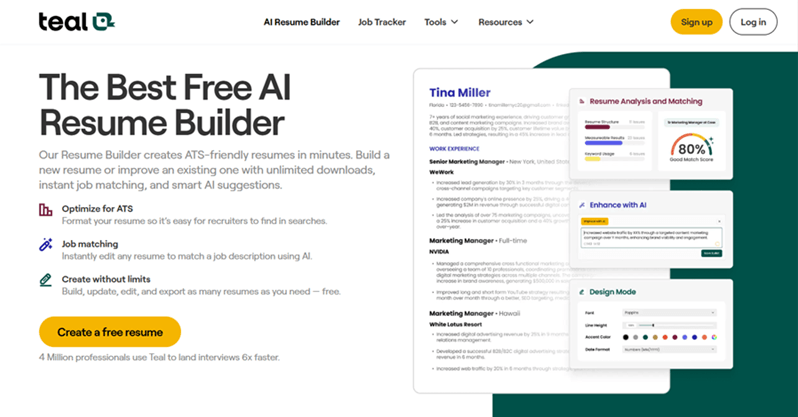
Teal is an AI-powered career platform that focuses on resume optimization and job tracking in one dashboard. It helps students stay organized while applying to multiple roles.
Key Features:
- Resume keyword matching with job descriptions
- Job application tracker (Kanban-style dashboard)
- AI bullet point suggestions
Pros:
- Excellent for managing multiple applications
- Strong keyword matching features
- Clean, productivity-focused interface
Cons:
- Resume design options are basic
- More focused on tracking than design
5. Resume.io: The Fast & Simple AI Builder
Best For: Students who need a quick, professional resume
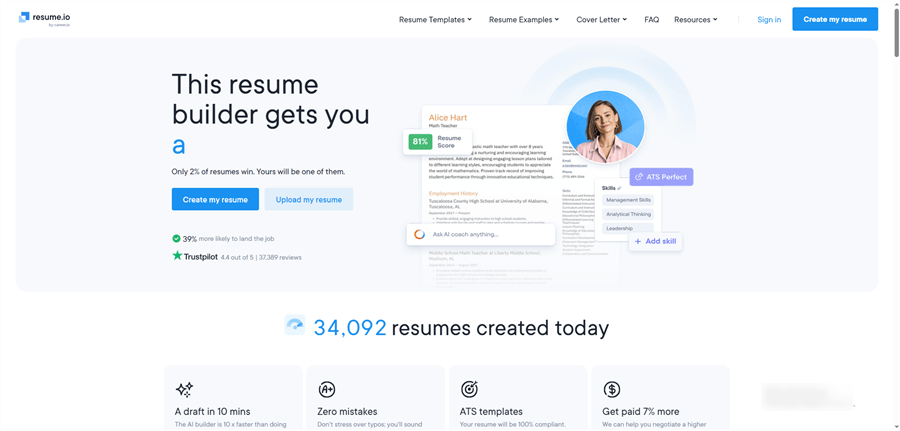
Resume.io is a streamlined AI resume builder that prioritizes speed and ease of use. It’s great for students who want a solid resume quickly without overthinking.
Key Features:
- AI-generated summaries and bullet points
- Simple, ATS-friendly templates
- Fast export and formatting
Pros:
- Very easy to use
- Quick resume generation
- Clean and professional layouts
Cons:
- Limited advanced customization
- AI features are less sophisticated than competitors
6. Enhancv: The Storytelling Resume Builder
Best For: Students applying to creative or people-focused roles
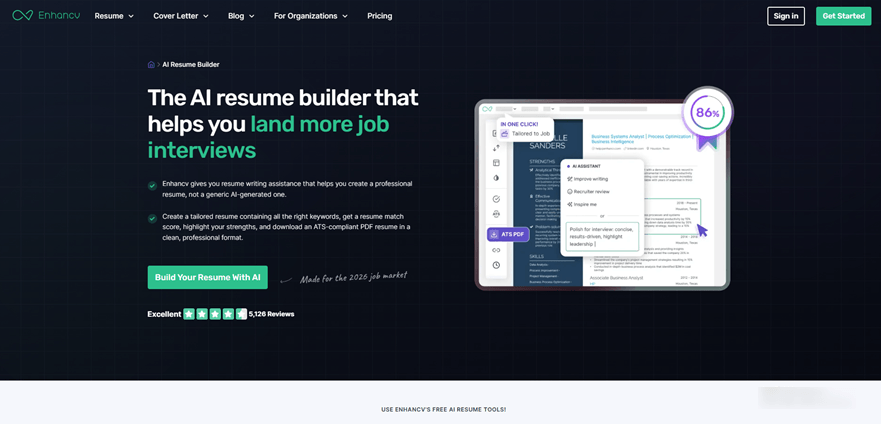
Enhancv is an AI resume builder that focuses on storytelling and personal branding. It helps students highlight personality and soft skills effectively.
Key Features:
- AI-assisted content writing
- Unique sections (strengths, achievements, personality)
- Visual yet structured resume layouts
Pros:
- Great for standing out in human-reviewed applications
- Encourages strong personal narratives
- More engaging than traditional resumes
Cons:
- Some templates may not be fully ATS-safe
- Less suitable for strict corporate roles
7. Resume Genius: The AI Content Assistant
Best For: Students who need help writing resume content
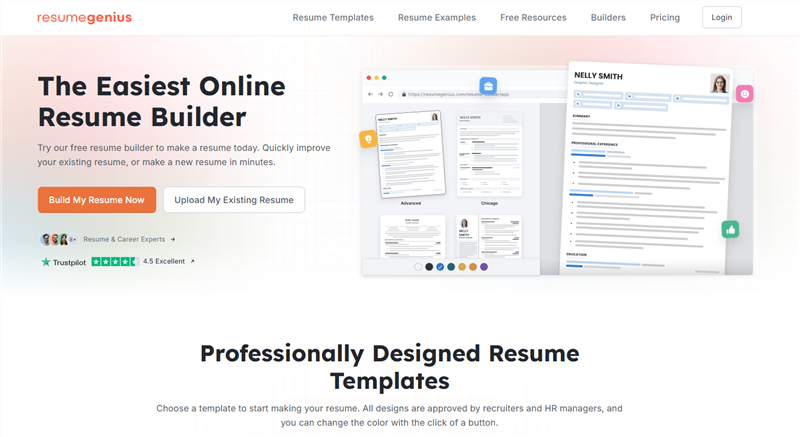
Resume Genius is an AI-enhanced resume builder that focuses on generating strong bullet points and job-specific content. It’s ideal for students who struggle with wording.
Key Features:
- AI-generated bullet points for different roles
- Pre-written phrases for common student jobs
- Cover letter builder included
Pros:
- Great writing assistance for beginners
- Speeds up resume creation
- Easy-to-use interface
Cons:
- Templates are fairly standard
- Limited advanced AI optimization
Quick Takeaway: Which AI Tool Should You Choose?
- Best for ATS optimization: Rezi
- Best all-in-one toolkit: Kickresume
- Best for job matching: Jobright.ai
- Best for tracking applications: Teal
- Best for speed: Resume.io
- Best for storytelling: Enhancv
- Best for writing help: Resume Genius
How to Use an AI Resume Builder (Step-by-Step Guide for Students)
Don’t just “Generate” and “Download.” Follow this workflow to ensure your resume actually lands interviews:
Step 1. Input Your “Raw” Data: Don’t worry about sounding professional yet. Tell the AI: “I was a volunteer at the animal shelter and I organized the food donations.”
Step 2. Use the “Impact” Prompt: Ask the AI to “Quantify this experience.” Result: “Managed inventory for 500+ weekly donations, increasing organizational efficiency by 20%.”
Step 3. Cross-Reference the Job Description: Copy the job posting for the role you want and paste it into the AI “Match” tool.
Step 4. Edit for Voice: Ensure it still sounds like you. Recruiters can smell “100% ChatGPT” content. Add a sentence about your specific passion.
Step 5. The “Format Check”: Ensure you export as a PDF (unless the job specifically asks for .docx).
High School Resume Examples (No Experience Templates That Work in 2026)
Example 1: The “First Job” (Retail/Food Service)
- Focus: Reliability and People Skills.
- Experience Section: Includes “Neighborhood Lawn Care” and “High School Football Team (Commitment of 15 hours/week).”
Example 2: The “Tech Internship” (Coding/Marketing)
- Focus: Hard Skills and Projects.
- Experience Section: Includes “GitHub Repository for Personal Portfolio” and “Discord Server Moderator.”
How to Pass ATS in 2026 (Resume Optimization Guide for Students)
What actually breaks the “Bot”?
- Invisible Tables: Many builders use tables to align text; ATS often reads this as a jumbled mess.
- Images/Headshots: In the US/UK, headshots can lead to automatic rejection for compliance reasons. Keep them off.
- Columns: Simple, single-column layouts are still the “safest” for 2026 AI scanners.
Free vs Paid Resume Builders for Students
On Reddit’s r/resumes, the #1 complaint is the “Hostage PDF.” You spend an hour building a resume, only to be told it costs $19.99 to download.
- The “Freemium” Reality: Most “Free” builders only allow one download or a “plain text” version.
- The Student Hack: Look for tools that offer Student Discounts or Credit-based systems. * Jobright.ai’s Philosophy: We believe your first step into the workforce shouldn’t be blocked by a paywall. Focus on tools that offer a functional free tier to get you started.
Why Jobright.ai Is the Best Resume Builder for Students
The 2026 job market is too fast for manual searching. Jobright.ai isn’t just a builder; it’s a career accelerator.
- Beyond the Document: We sync your resume with a “Live” LinkedIn profile.
- Orion AI Copilot: It acts as your personal recruiter, scanning thousands of “Student-Friendly” listings and telling you exactly what to change on your resume to fit each one.
- One-Click Tailoring: Instead of spending 3 hours rewriting a resume for 3 different jobs, Jobright does it in 3 seconds.
Resume Builder FAQs for Students
Is using AI to write my resume “cheating”?
No. In 2026, using AI is considered a core competency. However, letting AI “lie” for you is a mistake. Use AI to articulate your truth, not invent it.
What is the best free resume builder for students?
For pure design, Google Docs (with a template) is free but hard to format. For AI-powered assistance, Jobright.ai offers the best balance of sophisticated AI and student-friendly access.
Do employers accept AI-generated resumes?
Yes. Recruiters care about the accuracy and relevance of the information. If the AI helps you present your skills more clearly, it actually makes the recruiter’s job easier.
Can AI help me get internships or part-time jobs?
Yes. Platforms like Jobright.ai go beyond resume writing—they provide AI-powered job matching, LinkedIn optimization, and one-click tailoring to specific roles. This makes it easier for students with limited experience to find relevant opportunities quickly and stand out to recruiters.
How do I make a “no-experience” resume look professional?
Focus on impactful projects, extracurriculars, academic achievements, and digital skills. Quantify results wherever possible, use strong action verbs, and treat student leadership roles or personal projects like real-world work experience. AI tools can help you translate these activities into professional, results-oriented bullet points.
Conclusion
Crafting a high school resume in 2026 is no longer about listing generic skills or hoping a recruiter notices you. With AI-powered tools like Jobright.ai, Rezi, and Kickresume, students can transform limited experience into a professional, ATS-optimized resume that highlights projects, leadership, and digital skills.
By leveraging these platforms, students can:
- Turn school activities into measurable achievements
- Optimize resumes for ATS and recruiter algorithms
- Match with real job opportunities without spending hours manually searching
- Maintain control over their personal story while using AI to communicate it clearly
Even with “no experience,” students can craft a resume that is professional, personalized, and results-driven, giving them a real advantage in competitive internships, part-time jobs, and entry-level positions.