
What Is LockedIn AI? Features, Use Cases, and Limits for Interviews (2026)
Table of Contents
Last Updated: February 17, 2026
Everyone wants a “cheat code” for interviews, and LockedIn AI promises exactly that: a whisper in your ear guiding you to the perfect answer. As an AI tool reviewer, I see the appeal of a LockedIn AI interview copilot, especially when the stakes are high. But here is the unpopular opinion: relying on live AI assistance during a behavioral round might actually trigger a rejection faster than a bad answer. Why? Because recruiters are trained to spot the “latency stare” and generic, hallucinated responses.
In this post, I’m stripping away the marketing hype to show you the data-backed tradeoffs and how to use these tools safely without sabotaging your credibility.
LockedIn AI in 30 seconds (definition + who it’s for)
LockedIn AI is typically described as a lockedin ai interview copilot, an on-device or browser-based assistant that listens to interview questions (audio), reads on-screen context (your notes, job description, maybe your resume), and suggests real-time responses.
Who it’s for (in plain terms):
- Active tech professionals (SWE, PM, Data) who want faster structure for behavioral answers.
- International job seekers who need to reduce mistakes under pressure, especially when English isn’t your first language.
Here’s the harsh truth: if you’re using any ai interview assistant because you didn’t prepare, you’re gambling. Interview loops are designed to measure your reasoning, not your tool stack.
Signal vs. Noise check:
- Signal: you use it to practice, tighten stories, and reduce rambling.
- Noise: you use it live in a way that violates rules or causes weird pauses.
And yes, people ask about the lockedin ai chrome extension angle. Browser-based tools can be convenient, but they also increase the risk of policy conflicts because they touch the interview surface (tabs, screens, meeting software).
What it can do (real-time guidance, on-screen context, coaching)
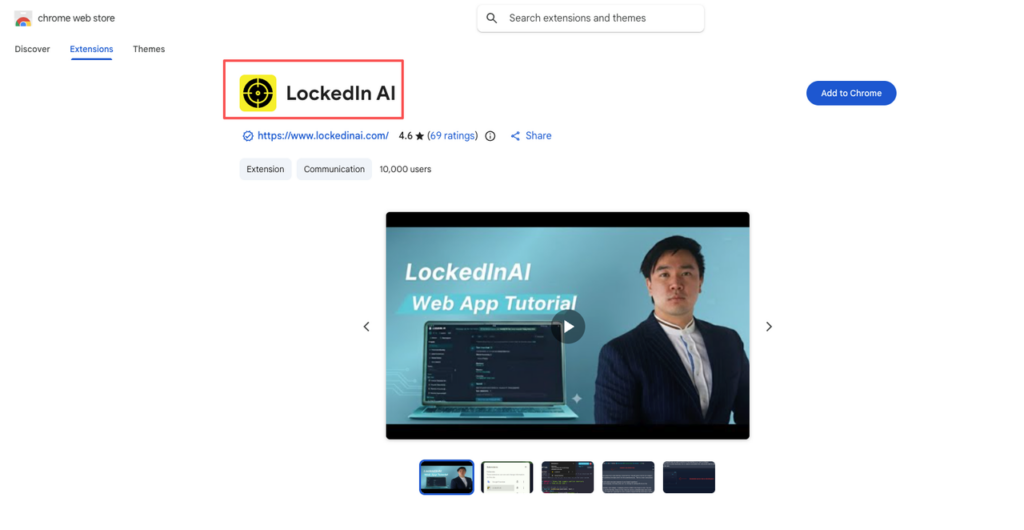
Most “meeting copilot” tools (including what people call a lockedin ai meeting copilot) usually do three things. The mechanism matters.
1) Real-time guidance (structure + phrasing)
It may suggest:
- STAR / CAR frameworks for behavioral questions
- Follow-up questions to ask the interviewer
- Cleaner phrasing (less rambling, fewer filler words)
Metric to care about: response clarity. In mock interviews I’ve run, the biggest performance killer isn’t “wrong answer.” It’s unclear answer. Clarity drives conversion rate in interviews.
2) On-screen context (resume + job description alignment)
Some versions can reference:
- Your resume bullets
- The role description
- Company values or leadership principles
This can improve alignment, but also creates context risk. If the assistant “hallucinates” a project detail you didn’t do, you might repeat it under stress.
3) Coaching feedback (after the call)
This is the highest-ROI area when done ethically:
- Talk-time ratio (did you monologue?)
- Filler word frequency
- Missing results/metrics in stories
- Weak value prop phrasing
Stop guessing. Let’s look at the data: teams that quantify outcomes tend to interview better because they reduce ambiguity. If your story includes “improved latency by 30%” or “cut cloud spend by $18k/month,” you’re sending a stronger signal.
Where it helps vs backfires (behavioral vs coding vs system design)
Not all interview types are equal. Here’s a practical breakdown.
Behavioral interviews: often helps (if policy allows)
Behavioral is about structure and recall. A copilot can:
- Remind you of your best story for “conflict” or “failure”
- Keep you from spiraling mid-answer
But if the company bans assistance, using it live can turn a strong candidate into a rejection.
Coding interviews: high backfire risk
Recruiters won’t tell you this, but many coding rounds are explicitly designed to test real-time thinking.
Backfire patterns I’ve seen:
- The assistant suggests an approach you can’t explain.
- You get a correct-looking solution but fail on edge cases when probed.
- Latency causes awkward pauses right when you should be narrating.
Loss-prevention warning: If you rely on a tool and can’t reproduce the reasoning, your conversion rate drops hard the moment an interviewer asks “Why this data structure?”
System design: mixed
System design isn’t just architecture diagrams. It’s tradeoffs.
- A tool can help you remember common components (cache, queue, DB indexes).
- It can also push generic templates that don’t fit the prompt constraints.
Signal move: use it to generate a checklist before the interview. Noise move: use it live and end up proposing a design that contradicts the requirements.
Visual: Comparison chart (where it helps)
| Interview type | Help potential | Backfire risk | Best use of LockedIn AI |
| Behavioral | High | Medium | Prep + story drilling: careful live use only if allowed |
| Coding | Low-Med | High | Practice + review patterns: avoid live dependency |
| System design | Medium | Medium-High | Build checklists + tradeoff prompts in prep |
If you’re international and visa-dependent, you have less margin for error. You can’t afford a policy violation that gets you flagged.
Reliability realities (accuracy, latency, context gaps)
Let’s be honest about the mechanism: an AI tool is only as good as its inputs (audio quality, question clarity, and what context you gave it).
Accuracy: “sounds right” can still be wrong
AI is great at fluent language. It’s weaker at:
- Your specific project details
- Company-specific constraints
- Precise technical claims without your notes
Here’s the harsh truth: fluent wrong answers are more dangerous than clumsy honest ones.
Latency: the silent interview killer
Even a 1–2 second delay can change your vibe. It creates:
- unnatural pauses
- missed chances to ask clarifying questions
- cognitive load (you’re reading + thinking + speaking)
That load matters. In interviews, your brain is already spending bandwidth on stress control.
Context gaps: the tool can’t read the room
A human interviewer reacts to:
- your confidence
- your prioritization
- your ability to say “I don’t know, but here’s how I’d find out”
A copilot can’t feel that. It can’t see when the interviewer is skeptical.
Visual: “ATS Stress Test” style reliability table (for interviews)
Think of this like my ATS stress test: you want >80% match without formatting corruption. Interviews have a similar “parser” problem, your content must survive real-time pressure.
| Failure mode | What happens | How to detect it | Fix |
| Hallucinated detail | You claim work you didn’t do | You hesitate when asked “How?” | Lock your stories to written bullets + metrics |
| Lag | You pause too long | Interviewer interrupts or moves on | Use the tool in prep: keep live responses internal |
| Misheard question | You answer the wrong thing | Interviewer says “That’s not what I asked” | Repeat the question back + ask 1 clarifier |
Stop doing this immediately, data shows zero ROI: reading long AI-generated paragraphs on screen during a live call. It kills presence.
Ethics & employer policies (what can violate rules)
This is the part many candidates ignore until it costs them an offer.
“Is it allowed?” depends on the employer, and the round
Some companies treat real-time AI assistance like:
- unauthorized help (similar to having another person in the room)
- a breach of interview integrity
- a violation of assessment terms
If you’re not sure, assume it’s not allowed during evaluation.
Practical policy red flags
Using a lockedin ai interview copilot can violate rules if it:
- provides real-time answers during a test
- records audio/video without permission
- accesses proprietary prompts or code challenges
Visa stakes are higher than people admit
If you need sponsorship, you’re already optimizing for fewer chances.
And while interview policy isn’t immigration law, your employment path is still tied to formal processes. For credible, current sources on work authorization and compliance basics, stick to official sites like:
- USCIS work authorization and employment topics
- U.S. Department of Labor (LCA disclosure and related programs)
Recruiters won’t tell you this, but… getting removed from a process for integrity reasons can follow you informally. It’s not worth it.
Tough love rule: If you can’t explain your answer without the tool, don’t use the tool live.
Safer prep workflow (practice stack that’s policy-friendly)
If you want the upside of lockedin ai features without the downside, this is the workflow I recommend.
Step 1: Build a “signal library” (60 minutes)
Create a one-page doc with:
- 6 behavioral stories (conflict, failure, leadership, ambiguity, impact, speed)
- 3 metrics per story (latency, revenue, cost, adoption, reliability)
- 1 value prop line: “I build X for Y, measured by Z.”
Step 2: Use AI for rewriting, not inventing
Ask the assistant to:
- shorten answers to 60–90 seconds
- highlight missing metrics
- generate 3 follow-up questions an interviewer might ask
Do not ask it to “make my story stronger” if that means adding fake details.
Step 3: Run a mock loop with measurable metrics
Track performance like you would track product metrics:
- time to first clear point (goal: <10 seconds)
- number of metrics mentioned (goal: 1–2 per answer)
- filler words (goal: trending down each session)
Visual: Simple scorecard table
| Metric | Target | Your last mock | Next action |
| Time to first point | <10s | ___ | Start with the outcome first |
| Metrics per story | 1–2 | ___ | Add one quantified result |
| Clarifying question asked | 1 per technical prompt | ___ | Repeat prompt + ask constraint |
Step 4: Coding/system design: use official, stable resources
For system design patterns, I like reading real engineering write-ups because they show tradeoffs, not just templates. Examples:
- Google Engineering Blog
- Meta Engineering
For salary leverage, use market data so you’re not negotiating on vibes:
- Levels.fyi compensation data
Step 5: Decide your “live” rule before the interview
Write it down:
- If it’s an assessment: no live AI.
- If it’s a casual recruiter screen and explicitly allowed: you may use notes, but keep it minimal.
Ready to build the safer prep workflow we discussed? Start by automating your job discovery with JobRight.ai. It’s free to explore our AI agents and see how much time you can save on the application process. Let’s get your search strategy sorted.
Action Challenge (do this today):
Pick one story from your resume. Rewrite it into 6 lines: problem, action, metric, metric, tradeoff, lesson. Then practice it out loud twice, no screen, no tool. If you can’t do that, a copilot won’t save you in a real loop.
Recommended Reads