
ChatGPT Job Search Prompts: 15 Ready-to-Use Templates (2026)
Table of Contents
Last Updated: Feb 13, 2026 Applicable to: 2026 Hiring Season
You have the experience. You have the portfolio. Yet, you’re watching less qualified candidates land the interviews you deserve. Why?
Because in 2026, the most qualified candidate doesn’t always win. The candidate who speaks the ATS’s language fluently does. Right now, your resume might be whispering your value proposition, while others are shouting it with precision-engineered keywords.
Hi, I’m Dora. As a career strategist, I see this frustration every day. But here is the harsh truth I tell my clients: stop blaming the system and start hacking it.
The candidates winning offers right now are the ones who treat ChatGPT like a job search copilot, not a toy. They use tight, data-backed ChatGPT job search prompts to:
- Decode which roles actually fit their seniority level.
- Filter out bad roles before wasting time tailoring a resume.
- Translate their actual experience into the exact language the ATS algorithm rewards.
In this guide, I’ll walk you through the simple framework and 15+ prompts I actually use with my clients (including international, visa-dependent candidates) to drive higher response rates and stronger negotiation leverage.
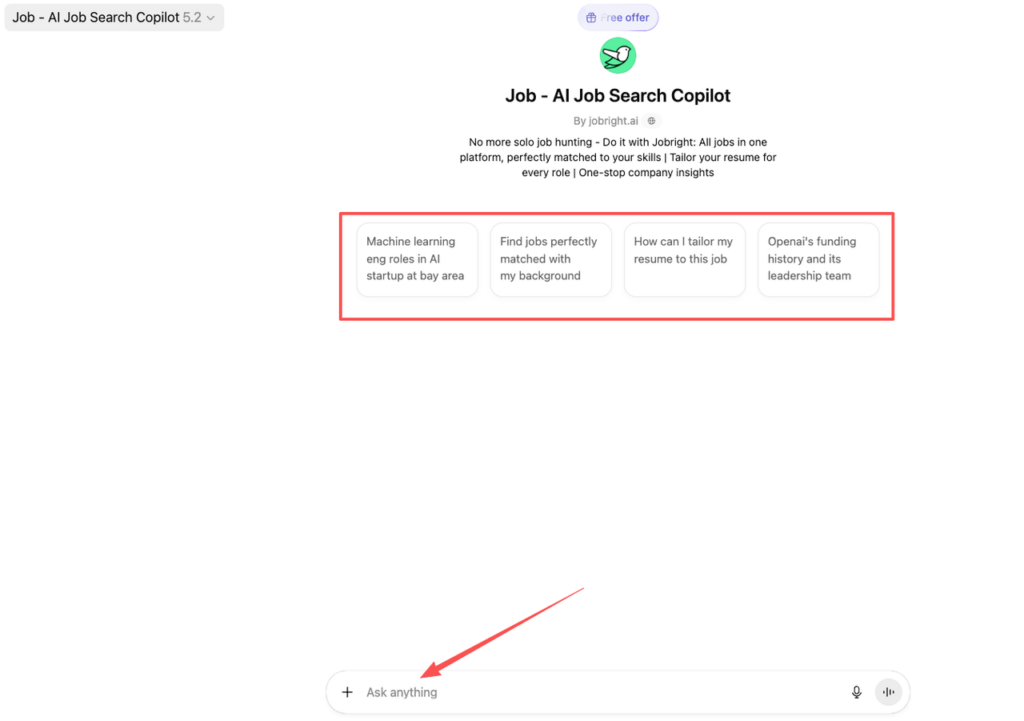
To skip the manual prompt engineering and execute this strategy instantly, we recommend using our Job Search Copilot and jobright.ai, where we’ve already automated this entire framework for you.
Stop guessing what the algorithm wants. Let’s look at the data, and turn it into prompts that get you hired.
How to Use These Prompts (Framework)
Before you copy any chatGPT job search prompts, you need a structure. Otherwise, you’ll drown the model in noise and get vague answers.
Input – Constraint – Output Format
When I write prompts, I always define three parts, following the core principles of Input – Constraint – Output Format:
- Input (your data) Resume bullets, LinkedIn URL, a job description, or a target company list. Example: “Here is my resume and this job posting for Senior Data Engineer at Company X.”
- Constraint (rules) Time limits, visa needs, ATS optimization, salary bands, or geography. Example: “I need full-time roles with H‑1B sponsorship in the US within 3 months.”
- Output format (structure) Clear bullets, tables, or scripts, not walls of text. Example: “Answer in a table with columns: risk, red flag description, follow-up question to ask recruiter.”
If you skip constraints and output format, your conversion rate tanks. You get long, fluffy paragraphs you can’t use. Visualize this as a simple process diagram:
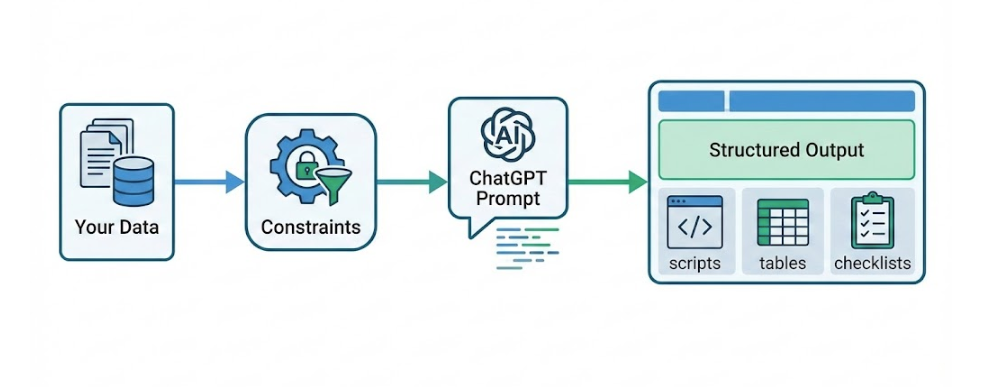
Your goal is to crank up signal (tight inputs, clear constraints) and strip out noise (vague asks, open-ended “help me find a job” requests).
When to Combine Prompts
Recruiters won’t tell you this, but treating ChatGPT like a one-shot oracle kills your ROI. I chain prompts like this:
- Discovery → find roles/companies worth your time.
- Filtering → remove low-quality or misaligned roles.
- Outreach → send targeted, human-sounding messages.
Think of it as a funnel:
- Top of funnel: 30–40 postings sourced with Discovery prompts.
- Mid funnel: 10–15 survive Filtering prompts.
- Bottom funnel: 3–5 targeted Outreach campaigns.
This mirrors how product teams work: you experiment, you cut noise, then you double down on what converts.
Discovery Prompts (5)
Use these chatGPT job search prompts to explore roles and markets before you rewrite your resume.
Role Exploration Prompt
Prompt: “You are a tech career coach. Given my resume below, list 5 roles where I have at least 70% skill alignment. For each role, include: top 5 skills, typical years of experience, remote vs onsite trends, and average base salary range in the US using data from BLS and Glassdoor. Present in a table.”
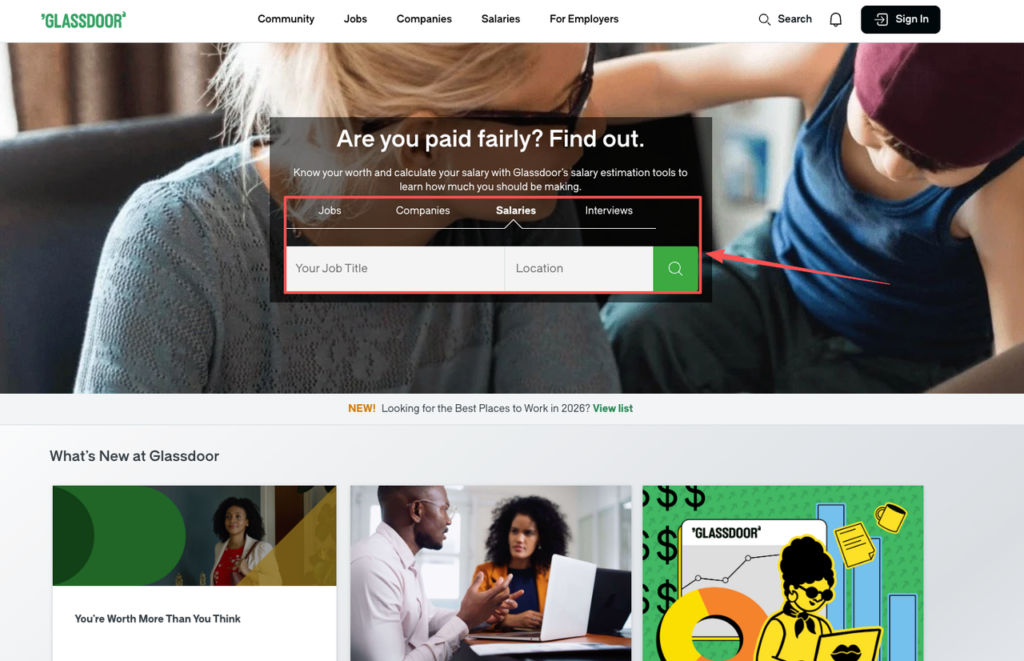
This forces ChatGPT to cross-check with real data. You can compare it with BLS.gov and Glassdoor Salaries to sanity-check ranges.
Company Research Prompt
Prompt: “Act as a research assistant. For the following 5 companies, give: main products, tech stack (from engineering blogs like Google/Meta), recent layoffs or hiring freezes, and whether they historically sponsor H‑1B visas (based on public LCA databases). Return as a 4-column table.”
For international candidates, the visa column is not optional. The USCIS H‑1B data and LCA filings are public: if a company never appears there, it’s a red flag.
Hidden Job Market Prompt
Prompt: “Using my background in [your field], suggest 10 non-obvious companies (Series B+ or profitable) that hire my profile but may not post on major job boards. For each, include: why I’m a fit, sample job title, and a suggested hiring manager title to contact on LinkedIn.”
This is where you escape the application black hole and lean into insider connection.
Salary Estimate Prompt
Prompt: “Compare current salary ranges for [role, level, city] using Levels.fyi and Glassdoor data. Summarize in a table with columns: source, low, median, high, and notes about equity/bonus. Then suggest a target ask (base + equity) for a candidate with my experience.”
Stop negotiating blind. According to multiple salary datasets (Levels.fyi, Glassdoor), under-asking by 10–20% is common for international candidates.
Job Board Query Builder
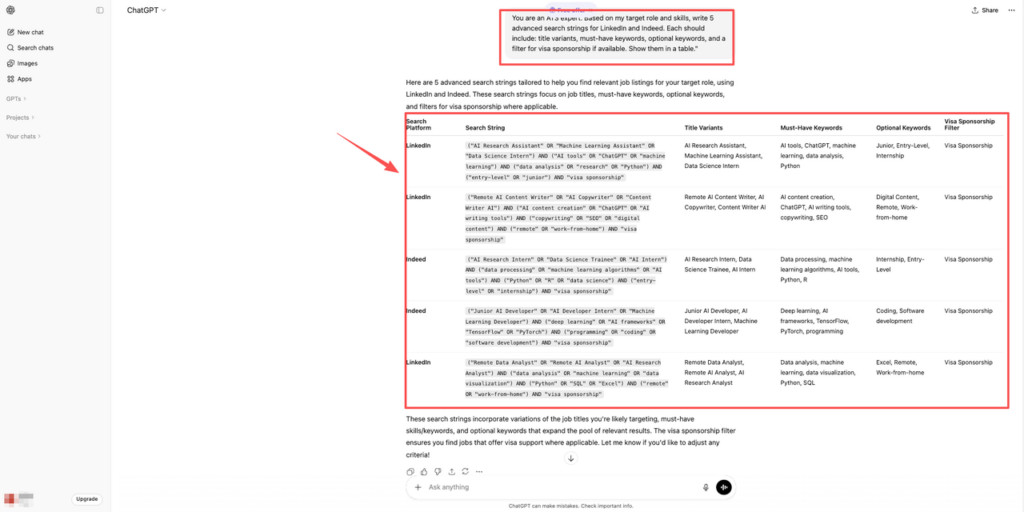
Prompt: “You are an ATS expert. Based on my target role and skills, write 5 advanced search strings for LinkedIn and Indeed. Each should include: title variants, must-have keywords, optional keywords, and a filter for visa sponsorship if available. Show them in a table.”
That’s signal. Copy, paste, and search.
Filtering Prompts (5)
Most candidates waste hours applying to roles that were never a fit. While “easy apply” feels productive, data-backed behavior shows it crushes your response rate.
Must-Have vs Nice-to-Have
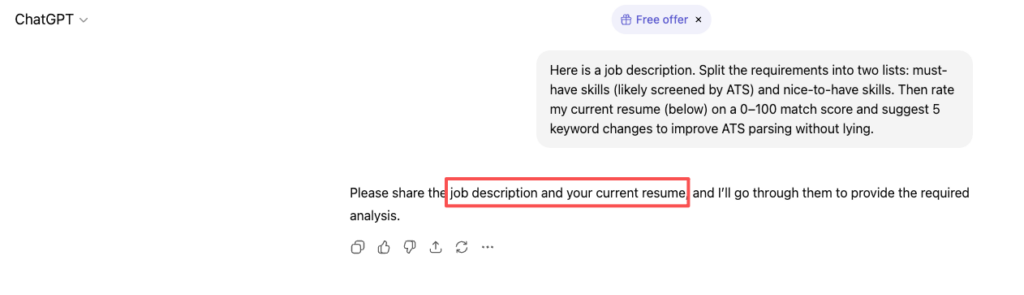
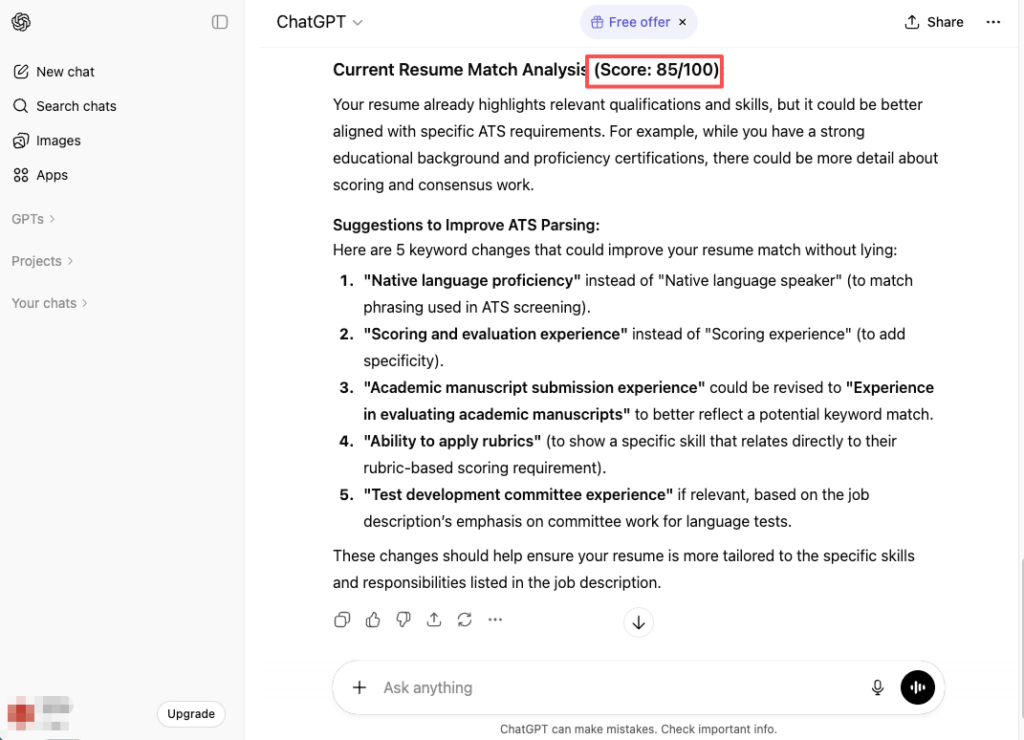
Prompt: “Here is a job description. Split the requirements into two lists: must-have skills (likely screened by ATS) and nice-to-have skills. Then rate my current resume (below) on a 0–100 match score and suggest 5 keyword changes to improve ATS parsing without lying.”
This is your ATS Stress Test. Your goal: >80% keyword match with clean formatting that doesn’t break parsing.
Red Flag Checker
Prompt: “Here is a job description. Identify 10 potential red flags (e.g., vague responsibilities, unlimited overtime, ‘fast-paced’ with low pay). For each, give a 1–5 risk score and a clarifying question I should ask in the interview.”
Tom’s Guide reported in 2026 that job seekers are increasingly using AI to spot listing red flags: you should too.
Culture Fit Assessment
Prompt: “Using this job description, company ‘About’ page, and Glassdoor reviews, summarize the culture in 5 bullet points. Then explain in 5 bullets how my work style (described below) aligns or clashes.”
If you’re remote-first and they worship late-night office “hustle,” that misalignment will show up here.
Remote Feasibility Check
Prompt: “Assess whether this role can be performed fully remote, hybrid, or must be onsite, based on responsibilities and collaboration needs. Then list 3 ways I can propose a remote or hybrid setup if the posting is onsite.”
This is crucial if you’re outside major hubs or stuck due to family or visa limits.
Growth Potential Prompt
Prompt: “From this job description, infer the career path over the next 3–5 years. Suggest likely next titles and skills I’ll gain or miss. Rate the role from 1–5 for growth potential.”
While chasing comp matters (BLS data shows tech wages still outpace many fields), stagnation costs you more over 3–5 years than a small initial pay bump.
Outreach Prompts (5)
Now you’ve filtered for signal, you need messages that feel human, not robotic. These chatGPT job search prompts give you strong first drafts you’ll lightly edit.
Cold Email to Hiring Manager
Prompt: “Write a concise email (120 words max) to a hiring manager for this role. Use my resume and the job description. Focus on 1–2 achievements that show direct impact. No clichés. End with a simple ask for a 15-minute chat, not ‘considering my application.'”
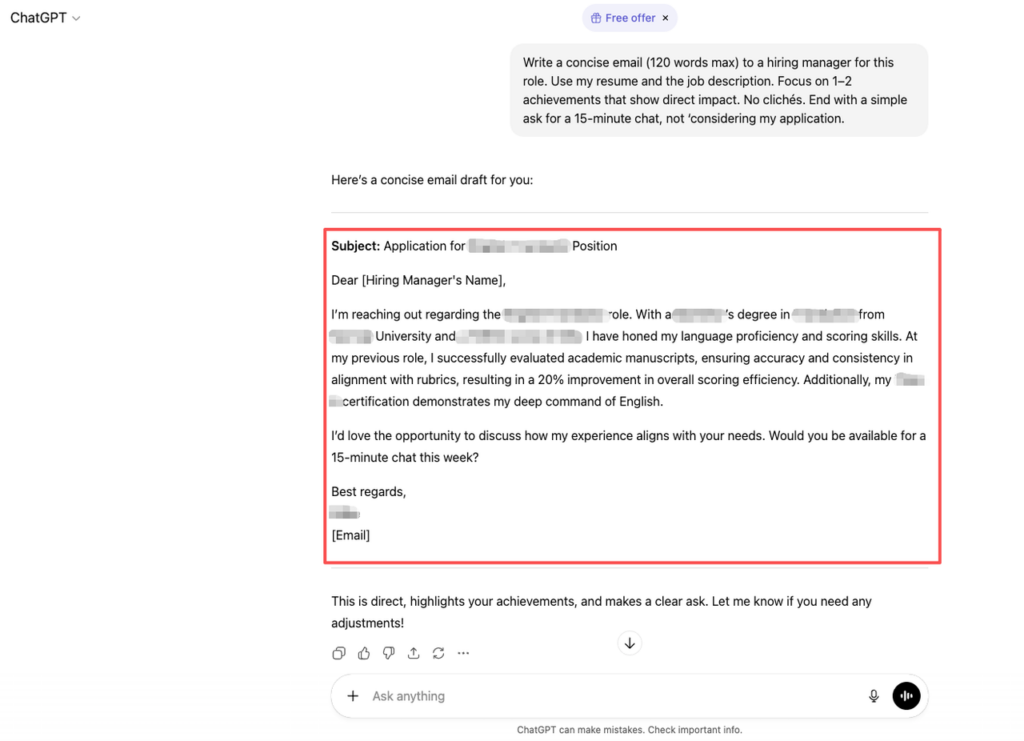
Here’s the harsh truth: long, generic cold emails have near-zero ROI. Keep it short, specific, and measurable.
LinkedIn Connection Request
Prompt: “Draft a 300-character LinkedIn connection request to a [title, e.g., Engineering Manager] at [Company]. Reference one specific detail from their profile or recent tech blog post. No generic ‘I’d like to connect.'”
Signal wins: one specific detail beats a generic flattery paragraph.
Thank You Note
Prompt: “Write a follow-up thank you message after an interview. Include: 1) what I learned about the role, 2) a short reminder of how my experience solves their top problem, 3) one clarifying question that shows I’m thinking like an insider. 120 words max.”
This moves you from “polite” to “memorable.”
Follow-Up After No Response
Prompt: “It’s been 10 business days since my last email. Draft a short follow-up that: 1) acknowledges they’re busy, 2) reiterates my value in one sentence with metrics, 3) asks if the role is still active. 80 words max, no guilt-tripping.”
Recruiters won’t tell you this, but polite persistence outperforms silence. One data-backed follow-up often revives stalled threads.
Negotiation Prep
Prompt: “You are a compensation coach. Using data from Levels.fyi, BLS, and Glassdoor for [role, level, location], script 3 negotiation responses if: 1) base is below market, 2) equity is low, 3) relocation/visa support is missing. Keep each under 60 words and include one metric or external benchmark.”
For visa-dependent candidates, ask it to add: “Include one version that directly but respectfully raises H‑1B sponsorship and green card timelines.”
Stop guessing. Let’s look at the data, then use prompts like these to turn that data into scripts that protect your long-term earnings.
Action challenge: right now, pick one live job description and run three prompts in order: Must-Have vs Nice-to-Have → Red Flag Checker → Cold Email to Hiring Manager. Don’t send another blind application until you’ve done that full chain once. That’s how you move from noise to signal.
Frequently Asked Questions About Using ChatGPT Job Search Prompts
What are ChatGPT job search prompts and how can they improve my job hunt?
ChatGPT job search prompts are targeted instructions you give the model to analyze roles, filter job descriptions, and draft outreach messages. When written with clear inputs, constraints, and output formats, they help you cut through noisy job boards, focus on high-fit roles, and send messages that actually get responses.
How should I structure effective ChatGPT job search prompts?
Use a three-part structure: 1) Input – your data, like resume, LinkedIn, or job description; 2) Constraints – things like visa needs, target salary, location, or timing; 3) Output format – tables, bullets, or scripts. This reduces vague, fluffy responses and turns ChatGPT into a focused job search copilot.
How can ChatGPT prompts help me avoid bad or misaligned job postings?
You can run “Filtering” prompts on each job description. For example, ask ChatGPT to split must-have vs nice-to-have skills, flag red flags, assess culture fit, check remote feasibility, and rate growth potential. This saves hours by eliminating low-quality or misaligned roles before you apply.
Can I use ChatGPT prompts to improve my chances with ATS and recruiters?
Yes. Use prompts that ask ChatGPT to identify must-have keywords in a job description, rate your resume’s match score, and suggest precise keyword tweaks without exaggerating your experience. Combine this with prompts for tailored cold emails and LinkedIn messages to hiring managers to boost recruiter response rates.
Do I need the paid version of ChatGPT to use these job search prompts effectively?
You can use most ChatGPT job search prompts on the free version, especially for resume review, job description analysis, and outreach drafts. The paid version can help with faster responses, better reasoning, and handling longer inputs, but the core value comes from how you design your prompts, not the subscription.
Recommended Reads